
Inkjet printer: technology, uses, maintenance, and comparisons
Overview of inkjet printers: how they work, inks and media, typical uses, maintenance challenges, industrial variants, and comparisons with laser printing.
Overview
An inkjet printer is a common type of printer used with personal and office computers and other digital devices. It forms images and text by propelling tiny droplets of liquid ink onto a medium such as paper. Inkjet systems range from inexpensive home models to large-format production devices. They are widely chosen where color quality and the ability to print on a variety of surfaces matter, while other technologies such as the laser printer remain popular for high-volume monochrome text.
Image gallery
10 Images


How inkjet printing works
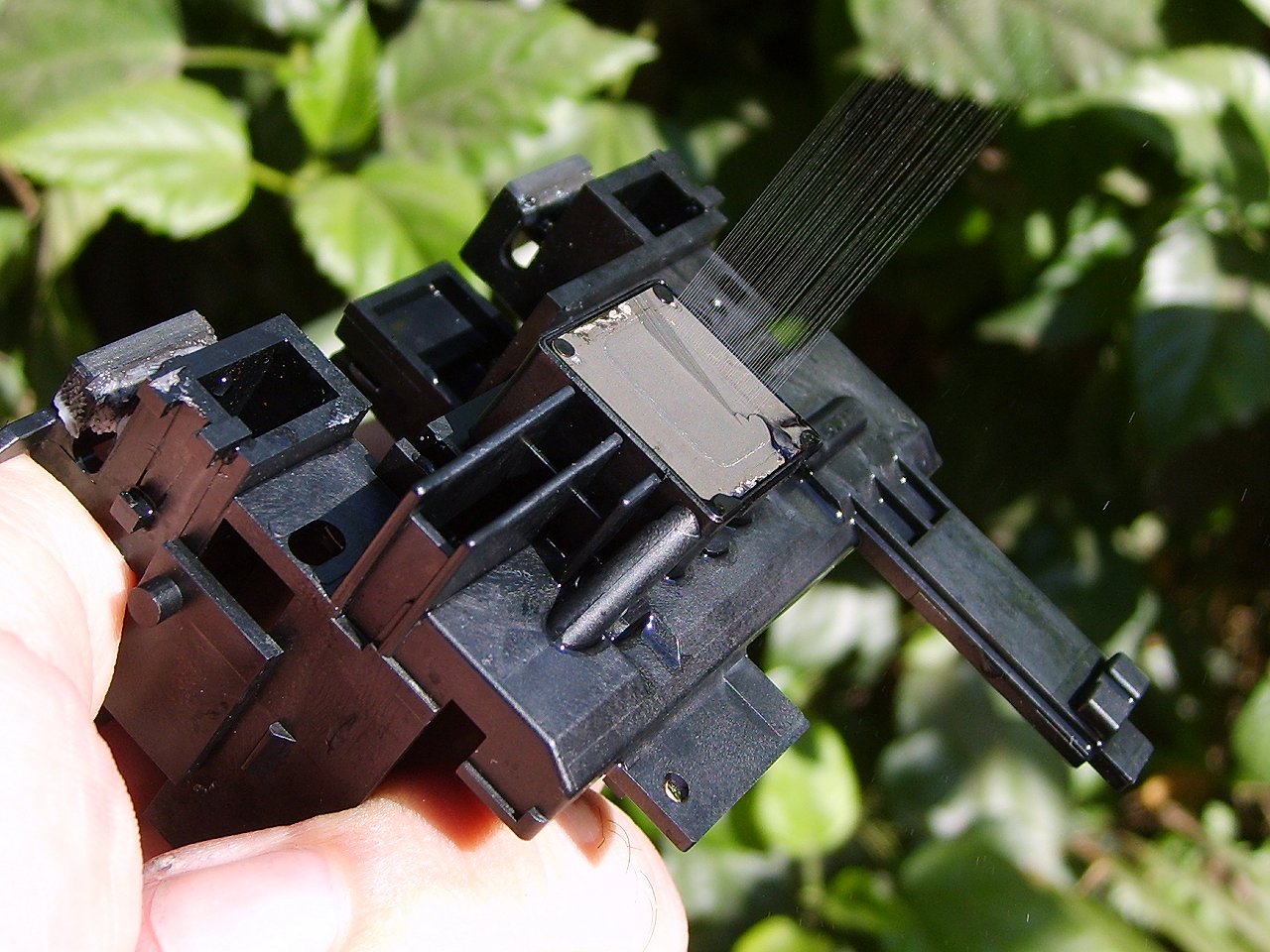
Most inkjet printers use one of two droplet-generation methods: thermal bubble (heating a resistor to create a bubble that ejects a drop) or piezoelectric (using a crystal that flexes to force a drop out). The printhead contains many tiny nozzles that are addressed in patterns to form characters and images. Color images are produced by combining separate channels of cyan, magenta and yellow, plus black; many photo-capable models add light cyan and light magenta or other supplementary colors to expand tonal range and produce smoother gradients.
Inks, cartridges, and media
Ink chemistry affects permanence, color gamut and maintenance. Two broad classes are dye-based inks, which dissolve in carrier fluid and give vivid color, and pigment-based inks, where colored particles sit in the carrier and usually offer improved light and water resistance. Typical consumer models use replaceable cartridges that contain one or more ink reservoirs; higher-end and industrial systems may use continuous ink supply or bulk tanks. Besides plain paper, inkjets can print on coated photo papers, labels, and specially prepared media; some specialty printers can image optical discs (such as CDs and DVDs) and rigid substrates like plastic cards.
Typical uses and advantages
- Photo and graphics printing: superior color blending and subtle tonal control make inkjets popular for photographs and art prints (photos).
- Low-volume color document production: economical initial purchase price and compact size suit home users and small offices.
- Wide-format and industrial printing: large inkjet presses handle banners, signage and textiles with widths measured in metres.
- Specialty outputs: variable-data printing, proofs, and direct-to-object marking.
For dense, high-speed black text, laser printers still have an edge in cost per page and throughput; they produce crisp high-contrast text more quickly in many office workflows.
Maintenance, common problems and remedies
A common issue in inkjet printers is nozzle clogging, which causes banding or missing colors in prints. Clogs form when ink dries in unused nozzles or when particulate contaminants accumulate. Manufacturers provide onboard software utilities to run automated cleaning cycles and print nozzle-check patterns. For seldom-used machines, users sometimes schedule regular short prints (a purge sheet containing all colors) to keep nozzles active; on systems administered in Unix-like environments this can be automated with a cron job. Regular use, correct paper selection, and storing cartridges unopened until needed reduce many maintenance problems.
Notable distinctions and buying considerations
When choosing an inkjet model consider intended use (photos versus documents), running costs, and media compatibility. Consumer models are inexpensive up-front but can have high consumable costs because replacement cartridges may be costly or infrequently used cartridges dry out. Professional pigment-ink systems and printers with bulk tanks lower cost per page and extend uptime for high-volume color work. Resolution figures (often quoted in dots per inch or DPI) give one measure of potential detail; however, perceived quality also depends on ink formulation, media, halftoning algorithms and printhead technology. Small residual banding can be inherent to the mechanical process even with properly maintained equipment.
For further technical details, user guides, and profile support consult manufacturer documentation and reputable online resources via the links embedded above, or explore introductions to printing technology and color management to better match a printer’s capabilities to your workflow.
Related articles
Author
AlegsaOnline.com Inkjet printer: technology, uses, maintenance, and comparisons Leandro Alegsa
URL: https://en.alegsaonline.com/art/47377