
File system (computing): organization, operation, and types
A file system is the software structure that organizes and manages how data is stored, named, accessed and protected on storage devices, networked servers, and virtual memory.
A file system is the layer of software that presents stored information to users and programs as named items organized into a hierarchy of directories and files. It maps the abstract units people and applications use to the physical places where bytes reside. A file system can operate on a local storage device such as a hard disk or on removable media like a USB flash drive, a compact disc or a DVD. It may also manage data kept on a remote server and accessed over a network, or exist entirely in volatile memory. The information held by the system is commonly called data and the on-disk contents are sequences of binary data.
Image gallery
4 Images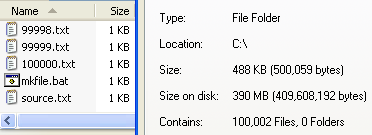


Core concepts and components
Internally, file systems bridge between user-visible files and low-level storage units such as disk blocks or sectors. This translation records where each file's bytes live, what name and attributes it has, and how directories relate to one another. Metadata—information about files rather than their contents, such as timestamps, size, owner, and permissions—is kept separate from file data and is critical to correct operation; see metadata. Many file system implementations expose structures known as inodes, allocation tables, or extent maps to represent this state.
Design patterns and reliability
Design choices include whether space is allocated contiguously or in fragments, how directories are indexed, and how name resolution is implemented. Modern file systems increasingly borrow database concepts to maintain consistency. Using transactional techniques the system can ensure changes either complete fully or leave the file system unchanged—an idea related to ACID properties in databases. In practice this is often implemented as journaling or copy-on-write behavior; journaling writes a compact record of intended changes so recovery is straightforward, while atomic updates may rely on isolated transactions under the hood.
Common types and examples
- Simple allocation tables (e.g., FAT-family) that track chains of blocks.
- Metadata-rich UNIX-style systems that use inodes and block allocation (e.g., ext family).
- Advanced journaling or copy-on-write systems designed for robustness and snapshots.
- Network file systems that expose remote storage through protocols and mount semantics.
Uses, management and notable distinctions
File systems determine performance, maximum file and volume sizes, security model, and resilience to crashes. Administrators choose a file system based on workload (large sequential files vs many small files), platform support, and features such as encryption or snapshotting. Virtual file systems provide a uniform interface so applications can access different underlying formats transparently. Tools for checking and repairing file systems attempt to reconcile actual block contents with recorded metadata.
Practical considerations
Understanding a file system helps with backups, recovery, tuning and capacity planning. When moving data between platforms it is important to pick compatible formats or use translation layers. For specialized needs—real-time systems, embedded devices, or large-scale network storage—there are purpose-built file systems optimized for latency, wear leveling, or distributed consistency. For further technical reading see related materials on how files are structured and stored on devices and servers, including entries about files, the underlying device, and how storage systems handle concurrent access and integrity concerns.
Related articles
Author
AlegsaOnline.com File system (computing): organization, operation, and types Leandro Alegsa
URL: https://en.alegsaonline.com/art/34291