
High-Definition Multimedia Interface (HDMI)
HDMI is a single-cable digital interface that carries uncompressed video, multi-channel audio, and control signals between consumer and professional AV devices.
Overview
The High-Definition Multimedia Interface (HDMI) is a widely used connector and signaling standard for carrying high-quality audio and video between devices. HDMI links display sources such as set-top boxes, game consoles, or computers to displays like modern televisions and projectors using a single cable that carries both picture and sound. The interface was created to replace multiple analog and digital cords with one simpler connection and to support high-definition formats.
Image gallery
10 Images




Key characteristics
HDMI transmits audio and video as digital signals over an interface designed for consumer electronics. It supports sending transmitting uncompressed digital data so image quality and sound fidelity remain high. The physical medium is commonly an HDMI cable that connects different components, including sources such as a DVD player to a High-definition television (HDTV). HDMI also carries metadata and control protocols to coordinate behavior between devices.
History and development
HDMI was introduced to the market to create a unified, all-digital standard for HD signals and to supersede multiple analog and legacy connections. The specification evolved through several versions to add higher bandwidth, support for new color formats, 3D, higher refresh rates, and features like Ethernet over HDMI and Audio Return Channel. Its design draws from earlier digital interfaces such as DVI while adding audio and broader consumer features.
Uses, compatibility and examples
HDMI is the default choice in many consumer and electronics products as well as a broad range of PC products. It carries multi-channel surround sound formats, video resolutions from standard definition up to 4K and beyond (depending on version and cable quality), and device control signals. Typical use cases include connecting Blu-ray players, streaming boxes, gaming consoles, AV receivers, and modern laptops (laptops) to televisions and monitors.
Notable distinctions and practical notes
- HDMI replaces many older cables and connectors by combining signals; manufacturers highlight it as the preferred standard for HD content in consumer electronics.
- Although HDMI and DVI share similar video signaling technology, HDMI adds audio and control channels, simplifying setup between devices.
- Cable choice and HDMI version affect supported features; not all cables or ports support every new capability introduced in later specification revisions.
Practical tips
When purchasing or troubleshooting HDMI connections, check the devices' documented capabilities and use cables rated for the necessary bandwidth. For complex systems with multiple components it can be useful to use an AV receiver or switch that supports the intended formats. Manufacturers often bundle HDMI with additional product information and support pages (audio info, video specs, interface details, transmitting guidance, compression notes, digital standards, data handling, cable tips, player compatibility, display matching, standards pages, consumer guidance, electronics manuals, PC integration, audio formats, technical comparisons, DVI history, market context, laptop ports).
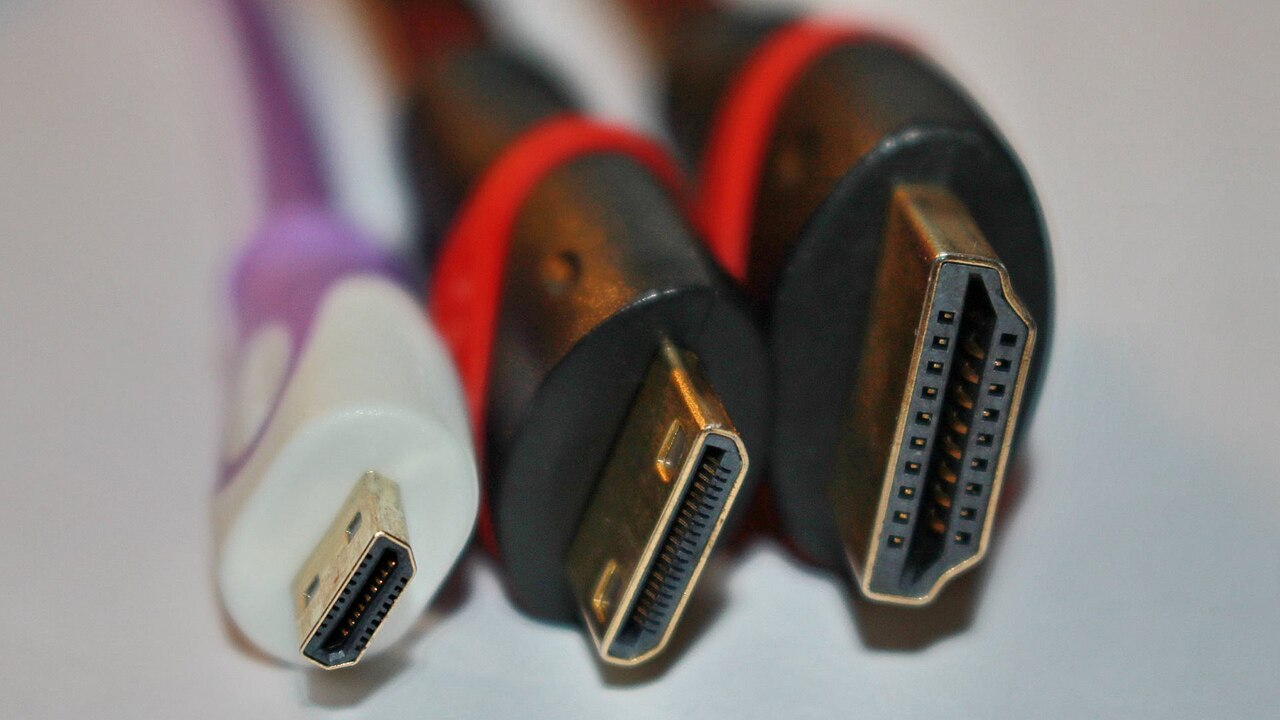
Note: HDMI continues to develop through specification updates, and vendors may use variant connectors (standard, mini, micro) to suit device sizes and use cases.
Related articles
Author
AlegsaOnline.com High-Definition Multimedia Interface (HDMI) Leandro Alegsa
URL: https://en.alegsaonline.com/art/44090
Sources
- creativebloq.com : "HDMI vs DVI: A no-nonsense guide"