
Windows Server 2012: overview, features, history and editions
Windows Server 2012, released in 2012, is Microsoft’s server OS focused on virtualization, cloud integration, storage resiliency and centralized management; it introduced Hyper-V updates, ReFS, IPAM and PowerShell enhancements.
Windows Server 2012 (codename "Windows Server 8") is the sixth release in Microsoft’s Windows Server family. Built on the same core as the client release Windows 8, it arrived in 2012 as the successor to Windows Server 2008 R2. The product emphasized virtualization, scalability, software-defined infrastructure and integration with public and private cloud scenarios. Mainstream support ended in October 2018 and extended support concluded in October 2023.
Image gallery
3 Images
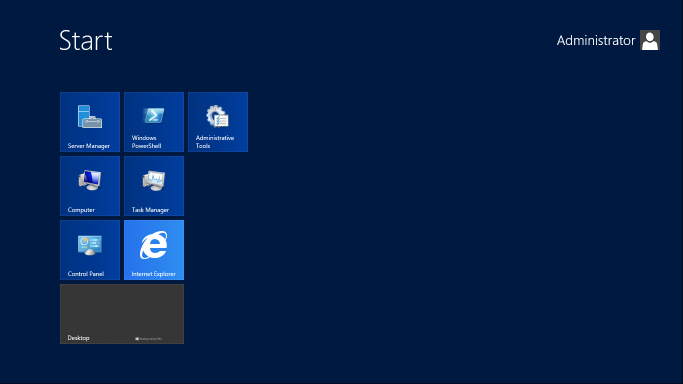

History and release
Microsoft published pre-release builds, including a developer preview and public beta, to gather feedback during development. The product reached general availability in September 2012. Its development reflected Microsoft’s shift toward cloud-oriented datacenter features, improved automation tooling and greater multi-server management. The platform was later succeeded by Windows Server 2012 R2, which introduced further refinements and updates.
Core features and architecture
Windows Server 2012 reworked several server components and added new roles and services. Key themes for the release were virtualization improvements, resilient storage, centralized IP address management and expanded automation via PowerShell. The operating system removed support for Itanium-based systems, aligning platform support with prevailing hardware trends.
- Virtualization (Hyper-V): Hyper-V received major enhancements to live migration, storage integration and management, making it a primary platform for consolidating workloads and building private cloud infrastructure.
- Storage and filesystems: The release introduced the Resilient File System (ReFS) to improve data integrity and availability on large volumes. Storage management features and integration with new storage pooling concepts supported more flexible capacity arrangements.
- Networking and IPAM: A new IP Address Management (IPAM) role centralized discovery and auditing of IP space, helping administrators manage DHCP and DNS configuration at scale.
- Management and automation: Server Manager was redesigned for multi-server management and remote administration. PowerShell received many additional cmdlets to enable scripted deployment and automation. The Task Manager was modernized to present performance and process information more clearly.
Editions and deployment scenarios
Windows Server 2012 was offered in multiple editions to address different scales and licensing needs. Editions included Foundation (OEM scenarios), Essentials (small businesses), Standard and Datacenter (for larger datacenters and virtualization-heavy deployments). Each edition differed in virtualization licensing rights, scalability targets and feature availability, allowing organizations to select an edition according to workload density and redundancy requirements.
Administration, security and tooling
Administration focused on centralized tools and automation to reduce manual tasks. The redesigned Server Manager enables administrators to deploy roles and manage multiple servers from a single console. PowerShell capabilities expanded significantly, making complex provisioning and configuration tasks scriptable. Security enhancements included improved role-based access control patterns and tighter defaults intended to reduce attack surface in hosted environments.
Adoption, reception and lifecycle
Technically, Windows Server 2012 was praised for its virtualization and storage features, as well as the expanded management and automation capabilities that addressed cloud and hosting scenarios. The platform’s user interface choices—shared with the client release—generated mixed reactions among administrators. Organizations adopted the release for private cloud deployments, virtualization consolidation and hosting services, often citing integration with Microsoft’s broader ecosystem as a benefit. Official vendor lifecycle details and product documentation are available from Microsoft pages such as the general Windows Server 2012 overview and vendor support resources from Microsoft.
Further reading and resources
For detailed information on specific components and how to migrate, administrators can consult official technical documentation and product guides. Topics frequently referenced include the Task Manager changes, design and use of ReFS, best practices for cloud computing integration, and the upgrade path from earlier releases. The successor update and cumulative releases provide additional guidance and fixes beyond the original release.
Questions and answers
Q: What is Windows Server 2012?
A: Windows Server 2012 is the sixth release of Microsoft's Windows Server operating system, which serves as the server version of Windows 8 and succeeds Windows Server 2008 R2.
Q: When was Windows Server 2012 released?
A: Windows Server 2012 was generally available to customers starting on September 4, 2012.
Q: What were the pre-release versions of Windows Server 2012?
A: Two pre-release versions of Windows Server 2012, a developer preview, and a beta version were released during development.
Q: What are the new features added in Windows Server 2012?
A: Windows Server 2012 has various new and improved features over Windows Server 2008 R2, such as an updated version of Hyper-V, an IP address management role, a new version of Windows Task Manager, and ReFS, which is a new file system.
Q: What are the different editions of Windows Server 2012?
A: Windows Server 2012 has four editions, i.e., Standard edition, Datacenter edition, Essentials edition, and Foundation edition.
Q: What is the successor of Windows Server 2012?
A: The successor of Windows Server 2012 is called Windows Server 2012 R2, which was released along with Windows 8.1 in October 2013.
Q: When does the extended support for Windows Server 2012 end?
A: Microsoft ended mainstream support for Windows Server 2012 on October 9, 2018, and will end extended support on October 10, 2023.
Related articles
Author
AlegsaOnline.com Windows Server 2012: overview, features, history and editions Leandro Alegsa
URL: https://en.alegsaonline.com/art/108534