
Multi-touch: simultaneous touch input for screens and trackpads
Multi-touch is touch input that senses two or more contact points simultaneously on a screen or trackpad, enabling gestures like pinch, rotate, and complex multi-finger interactions.
Overview
Multi-touch is an input method that detects and responds to two or more points of contact on a touch-sensitive surface at the same time. This technology is used on devices such as a trackpad or touchscreen and allows interactions that go beyond single taps or clicks on the screen. By tracking multiple simultaneous touches, software can interpret gestures — for example, pinching to zoom or using two fingers to rotate an image — enriching how people manipulate digital content.
Image gallery
2 Images
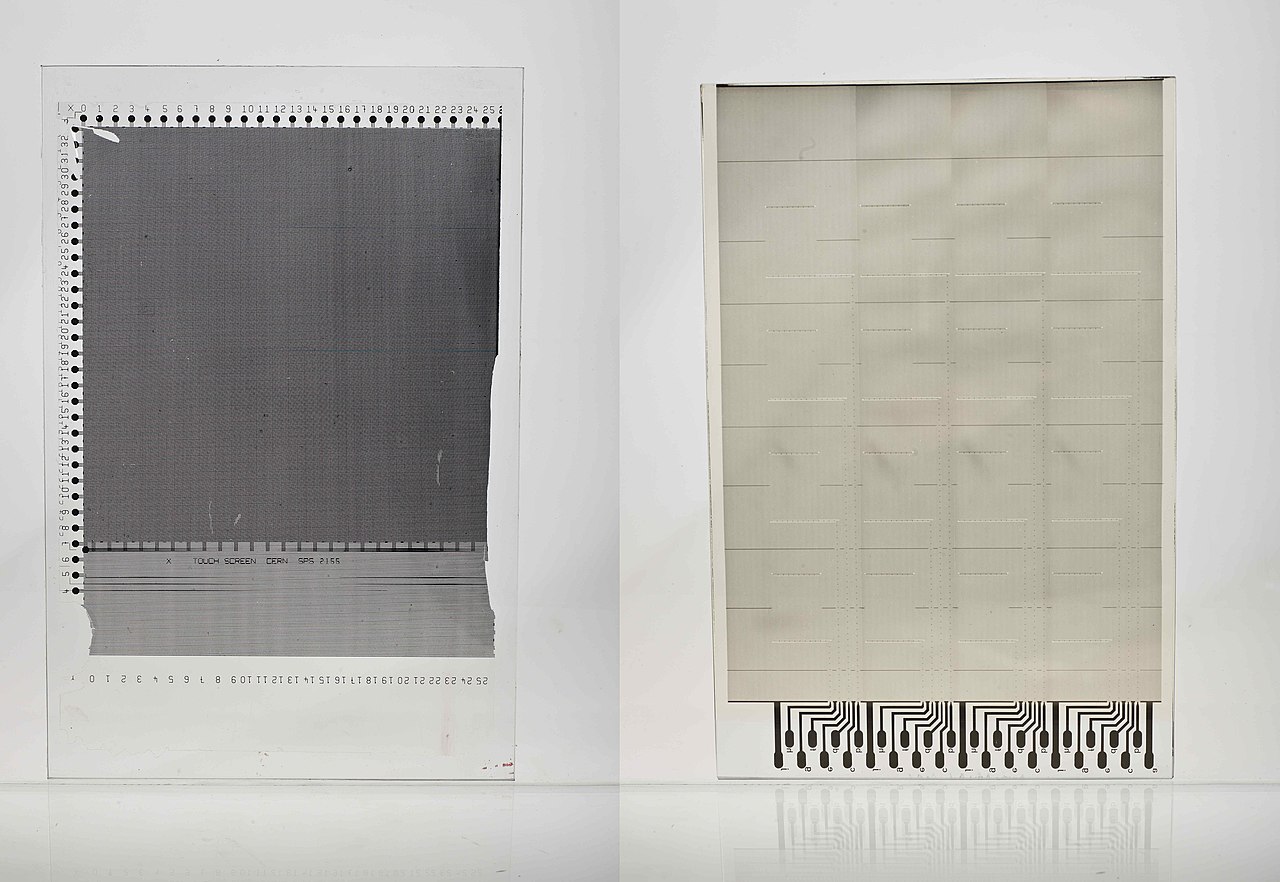
Key characteristics and components
At the hardware level, multi-touch systems rely on sensors and signal processing to locate touch points. Common sensing methods include capacitive panels that detect changes in an electric field and resistive systems that respond to pressure. On top of the hardware, firmware and operating system components perform touch-point tracking, event reporting, and gesture interpretation. Gesture recognition combines position, movement, timing, and the number of contacts to produce higher-level actions for applications.
Typical gestures and interactions
- Tap — single-finger selection or activation.
- Double-tap — quick repeat tap, often for zooming or selection.
- Pinch and spread — two-finger zoom out/in.
- Rotate — two or more fingers turning to rotate an object.
- Swipe and two-finger scroll — navigation and panning across content.
These gestures are interpreted by the device software and can be customized by applications. Operating systems expose touch events so apps can implement their own responses, and many platforms include built-in gesture handling to provide consistent behavior across programs.
History and development
Research into multi-point touch and gesture interfaces dates back several decades, with academic and corporate labs experimenting with prototypes that distinguished more than a single contact. Commercial adoption accelerated in the 2000s as touch-sensitive hardware became more reliable and affordable. One high-profile moment in popular awareness came with the introduction of the iPhone and its iOS operating system, which emphasized direct manipulation with taps, pinches, spreads, and rotations. The company behind that product, Apple, briefly attempted to assert exclusive rights by pursuing a trademark on the term “multi-touch,” but the phrase remained broadly used across the industry.
Uses and importance
Multi-touch is now common across many categories of electronic devices, including smartphones, tablet computers, and increasingly on laptop PCs with touch-enabled displays and precision trackpads. It supports intuitive gestures for navigation, editing, games, creative tools, maps, and accessibility features. For designers and developers, multi-touch changes interface conventions and allows gesture-driven workflows that can be faster and more natural than mouse-and-keyboard interactions in certain contexts.
Design considerations and limitations
While multi-touch greatly expands interaction possibilities, it also introduces challenges. Systems must handle accidental touches, palm rejection, and the ambiguity of simultaneous inputs. Software must be tolerant of imprecise finger input and provide clear visual feedback to avoid confusion. Hardware constraints such as limited touch points, latency, and false contacts (ghosting) affect usability. Accessibility and discoverability are additional concerns: not all users expect or can perform multi-finger gestures, so alternative controls and clear cues are important.
Overall, multi-touch transformed how people interact with digital surfaces by allowing direct, tangible manipulation of content. It remains a core feature of modern mobile devices and an area of active refinement in both hardware sensing and software interpretation.
More on the technology | Trackpad and touchscreen types | Touchscreen basics
iPhone example | iOS gestures | Operating system integration
Related articles
Author
AlegsaOnline.com Multi-touch: simultaneous touch input for screens and trackpads Leandro Alegsa
URL: https://en.alegsaonline.com/art/67454