
Computer bus
A computer bus is the internal communication pathway that carries data, control signals and power among a system’s components. Covers types, characteristics, history, and examples like PCIe, SATA, and USB.
Overview
A computer bus is a collection of electrical pathways used to transfer information, control signals and often power between parts of a computing system. In everyday usage the term "bus" refers both to the physical wiring or traces and to the protocol that governs how devices take turns using those lines. Buses appear inside motherboards, between processors and memory, and externally to connect storage and peripherals to the main system (computers).
Image gallery
1 Image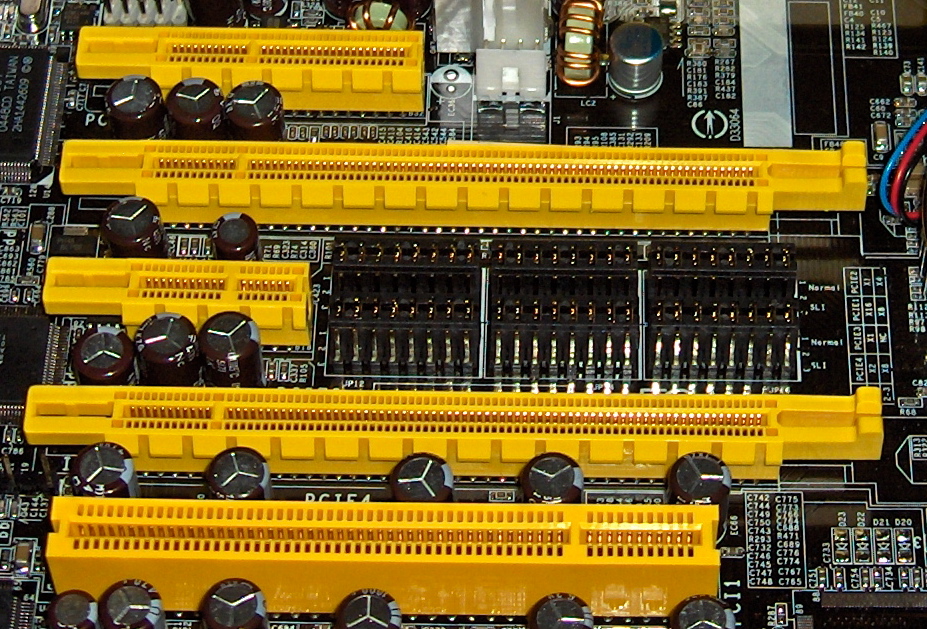
Characteristics and components
Most buses are described by their width, signalling method and purpose. Width is measured in bits and determines how many binary digits can be carried in parallel in one transfer; common widths include 8, 16, 32 and 64 bits, while specialized systems may use other sizes. Important logical categories include:
- Data lines: carry the payload or operands (data).
- Address lines: specify memory or device locations.
- Control lines: carry timing and coordination signals such as read/write and interrupt requests (signals).
- Power lines: supply voltage to attached devices.
Within a CPU, a bus connects subunits such as the arithmetic logic unit (ALU) and register file to the rest of the processor. Buses also implement features like arbitration (deciding which device may transmit) and bus mastering (allowing a device other than the CPU to initiate transfers).
History and development
Early microcomputers used simple parallel backplane buses. Over decades bus design evolved from shared parallel lines to point-to-point serial links. Standardization brought families of expansion and system buses: older examples include ISA and PCI, while modern systems favor high-speed serial interconnects such as PCI Express. Similarly, storage and peripheral connections moved from parallel interfaces to serial ones—Serial ATA (SATA) largely replaced older parallel drive interfaces, and serial USB (USB) and other links became dominant for external devices.
Types and examples
- System bus / Front-side bus: links CPU, memory and chipset on a motherboard.
- Memory bus: dedicated high-bandwidth link between CPU and RAM.
- Expansion / I/O buses: provide slots or ports for add-in cards and peripherals (examples: PCI, PCIe, USB, SATA, FireWire).
- Backplane and embedded buses: used in servers, industrial computers and multi-board systems.
Function, importance and notable distinctions
Buses shape a computer’s performance and flexibility. Bus bandwidth, latency, and protocol features determine how fast components can exchange information and how easily new devices can be added. A key distinction is parallel versus serial signalling: parallel buses transfer many bits simultaneously and were historically common, but serial buses transmit bits sequentially at very high rates and usually require fewer physical lines and easier signal integrity management. Another important distinction is shared-bus architectures, where multiple devices contend for the same lines, versus switched or point-to-point architectures that provide dedicated paths and scale better at high speeds.
Understanding bus structure and behaviour is essential for system designers, hardware engineers and those troubleshooting performance or compatibility issues. For further technical detail, consult platform-specific documentation and standards for the particular bus family in question (overview, data, signals, ALU, SATA, USB).
Related articles
Author
AlegsaOnline.com Computer bus Leandro Alegsa
URL: https://en.alegsaonline.com/art/22308