
Serial ATA (SATA): interface for connecting hard drives and optical drives
Serial ATA (SATA) is a widely used interface standard for connecting storage devices—hard drives, SSDs and optical drives—to a computer. It evolved from PATA and coexists with newer NVMe/PCIe interfaces.
Serial ATA (SATA), short for Serial Advanced Technology Attachment, is a computer bus standard designed to connect storage devices such as hard disk drives (HDDs), solid-state drives (SSDs) and optical disc drives to a motherboard. SATA replaced the older parallel ATA (PATA, often called IDE) family by adopting a serial signaling method that simplified cabling and improved performance. Typical SATA implementations support one device per data cable, use a 7‑pin data connector and a separate 15‑pin power connector, and are widely present in desktop computers, servers and many external storage enclosures.
Image gallery
10 Images


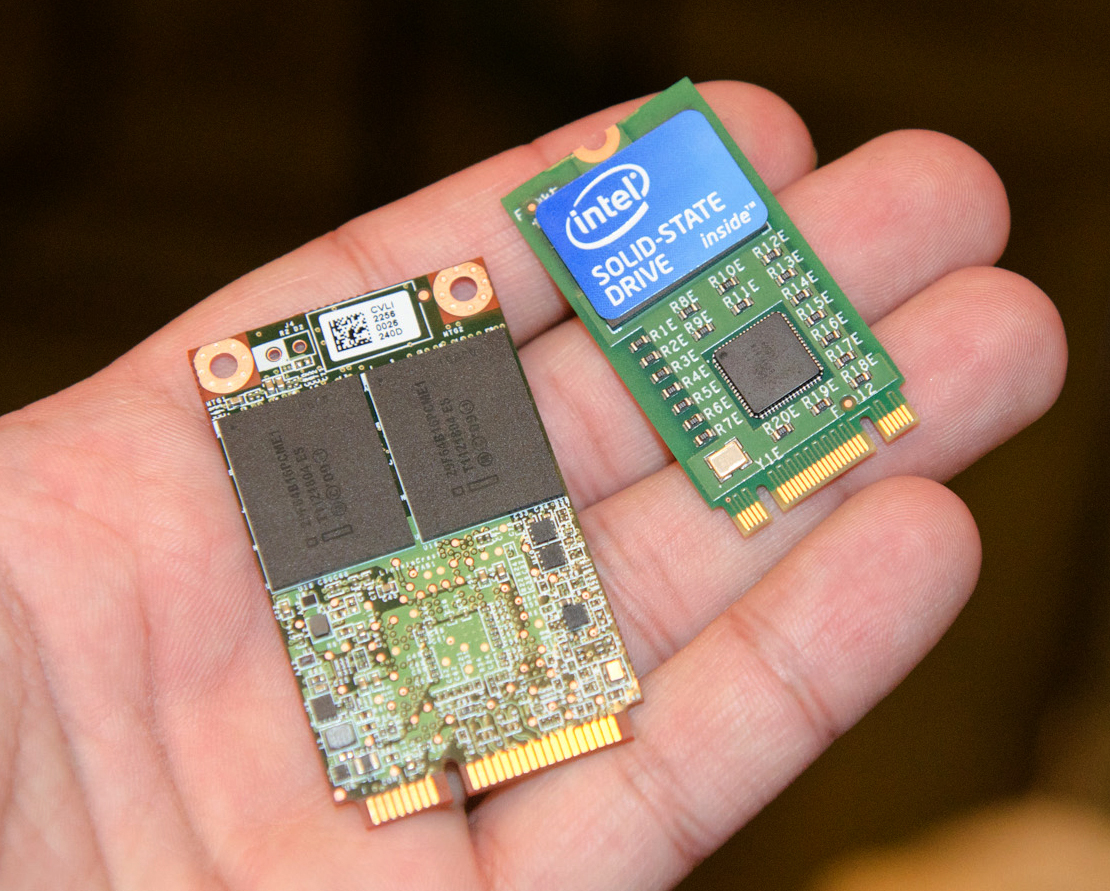
Specifications and components
SATA is defined in successive revisions that increased link speed and added features. Commonly referenced revisions are:
- SATA I (1.5 Gbit/s),
- SATA II (3.0 Gbit/s),
- SATA III (6.0 Gbit/s).
History and development
SATA emerged in the early 2000s to address limitations of PATA: bulky cables, limited device topology (two devices per cable), and slower transfer characteristics. Over time the SATA family broadened to include variants and related form factors. mSATA and the 2.5‑inch SATA form factor were developed to use the same protocol in smaller devices. eSATA offered an external connector for direct-attached external drives. Later efforts such as SATA Express attempted to combine SATA and PCIe lanes, but the industry has largely moved toward M.2 and NVMe SSDs for high-performance, low-latency storage.
Uses, examples and comparisons
SATA remains the predominant interface for spinning hard drives and many consumer SSDs because it balances cost, capacity and compatibility. Typical uses include internal desktop HDDs, 2.5‑inch laptop drives, and optical drives. In contrast, NVMe drives use the PCI Express (PCIe) bus and the NVMe protocol to achieve much higher throughput and lower latency; these drives are commonly available in M.2 and add-in card form factors and are replacing SATA SSDs in thin laptops and high-performance systems.
Practical features and distinctions
- Connectors: 7‑pin data plus 15‑pin power for standard SATA devices.
- One device per cable: simplifies device addressing compared with PATA's multi‑device ribbon cables.
- Backwards compatibility: newer SATA controllers and devices are generally interoperable with older revisions, though limited to the lower negotiated speed.
- External options: eSATA provides a dedicated external port without USB/SATA bridge overhead.
Notable facts and future outlook
Although SATA has been the dominant interface for consumer storage for many years, market trends show an increasing shift toward NVMe over PCIe for performance-sensitive applications and for compact devices where M.2 form factors are practical. Nevertheless, SATA remains important for high-capacity, cost-sensitive storage—particularly mechanical HDDs—and for legacy compatibility in many systems. For more technical details or official specifications consult the standard overview here, and for information on legacy PATA/IDE usage see this reference.
Questions and answers
Q: What is SATA?
A: SATA (Serial Advanced Technology Attachment) is a standard that has been defined to connect storage devices or optical drives to a computer.
Q: What was the standard used before SATA?
A: The most common standard that was used beforehand was called ATA or IDE; it has been renamed PATA.
Q: How do the cables of SATA and PATA differ?
A: The main difference between the two lies in the cables; SATA cables have seven wires, while PATA cables have 40 or 80.
Q: Is it common for desktop computers to use SATA?
A: As of 2022, almost all desktop computers have a SATA interface.
Q: Are there any computers that still use PATA?
A: Yes, some old computers still use PATA and are mostly used for industrial applications and embedded systems.
Q: Do laptops usually have a SATA interface?
A: No, some laptops do not have a SATA interface; they have an M.2 NVME interface to connect NVME SSDs which are based on the PCIE standard. Some laptops also have an embedded flash memory.
Q: Will laptop computers continue to use SATA in the future?
A: Most likely no; in the future, laptops (and some computers) will replace their current interfaces with M.2 NVME SSDs instead of using SATA.
Related articles
Author
AlegsaOnline.com Serial ATA (SATA): interface for connecting hard drives and optical drives Leandro Alegsa
URL: https://en.alegsaonline.com/art/89047