
Computer data storage: types, hierarchy, technologies and uses
Overview of computer data storage: hierarchy (primary, secondary, tertiary), physical media (RAM, SSD, HDD, tape, optical), characteristics (latency, capacity, volatility), history and common practices.
Computer data storage refers to the hardware and systems used to record, retain and retrieve digital information so that a processor can act on it. Storage exists in a layered hierarchy that trades speed for capacity: the fastest storage is tightly coupled to the central processing unit and is typically small and volatile, while the largest storage devices are slower but preserve data without power. Related topics include the processor and system bus that move data between storage layers; see CPU and execution and memory hierarchy for conceptual context.
Image gallery
7 Images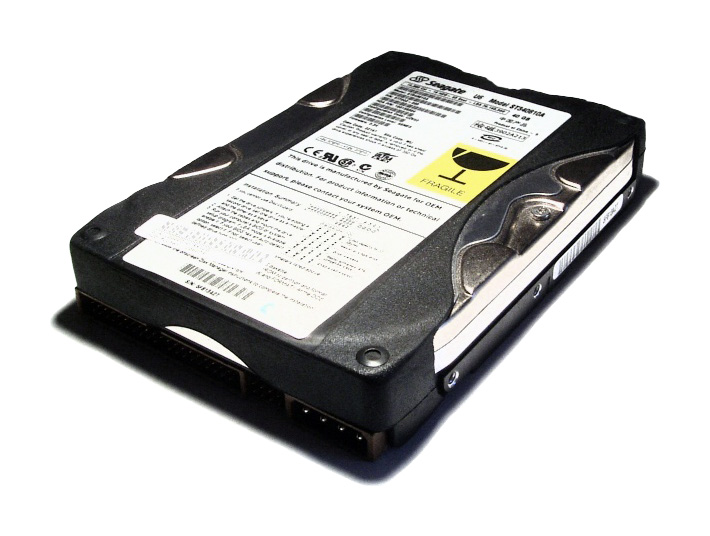



Hierarchy and main categories
Most systems separate storage into three broad tiers. Primary storage (also called main memory) includes processor registers, on-chip cache and system RAM; it is usually volatile and optimized for low latency. Secondary storage provides persistent block- or file-level access and must be brought into primary memory before the CPU operates on it. Tertiary storage is intended for long-term archive or backup and is often removable or offline until needed.
- Registers and cache: tiny, very fast storage inside the CPU and between the CPU and RAM; caches may be multi-level and implemented in hardware for speed. See processor registers and cache.
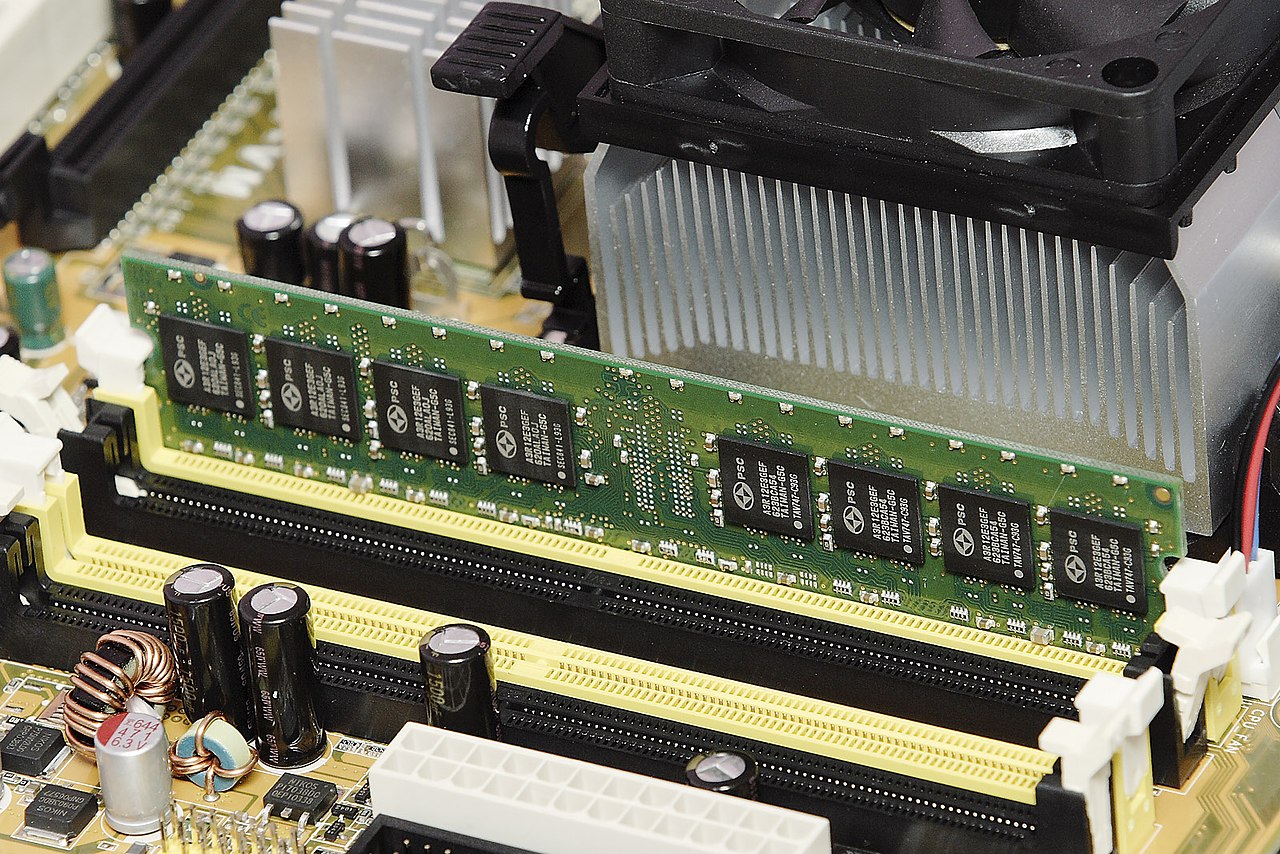
- Main memory (RAM): volatile semiconductor memory used to hold running programs and active data; typical access is much faster than disk but slower than CPU caches. For basics on volatile vs non-volatile behavior, consult memory types.
- Secondary storage: hard drives, solid-state drives, and external flash devices that provide persistent storage for files and applications; these are accessed by the operating system and transferred into RAM for execution.
- Tertiary storage: media such as tape cartridges or removable optical discs used for archival retention, often managed by automated libraries or manual procedures. Historical and distribution uses are discussed at tape and optical media.
Common physical technologies
Different technologies emphasize capacity, speed, durability and cost. Magnetic disks (HDDs) store data on spinning platters and use mechanical heads to read and write; they offer high capacity at low cost per byte. Solid-state drives (SSDs) use flash memory (NAND) and provide much lower access latency and higher throughput but have finite write endurance. Flash is the basis for USB thumb drives, embedded storage and many modern SSDs; see flash and removable drives.
Optical media such as CDs and DVDs are non-volatile and were widely used for distribution and archival; magnetic tape remains important for very large, low-cost backups where throughput over time matters more than random access. Tertiary distribution and archival examples are described at tape archives and optical distribution. Emerging and hybrid systems combine memory and storage functions; information on such devices and non-volatile RAM variants can be found via storage technology.
Key characteristics and trade-offs
Storage technologies are evaluated by several measurable properties: latency (time to begin an access), throughput (data rate for sustained transfer), random I/O performance (ability to service many small requests), capacity (total storable data) and persistence (does data remain without power). Other important aspects include reliability, durability, cost per gigabyte and, for flash, write endurance and wear-leveling mechanisms. RAID and other redundancy techniques improve availability and fault tolerance; high-level comparisons and use-cases are available at system design.
History, uses and practical distinctions
The evolution of data storage spans electromechanical media (punched cards, magnetic tape, magnetic drum and disk), through semiconductor memories, to modern solid-state and distributed cloud systems. Typical everyday roles include hosting operating systems and applications, storing user documents and media, holding databases and logs, and providing backups and archives. Backup media and distribution channels historically used tertiary media such as tape or optical discs; see software distribution for examples.
Storage models and notable facts
At an architectural level, storage can be presented as file storage (hierarchical files and directories), block storage (raw fixed-size blocks exported to an operating system or virtual machine) or object storage (data objects with metadata accessed via APIs). Cloud providers and enterprise systems increasingly blend these models. For vendor-neutral introductions and further reading, consult hardware and architecture resources and memory and storage tutorials. Practical system builders also consider backup frequency, retention policy and secure erasure when designing storage solutions; additional management techniques and lifecycle practices are discussed at system administration and data management.
Questions and answers
Q: What is computer data storage?
A: Computer data storage is the name for a number of components of a computer which are used to store data.
Q: What is the purpose of these components?
A: The main purpose of these components is to store data so that it can be accessed and changed by the central processing unit.
Q: How does memory hierarchy work?
A: In most computers, there is a computer memory hierarchy where memory that is closer to the CPU tends to be faster to access but smaller in size, while memory farther away from the CPU tends to be slower to access but bigger in size.
Q: What are some examples of classical storage media?
A: Examples of classical storage media include hard drives and USB flash drives.
Q: What type of media offers more capacity but accessing them is very slow?
A: Media such as tape drives offer more capacity than other types, however they are very slow when it comes to accessing them.
Q: What are primary data storage components?
A: Primary data storage components include registers found on modern CPUs which can store data, several levels of cache and main memory which can be accessed by the CPU.
Q: What type of storage is usually not directly accessible by the CPU?
A: Secondary storage usually cannot be directly accessed by the CPU and requires transferring its contents into primary storage before use. Examples include hard drives and non-volatile random-access memory.
Related articles
Author
AlegsaOnline.com Computer data storage: types, hierarchy, technologies and uses Leandro Alegsa
URL: https://en.alegsaonline.com/art/22309