
Personal digital assistant (PDA)
Handheld computing devices intended as electronic organizers. PDAs offered calendars, contacts, notes and simple apps, later converging with phones and networks to form modern smartphones.
Overview
A personal digital assistant (PDA) is a compact, often handheld device created primarily to manage personal information and schedules. Early PDAs were marketed as electronic replacements for paper day planners and rolodexes and were a type of handheld computer focused on address books, memos and calendar functions rather than full desktop tasks. They emphasized portability, low power use and quick access to frequently needed personal data.
Image gallery
6 Images
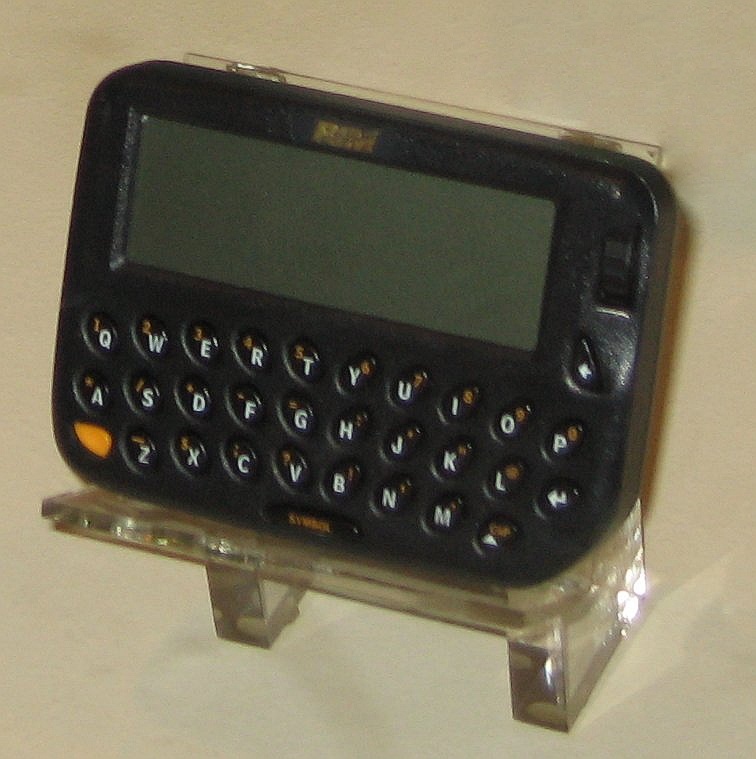


Typical features and components
Core built-in applications commonly included an address book, a note taker, a calculator, a clock and a calendar. Input was provided by a stylus on a resistive touch screen, an on-screen keyboard or a small physical keyboard. Some devices supported handwriting recognition systems or shortcut gestures. Many PDAs could run third-party software written for the platform and offered simple utilities and entertainment such as games.
Operating systems and examples
Several software platforms competed in the PDA era, including proprietary systems and versions of embedded operating systems. Notable manufacturers produced models that varied in capability and ecosystem; later products blurred the line between PDAs and phones, leading to devices commonly called smartphones. Hardware options often included removable memory, infrared or later radio links and modest multimedia capabilities.
Connectivity and multimedia
As networks and standards evolved, PDAs gained wireless options such as Wi‑Fi and Bluetooth, enabling synchronization, web browsing and file transfer. Some units could send and receive e‑mail, and later models added cameras that could record video or capture still images. Accessories and docks expanded connectivity to printers, GPS receivers and mobile modems.
Legacy and impact
Dedicated PDAs are largely obsolete in mass markets, but they established conventions still used in mobile computing: touch interaction, application stores, personal information management and data synchronization between mobile and desktop systems. Variants of PDA concepts persist in specialized handhelds for fieldwork, logistics and industrial applications.
Common PDA capabilities (summary)
- Contact management and searchable address books
- Calendar, reminders and appointment scheduling
- Note-taking, simple document viewing and basic editing
- Calculations, small utilities and casual games
- Synchronization with desktop software and later internet services
Questions and answers
Q: What is a personal digital assistant?
A: A personal digital assistant is a handheld computer.
Q: Why were personal digital assistants designed?
A: Personal digital assistants were designed to replace non-electronic day planners.
Q: What are some functions of a PDA?
A: Many PDAs can work as an address book, a calculator, a clock, and a calendar. Some also have games on them.
Q: What are newer PDAs called?
A: Newer PDAs are now called smartphones.
Q: What are some features of smartphones?
A: Smartphones have Wi-Fi, touch screens, can read e-mail, record video, play music and make phone calls.
Q: Can a PDA function as a phone?
A: No, a regular PDA cannot function as a phone, but newer ones, called smartphones, can make phone calls.
Q: Can a PDA record video?
A: No, a regular PDA cannot record video, but some newer ones, called smartphones, can.
Related articles
Author
AlegsaOnline.com Personal digital assistant (PDA) Leandro Alegsa
URL: https://en.alegsaonline.com/art/75964