
Word Processor — functions, features, history and common uses
An overview of word processors: what they are, typical features, historical development, common uses and distinctions between basic editors, modern suites and desktop publishing tools.
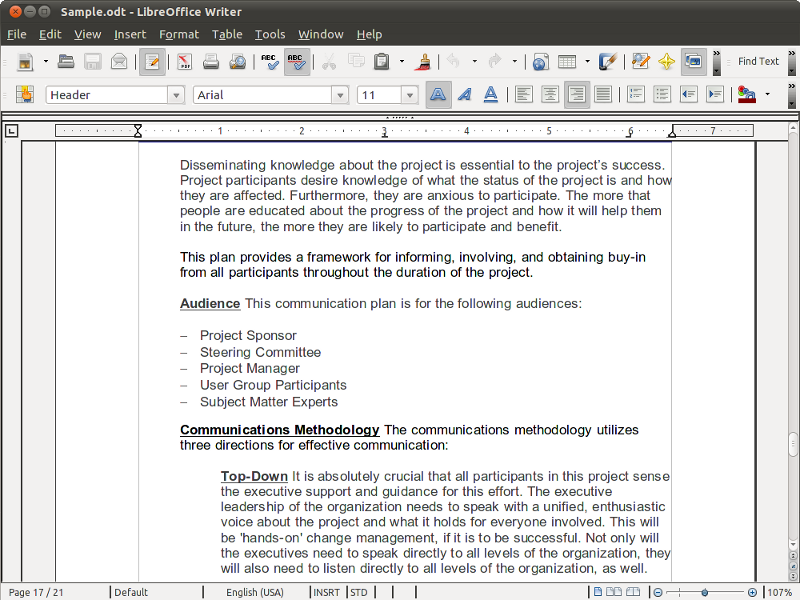
A word processor is a software application designed primarily for creating, editing, formatting and printing text documents. Unlike a simple plain-text editor, a word processor provides tools to change font style and size, apply paragraph and page layout, insert images and tables, and check spelling and grammar. Modern word processors often integrate collaboration, templates and export options that help people produce letters, reports, flyers and other documents for digital distribution or paper printing.
Image gallery
6 Images


Key features and components
Typical capabilities that distinguish word processors from basic editors include:
- Text formatting: character styles (bold, italics, underline), fonts, sizes, colors and paragraph alignment.
- Page layout: margins, headers and footers, page numbering and multi-column layouts.
- Proofing tools: spell check, grammar suggestions, word count and thesaurus access.
- Insertions: images, charts, tables, hyperlinks and embedded objects.
- Templates and styles: reusable document templates and style sheets to ensure consistency.
- Printing and export: print settings, PDF export and various file-format interoperability.
History and development
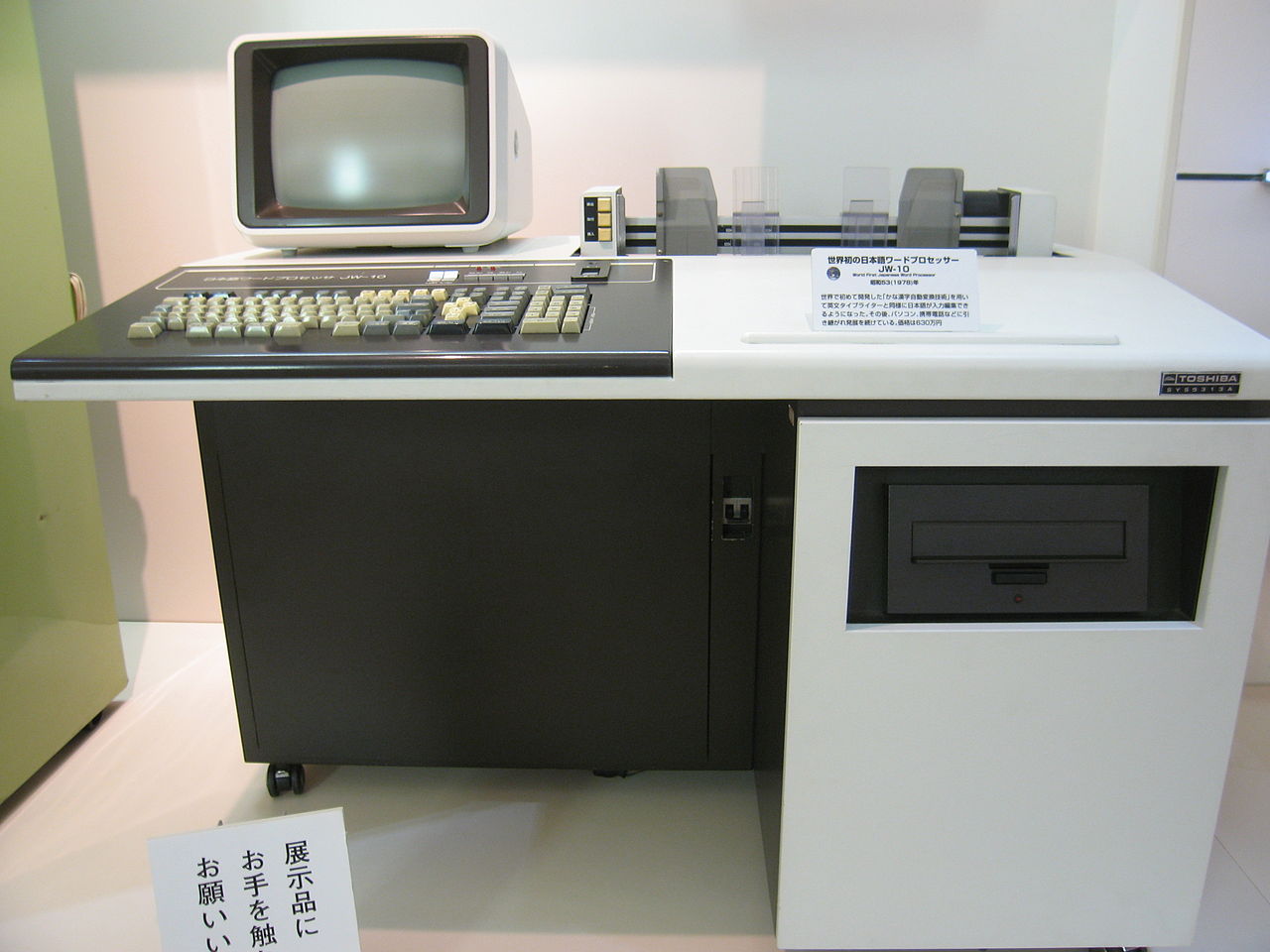
The concept of computerized text editing originated in the 1960s and 1970s as researchers and organizations moved from typewriters to digital systems. Early systems focused on replacing physical typesetting; over time, user interfaces evolved from command-line and markup-based editors to graphical, WYSIWYG (what you see is what you get) environments where visual layout closely matches printed output. The 1980s and 1990s saw the rise of integrated office suites and richer desktop publishing capabilities, while the 2000s introduced cloud-based editors that support real-time collaboration and cross-device access.
Common uses and examples
Word processors are used across business, education, government and personal contexts. Common document types include letters, resumes, memos, meeting minutes, academic papers, newsletters and brochures. Many people use templates to speed up routine documents; organizations often adopt style guidelines and templates to maintain brand consistency. Examples of widely used word-processing software include both desktop and cloud-based offerings; some systems are simple text editors, while others are full-featured publishing suites.
Variants, limitations and notable distinctions
Not all programs that handle text are full word processors. A text editor focuses on plain text and is favored for coding and lightweight note-taking. A desktop publishing application emphasizes precise layout and typographic control for magazines, books and complex print designs, often handling high-resolution graphics and multi-page document composition. Limitations of word processors can include heavy file sizes, compatibility issues between formats, and less precise control for advanced typographic tasks compared with specialized publishing tools.
Practical tips and resources
Choose a tool that matches your needs: lightweight editors for short notes, full word processors for reports and proposals, and desktop publishing tools for complex page design. Learn to use styles and templates to save time, and keep backups or version history when collaborating. For introductory references and definitions, see the following resources and categories:
- General definition and overview
- Comparison with plain text editors
- Hardware that historically accompanied word processing
- Document editing and publishing concepts
- Common tools and utilities in word processors
- Proofing tools: spell check and grammar
- Examples of document types created with word processors
- Creating web-compatible documents and export options
- Integrating charts and graphical elements
- Using synonym tools and writing aids
- When to use desktop publishing instead
Related articles
Author
AlegsaOnline.com Word Processor — functions, features, history and common uses Leandro Alegsa
URL: https://en.alegsaonline.com/art/109035