
Anaconda (Linux installer)
Anaconda is the installation program used by Red Hat, Fedora and related distributions. It provides GUI and text modes, supports automated installs via kickstart, and is extensible and community‑maintained.
Overview
Anaconda is the primary system installer used by Red Hat and Fedora, and by many distributions based on that ecosystem. It guides an operating system installation from hardware detection through partitioning, package selection and initial configuration. Designed to support both interactive and unattended workflows, Anaconda is a widely used tool for workstation, server and cloud image creation.
Image gallery
3 Images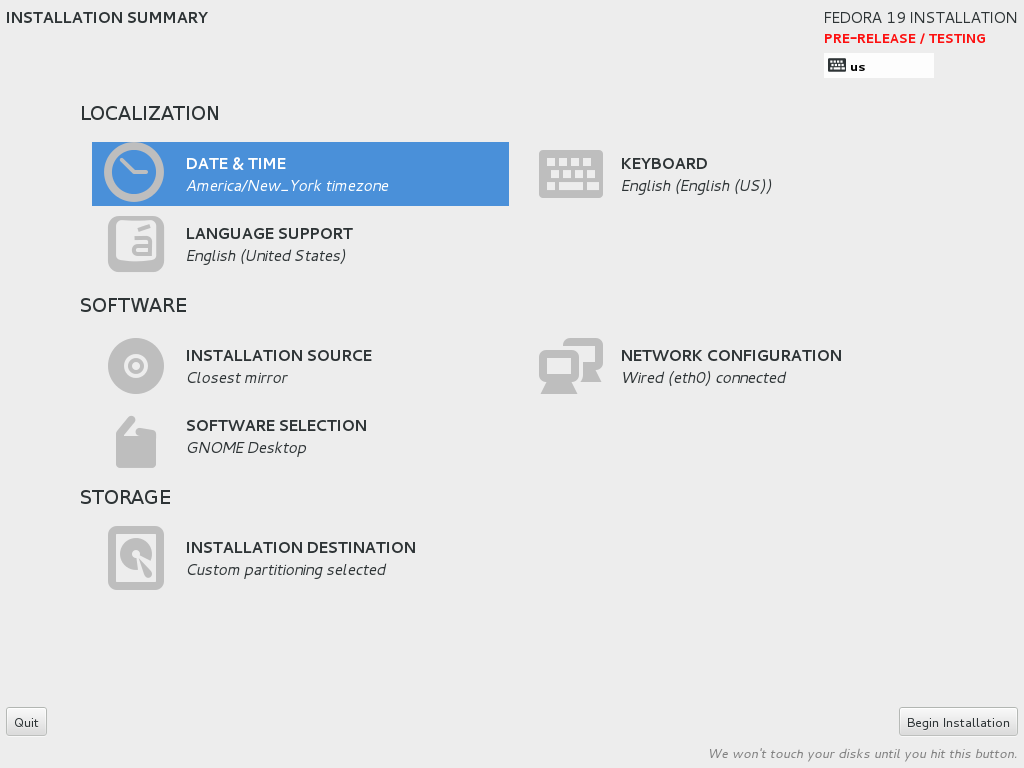


Architecture and interfaces
Anaconda combines a small, performance‑sensitive core written in C with higher‑level logic implemented in Python. The installer offers two primary user interfaces: a graphical mode based on GTK+ 3 with bindings via PyGObject, and a character‑based text mode for environments without a graphical console. Internally it handles disk partitioning, filesystem creation, package installation and basic system configuration through modular components.
Automation and configuration
A major feature of Anaconda is unattended installation via kickstart files. A kickstart file declares partitioning rules, package selections, user accounts and other options so installations can run without manual input. This makes Anaconda useful for large deployments, automated image builds and reproducible lab or cloud installations. Administrators often combine kickstart with post‑installation scripting to perform custom setup steps.
History and name
The project arose as the installation tool for Red Hat’s distributions and has evolved through community and vendor contributions. The name has a lighthearted origin: anacondas are large snakes; folklore around the installer’s name references lizards and boas—connecting to earlier installer code names such as "Lizard" and other reptile themes like boas. Over time Anaconda has been rewritten and extended to meet new packaging, storage and network configuration needs.
Usage, extensions and notable facts
- Modes: interactive GUI for desktop installs and text mode for minimal consoles.
- Automation: kickstart files enable unattended installs and reproducible images.
- Extensibility: hooks, plugins and modules allow distribution‑specific customizations.
- Community: maintained by Red Hat engineers and external contributors, used across servers, workstations and cloud images.
Because of its combination of interactive tools and automation features, Anaconda remains a central piece of many enterprise and community Linux deployment workflows. For administrators shifting between desktop and headless environments, its dual interface and scripting capabilities make it a flexible choice for both single machines and large fleets.
Related articles
Author
AlegsaOnline.com Anaconda (Linux installer) Leandro Alegsa
URL: https://en.alegsaonline.com/art/3726