
Emulator (computing): overview, types, history and uses
Software or hardware that reproduces the behavior of one computer system on another, enabling legacy programs, games, and different operating environments to run on modern machines.
An emulator is a system — usually software, sometimes combined with dedicated hardware — that reproduces the functions of one computer or device on a different host so that programs written for the original system can run unchanged. Emulation is widely used to preserve older software, test applications across platforms, and support development workflows. It differs from simple compatibility layers in that it seeks to replicate the behavior and interfaces of the target machine, often down to timing and input/output quirks.
Image gallery
4 Images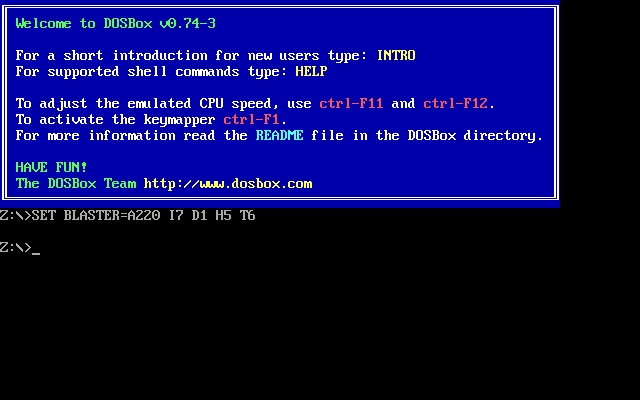


How emulators work
At a basic level, an emulator translates the instructions and I/O of the emulated system into actions the host can perform. This translation may be done by interpretation (reading and executing instructions one at a time) or by dynamic translation (recompiling blocks of code for the host), and it may include extra components that mimic hardware devices such as graphics chips, sound processors, timers, and peripheral controllers. Accurate emulation often requires careful handling of low-level behaviors, which can make high-fidelity emulators demanding on the host processor and memory.
Types and common components
- Software emulators: Programs that run on a general-purpose operating system and provide virtualized hardware and system software.
- Hardware-assisted emulation: Systems that use specialized hardware or firmware to improve performance or compatibility.
- Device-specific emulators: Emulators for consoles, mobile devices, calculators, mainframes or legacy business systems.
- Development emulators: Tools that mimic a target device for writing and testing applications without physical hardware.
History and development
The concept of running software designed for one machine on another dates back to early computing, when businesses sought ways to extend the life of major investments or migrate systems. Over time, emulation techniques matured alongside improvements in processor speed and memory. Modern emulators benefit from optimized translation strategies, graphical acceleration, and modular device models that let authors balance accuracy and performance.
Practical uses and examples
Emulators serve a range of roles: preserving and running vintage software and games, enabling developers to test apps across platforms, allowing research into legacy formats, and supporting virtualization for education. For example, console emulators let players experience titles from older systems on new hardware; mobile emulators help developers debug apps without extra devices; and legacy system emulators keep critical business or scientific software operational when original hardware is no longer available.
Limitations and legal considerations
Emulation may be resource-intensive because the host must reproduce hardware behavior in software. Graphics-intensive systems often require sufficient CPU and GPU resources, plus adequate RAM and storage. Accuracy versus speed is a common trade-off: highly accurate emulation can be slower and need more memory. There are also legal and licensing issues to consider: while creating and using emulators is legal in many jurisdictions, distributing copyrighted firmware, operating system images, or game ROMs without permission can violate laws or terms of service.
Further reading
Related articles
Author
AlegsaOnline.com Emulator (computing): overview, types, history and uses Leandro Alegsa
URL: https://en.alegsaonline.com/art/31307