
Ergonomic keyboard: design, benefits, history and common types
An ergonomic keyboard is shaped and arranged to reduce muscle strain and improve comfort. This article explains common designs, features, history, benefits, and factors to consider when choosing one.
Overview
An ergonomic keyboard is a computer keyboard designed to minimize discomfort and lower the risk of repetitive strain associated with long periods of typing. Rather than following the flat, rectangular profile of traditional keyboards, ergonomic models change the angle, contour, or layout so the hands, wrists and forearms can assume a more natural posture. Users choose ergonomic keyboards to improve comfort, maintain productivity and help manage or prevent work‑related musculoskeletal symptoms.
Image gallery
10 Images




Design features and parts
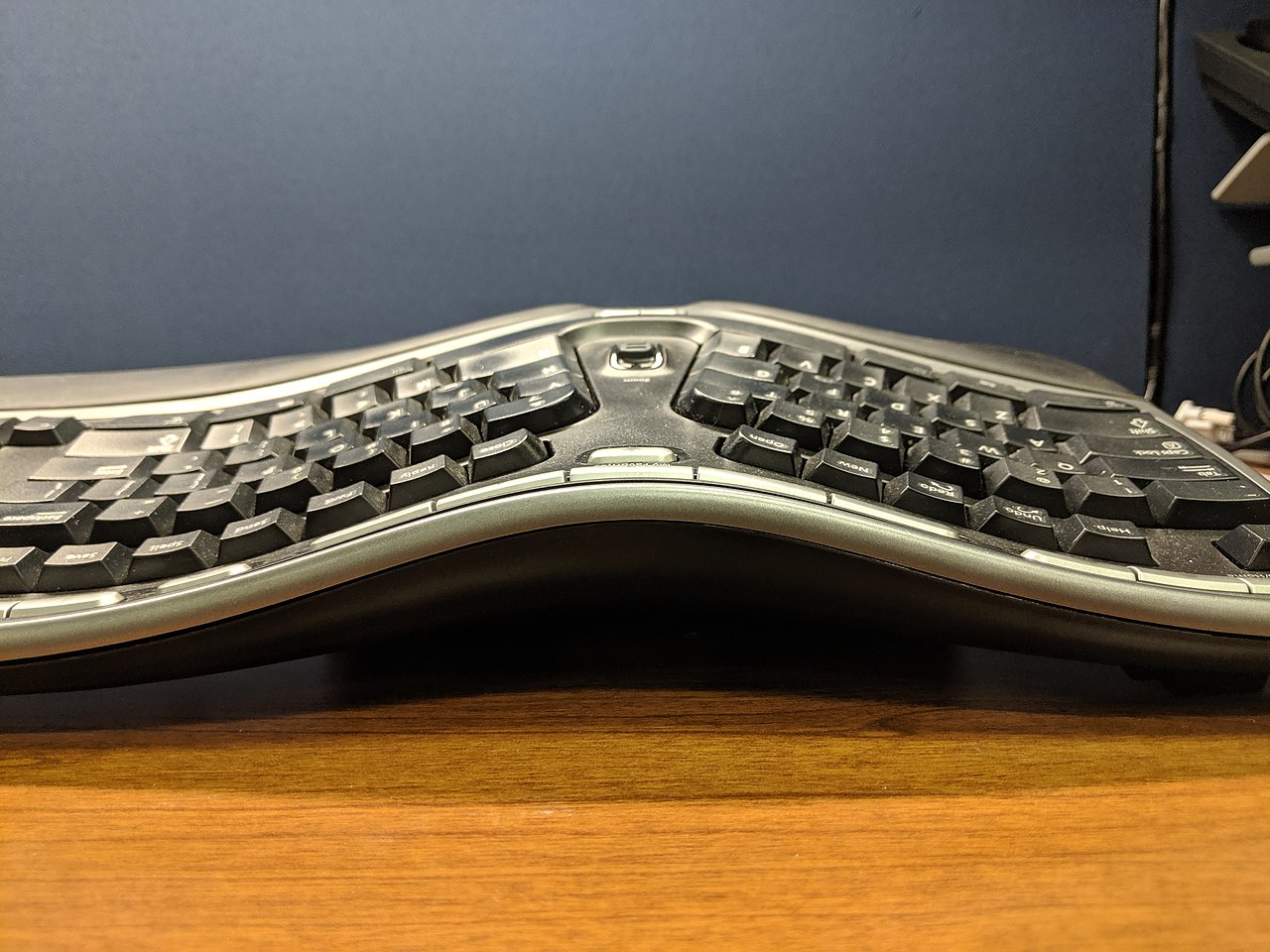
Ergonomic keyboards use several design strategies. Common features include split keybeds that separate left and right keys, a "V" or tented angle that reduces ulnar deviation, contoured key surfaces that match finger reach, and integrated palm or wrist rests to support neutral wrist alignment. Some models also offer adjustable tilt, programmable keys, and different switch types (mechanical or membrane) to alter key feel and force.
Types and examples
- Split keyboards: key sections are separated to allow shoulder‑width hand placement.
- Contoured keyboards: curved surfaces that follow the hand's natural arc.
- Tent or angled keyboards: raised center to reduce pronation of the forearm.
- Vertical keyboards: orient keys so hands remain in a handshake position.
- Compact ergonomic layouts: combine ergonomic shaping with smaller footprints for portability.
History and development
Ergonomic concepts evolved from occupational health research and commercial interest in the late 20th century. As awareness of repetitive strain injuries and carpal tunnel syndrome grew, manufacturers introduced alternative shapes and split designs to reduce stress on joints. Over time, the market expanded to include adjustable models, programmable layers and niche designs for programmers, writers and gamers.
Uses, benefits and limits
Many users report reduced discomfort and improved typing posture after switching to an ergonomic keyboard. Benefits can include less wrist bending, decreased muscle tension and greater long‑term comfort. However, ergonomic keyboards are not a guaranteed cure for injury and require correct setup and a period of adaptation. Occupational ergonomics emphasizes combined measures: keyboard selection, chair and desk height, posture, and frequent breaks.
Choosing an ergonomic keyboard
When selecting a model, consider hand spacing, adjustability, switch feel, and compatibility with your preferred layout. Some people prefer familiar layouts with minor shaping; others choose radical designs that require relearning typing patterns. Trialing a keyboard when possible or choosing models with return policies can help ensure a proper fit. For manufacturer information and further resources see manufacturer guidance and ergonomics resources.
Related articles
Author
AlegsaOnline.com Ergonomic keyboard: design, benefits, history and common types Leandro Alegsa
URL: https://en.alegsaonline.com/art/31871