
Windows Defender — Microsoft’s built-in security platform for Windows
Windows Defender is Microsoft’s integrated security component that provides real‑time protection, malware detection, quarantining and remediation across modern Windows releases.
Windows Defender is the name given to Microsoft’s built‑in security software that provides real‑time protection against many forms of unwanted software on the Windows platform. Developed and maintained by Microsoft, it began as an anti‑spyware product and later expanded into a full antivirus and endpoint protection component included in current Windows releases.
Image gallery
4 Images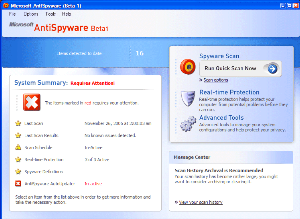

Overview and purpose
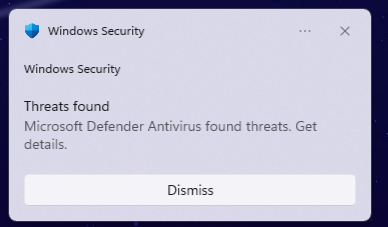
At its core, Windows Defender detects, blocks, quarantines and removes malicious programs and suspicious behavior. Historically it focused on spyware, but as threats evolved it incorporated broader antivirus capabilities that address viruses, trojans and other types of malware. It runs continuously in the background, integrates with the Windows update and security frameworks, and reports status through the Windows Security interface.
Key features and components
- Real‑time protection: monitors processes, files and applications to stop malicious activity before it executes.
- Scanning and quarantine: performs on‑demand and scheduled scans, isolates suspicious files, and provides remediation options.
- Cloud‑assisted detection: uses cloud signatures and telemetry for faster identification of new threats.
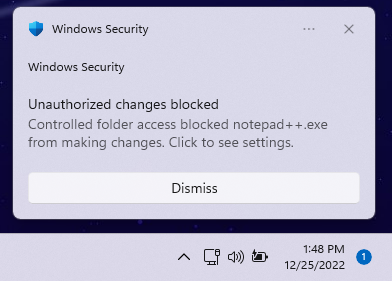
- System controls: includes firewall management, exploit mitigation and features such as controlled folder access to protect data from ransomware.
- Management: settings can be adjusted per device or centrally managed in enterprise environments via Microsoft’s management tools.
History and evolution
The product originated as an anti‑spyware effort and was first released in the mid‑2000s; early versions concentrated on removing adware and tracking software that eroded user privacy. Over time the functionality grew: it was included in Windows Vista and Windows 7 as an anti‑spyware component and later merged with broader antivirus technology to become the default protection in Windows 8 and subsequent releases. For historical reference, early discussions and downloads existed for older operating systems such as Windows XP and Windows Server 2003, while mainstream integration appeared with Windows Vista, Windows 7 and the later redesign for Windows 8 and newer.
Uses, importance and distinctions
Windows Defender serves most consumer and small‑business needs by providing baseline protection without additional cost or separate installation. It defends against a range of threats, including spyware (see background on spyware here) and more traditional viruses and malware (additional context at virus resources). For larger organizations, Microsoft offers enhanced enterprise services under the Microsoft Defender brand that provide centralized management, advanced threat analytics and endpoint detection and response capabilities. The product’s tight integration with the operating system helps keep protection current through regular updates while minimizing the performance impact typical of third‑party security suites.
Notable facts include the product’s rebranding and functional expansion over time: from a focused anti‑spyware tool to a comprehensive security component, and its coexistence with other Microsoft security offerings. For official product information and support pages, consult the vendor materials (see Microsoft and related Windows documentation, or specific platform pages for Windows Vista, Windows 7, Windows 8 and later).
Related articles
Author
AlegsaOnline.com Windows Defender — Microsoft’s built-in security platform for Windows Leandro Alegsa
URL: https://en.alegsaonline.com/art/108514
Sources
- microsoft.com : "Windows Defender"