
Tab key (tabulator key)
The Tab key moves the cursor or input focus to the next tab stop or control. Used for text alignment, form navigation, code indentation and accessibility on keyboards and in software.
The Tab key, short for tabulator or tabular key, is a standard key on computer keyboards that advances the cursor or shifts input focus to a predefined stop. On many physical layouts it sits on the left edge of the letter area, commonly above the Caps Lock key, though exact placement varies by keyboard model and national layout. Pressing Tab typically inserts a horizontal tab character in plain text or moves the focus between interactive elements in graphical user interfaces.
Image gallery
2 Images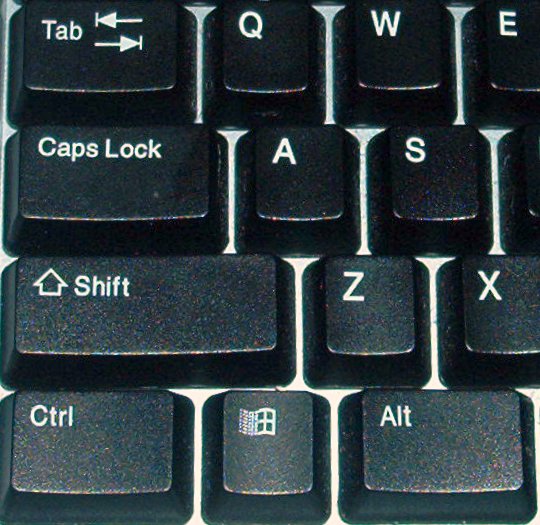

Function and behavior
In text editors and word processors the Tab key inserts a tab character (Unicode U+0009, ASCII 9) or jumps to the next tab stop, which is a column position set by the application. In many terminal programs and older systems the default tab stops occur every eight columns, while modern editors let users customize tab width or replace tabs with spaces. In graphical environments the Tab key commonly advances keyboard focus from one control or form field to the next; Shift+Tab usually reverses that direction.
History and origins
The concept of tabulation predates computers and comes from mechanical typewriters and electromechanical tabulators that allowed operators to move the carriage to preset columns for aligned output. Early computer keyboards adopted the Tab key to reproduce that columnar movement in digital text, and the horizontal tab control character was included in the early ASCII and control-code standards to support formatted textual data.
Uses and examples
- Text alignment: create indented lists or columns in plain text by inserting tab characters.
- Code indentation: programmers use tabs or spaces to indent code; this is often a stylistic or project-specific choice.
- Form navigation: Tab moves focus between fields in web forms and desktop dialogs, improving keyboard accessibility.
- Spreadsheet navigation: in many spreadsheet programs Tab moves the active cell horizontally, while Enter moves vertically.
Variations and notable facts
Behavior can differ by context: pressing Tab in a web browser form cycles focus among controls according to document order and accessibility rules; in rich text editors it may insert a visual indent rather than a raw tab character. Some applications provide configurable tab stops or emulate tab characters with a fixed number of spaces to ensure consistent alignment across environments. Developers often consider the tab-versus-spaces question when formatting source code.
Keyboard events and APIs expose the Tab key for scripting and shortcuts; for instance, many frameworks allow intercepting Tab to implement custom focus handling. For more on related keys and interface behavior see cursor and navigation, word processing, and how graphical toolkits treat focus in graphical applications. For further technical or historical reading consult resources linked from developer and accessibility guides.
Related articles
Author
AlegsaOnline.com Tab key (tabulator key) Leandro Alegsa
URL: https://en.alegsaonline.com/art/95782
Sources
- machinesoflovinggrace.com : "Underwood Portable Typewriter Gallery"
- machinesoflovinggrace.com : "Instructions for Using the Underwood Typewriter"