
Executable (computer program file)
An executable is a file that a computer can load and run. This article explains how executables are produced, common formats, how they run, and key security and portability considerations.
An executable is a file that contains instructions a computer can load into memory and run. In everyday terms it represents a compiled or prepared computer program that performs defined actions when started. Humans usually interact with executables through icons, command lines or application launchers, while the machine uses a loader to transfer instructions into the processor.
Executables typically originate from source code written by a programmer. That source is converted into a runnable form by tools such as a compiler or an interpreter. Compilers translate source into binary output—sequences of bytes understood by hardware—often called machine code. Interpreted languages may instead produce bytecode or be executed by a runtime that reads the script directly.
Image gallery
1 Image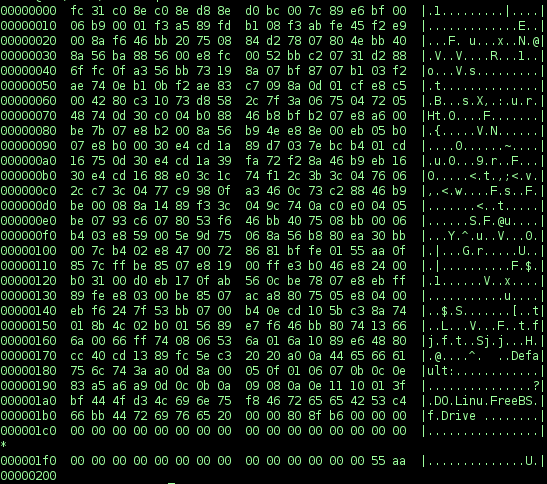
Characteristics and common formats
- File format: Operating systems use specific executable formats (for example, PE on Windows, ELF on Linux, and Mach-O on macOS). These formats include headers, program code, data sections and metadata.
- Components: Typical parts of an executable include an entry point, code and data segments, symbol and relocation information, and signatures or digital certificates.
- Platform identifiers: Filenames may carry extensions (for example, .exe on Windows) or container structures (packages or bundles on macOS; see file extensions on macOS).
When an executable starts, the operating system loader maps its contents into memory, resolves references to shared libraries (dynamic linking), and transfers control to the program's entry point. Some executables are statically linked so they contain all required code; others rely on external libraries provided at runtime.
Uses, portability and security
Executables are the primary mechanism for delivering desktop applications, services and low-level system utilities. Distribution and portability depend on architecture (CPU type) and OS conventions—an executable built for one platform will typically not run unchanged on another. Security is a major concern: unsigned or tampered executables can carry malware, so modern systems use digital signing, permission controls, and execution policies to reduce risk.
Notable distinctions include scripts and bytecode: a script file can be executed by an interpreter without being turned into raw machine code, while bytecode (used by some runtimes) sits between source and machine code and requires a virtual machine. Understanding these categories helps when developing, packaging, and deploying software across diverse environments.
For more technical references and tools that create or examine executables, consult compiler documentation and platform developer guides via the links above.
Related articles
Author
AlegsaOnline.com Executable (computer program file) Leandro Alegsa
URL: https://en.alegsaonline.com/art/32899