
Computer monitor
A computer monitor is an output device that displays text, images and video from a computer. This article explains common technologies, characteristics, history, uses, and distinctions from televisions.
Overview
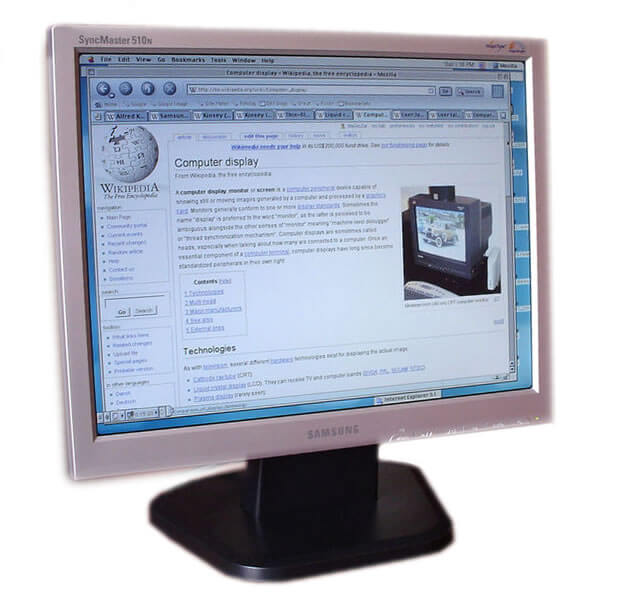
A computer monitor is an electronic display device that presents visual output from a computer. Monitors render the graphical user interface, documents, photographs, video, and other visual information. They are distinct from printers and speakers because their purpose is immediate on-screen viewing. Many modern monitors resemble small televisions, but they are optimized for stable image quality, readable text, and a range of resolutions.
Image gallery
10 Images



Main characteristics
Key characteristics of a monitor include resolution (measured in pixels horizontally and vertically), refresh rate (how often the image updates per second), color depth (number of displayable colors), contrast ratio, and response time. Monitors also differ by aspect ratio and panel type, and they offer a variety of input connectors. These specifications influence clarity for reading text, smoothness for motion, and color accuracy for image work.
Common display technologies
- CRT (cathode-ray tube): an older bulky technology that provided deep blacks and fast response but was largely replaced by flat panels.
- LCD (liquid-crystal display): thin panels that became dominant in the 2000s, often backlit by fluorescent lamps or LEDs.
- LED and OLED: LED usually describes backlighting for LCD panels; OLED is an emissive technology offering high contrast and fast response.
- Touchscreens and specialized panels: add direct interaction or tailored color accuracy for professional use.
History and development
Early computer displays used text-only terminals and monochrome CRTs. As personal computers expanded in the 1980s and 1990s, color CRTs supported graphical interfaces. Flat-panel technologies replaced CRTs for most uses by offering lower weight, smaller depth, and improved energy efficiency. Over time, higher resolutions, wider color gamuts, and faster refresh rates were introduced to suit both productivity and entertainment needs.
Typical uses and importance
Monitors are central to everyday computing tasks: office work, web browsing, creative applications, gaming, and video playback. Different uses favor different features — for example, office productivity benefits from high pixel density for crisp text, whereas gaming values high refresh rates and low input lag. Professionals working with color-critical material choose panels with wider color gamut and factory calibration.
Distinctions and notable facts
A practical difference between monitors and televisions is that most monitors lack an integrated television tuner and are optimized for short viewing distances and reading fine detail. Monitors may also offer specialized ergonomics such as height adjustment, pivot, and portrait mode. Common connectivity options include legacy and modern ports; examples include VGA, DVI, HDMI, and DisplayPort. For technical references and product details see manufacturer resources, general guides at consumer sites, comparison pages at review hubs, technical standards at standards bodies, and buying advice at retailer or guide pages.
Note: When choosing a monitor, consider the intended use, compatible connections, resolution and size, and any ergonomic or color-accuracy requirements.
Related articles
Author
AlegsaOnline.com Computer monitor Leandro Alegsa
URL: https://en.alegsaonline.com/art/22322