
Computer programming: principles, languages, tools, and applications
A clear, concise overview of computer programming: what it is, core concepts and parts, history, tools and workflows, common uses, and important distinctions among languages and execution models.
Computer programming is the discipline of creating instructions that tell a digital computer how to perform tasks. These instructions are packaged as a program and are written by a person often called a computer programmer. Programmers express solutions and logic using one or more languages, broadly known as programming languages, which provide syntax and rules for describing computation.
Image gallery
5 Images

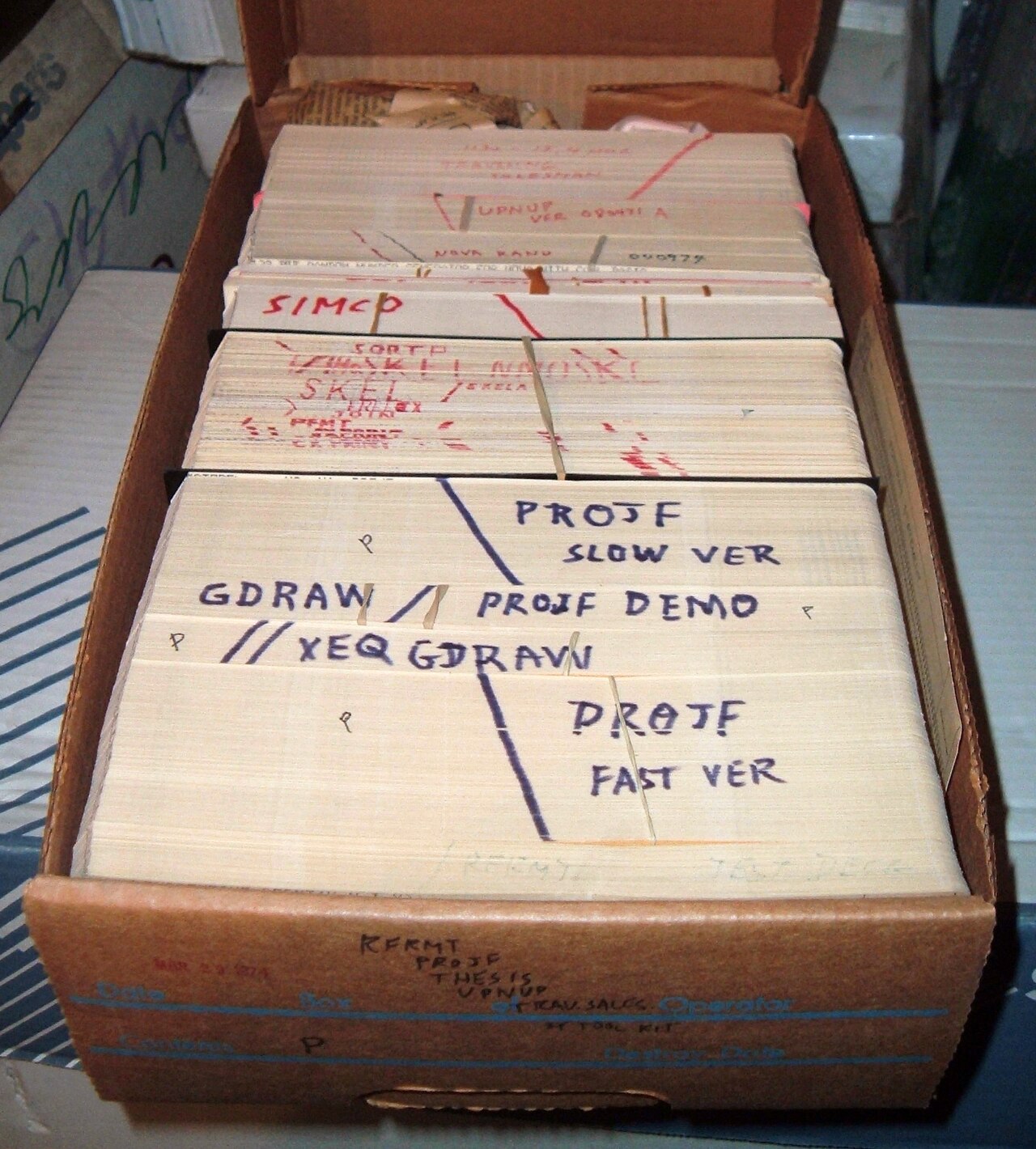

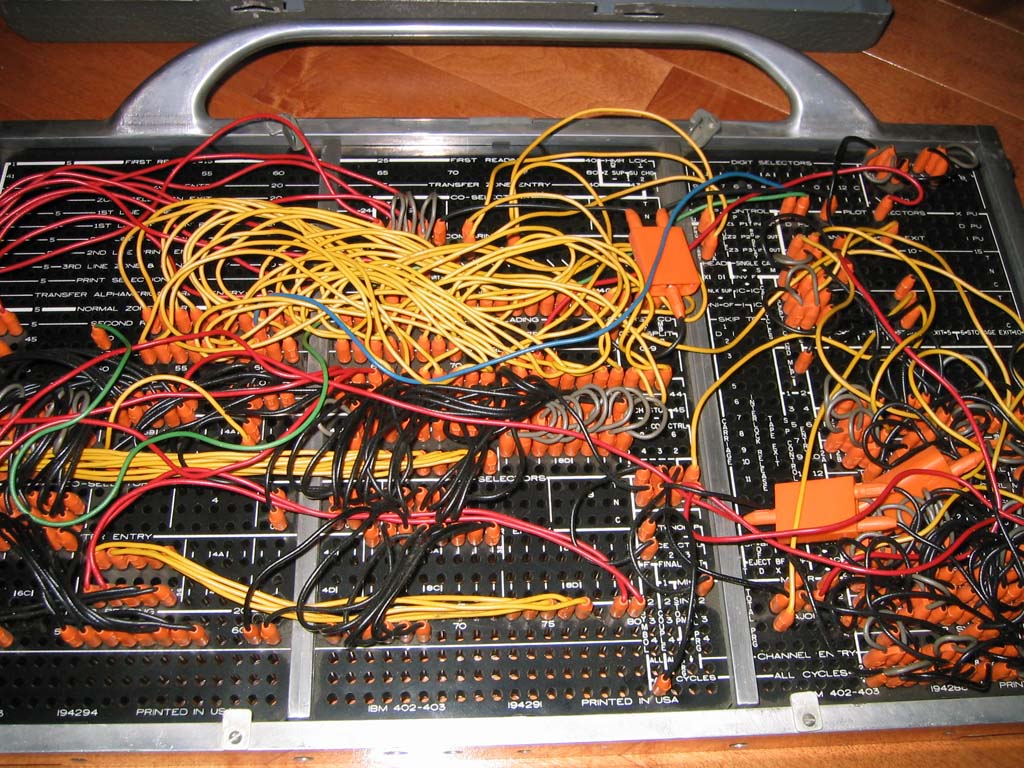
Core concepts and parts
At a basic level, a program transforms input into output by following sequences of instructions. Key concepts include variables (places to store data), control flow (decisions and loops), data structures (arrays, records, lists), procedures or functions (named blocks of code), and interfaces to hardware or other software. Programmers commonly rely on development tools such as text editors, build systems and integrated development environments (IDEs) to write, test and debug code; many of these are summarized under the umbrella term IDEs.
- Source code: human-readable text a programmer writes.
- Compilation and interpretation: ways source code becomes executable.
- Machine code: the low-level numeric instructions executed by a processor, sometimes called instructions or machine code.
How code runs
Not all languages run the same way. Assembly languages are thin, mnemonic layers above raw processor instructions and are an example of assembly language. Higher-level languages are usually translated into machine code by a compiler, or executed by a runtime system via an interpreter. Compilers produce stand-alone executables or intermediate forms; interpreters execute code on the fly, which can simplify development and portability at the cost of different performance trade-offs.
History and development
Programming evolved from writing literal machine instructions in binary or hexadecimal to developing abstract languages that make complex tasks manageable. Early work in the mid-20th century produced the first compiled and assembly languages. Over decades, language designs, software engineering principles and tooling matured to support larger systems, modularity, portability, and collaboration among teams.
Uses, examples, and importance
Programming underpins modern computing: operating systems, mobile and web applications, databases, embedded systems, scientific simulations and machine learning systems are all produced through programming. Practical examples include writing a web server, scripting a data transformation, implementing a graphical user interface, or coding firmware for an appliance. Beyond creating products, programming teaches logical thinking and problem decomposition.
Distinctions and notable facts
Languages differ in many dimensions: level of abstraction (low-level vs high-level), typing discipline (static vs dynamic), execution model (compiled vs interpreted), and intended domain (systems programming, web, data science, embedded). No single language is best for every task; choices depend on performance needs, developer productivity, ecosystem libraries and long-term maintenance. Good practice emphasizes readability, testing, version control and documentation to keep software reliable as it evolves.
For further reading on basic terms and modern practices, consult introductory glossaries and tutorials that explain program structure, the role of a programmer, and comparisons among languages and programming languages. Tool-focused guides cover IDEs, while technical references contrast instructions, machine code, assembly language, compilers and interpreters.
Quality Criteria
→ Main article: Software quality
The quality of software is to a large extent created in the course of programming activities, especially concerning the following quality criteria:
Correctness
→ Main article: Program error
A program must correctly implement the specifications made in the design. To do this, it must usually be error-free, whereby two different types of errors usually occur during programming:
- Syntax errors: Incorrectly formulated source code - formulations or constructs are used that do not occur in the programming language used (typing errors, ignorance, ...). Syntax errors can be detected by the compiler/interpreter or parser during compilation and usually prevent program execution.
- Semantic errors: The program does not behave as desired, possibly because the algorithm or its implementation was faulty. Semantic errors cannot usually be detected automatically, but can only be found through conscientious testing - for example, in the form of unit tests.
The transition between these two types of errors is fluid. For example, a typo in the code (e.g., ">" instead of "<" in a compare command) will result in a valid executable, but the result is likely to be incorrect. Elsewhere, the same error might be a syntax error.
Robustness
Statistically, most source code development time is spent responding to bugs or unusual application or hardware environments. Program code that responds meaningfully to unforeseen errors or unusual environments is called robust or portable. Skilled programmers are good at assessing the possible errors and runtime environments and structure the program and its source code accordingly. The time pressure in the development of applications always places the highest demands on even experienced programmers with regard to this criterion.
Maintainability
For a software to function permanently, it must be maintainable. This means that changes such as bug fixes, adaptations and new features must be able to be incorporated without great effort. Above all, this requires that the programmer should not create too short, "cryptic" source code (or source code), which is not understandable for other developers or only with a high training period.
To avoid such problems, naming conventions often exist in which, for example, self-explanatory (or also "speaking") identifiers/names for variables etc. are recommended/prescribed for use - or the use of meaningful comments in the code. A sensible division of the code into intuitively understandable functions and classes also contributes to understanding and clarity.
See also: Programming style
Efficiency
As a rule, only limited resources (runtime, memory consumption, bandwidth) are available to a program. Good programming can help to reduce unnecessary resource consumption. For example, when using large amounts of data at several points in the program, the entire data set is not copied in each case, but only the address at which the data is stored is transferred.
Efficient programming
According to Niklaus Wirth, good programming is characterized on the one hand by the fact that the functions provided by the respective programming environment are used as efficiently as possible. In particular, it is a matter of not reinventing the wheel again and again for new tasks if certain functions are already provided (for example, by the programming environment in the form of program libraries). It is characterized thus above all by the fact that a good overview of the fundamental function range and the systematics of the functions made available by the programming environment (which can go into the tens of thousands) is possible. For a defined task, an available function can then be quickly determined in corresponding documentation, used and, if necessary, extended.
Related articles
Author
AlegsaOnline.com Computer programming: principles, languages, tools, and applications Leandro Alegsa
URL: https://en.alegsaonline.com/art/22330