
Mini‑DIN connector
Compact circular multi‑pin electrical connectors used in consumer electronics and computers, known for keyed pin arrangements and multiple pin counts (e.g., PS/2 and S‑video applications).
The mini‑DIN connector family comprises small, circular multi‑pin electrical connectors used to carry low‑frequency signals such as audio, video, control and digital data. They are a reduced‑size alternative to the older, larger DIN connector and are designed to save panel space while providing a keyed mating interface that prevents incorrect orientation.
Image gallery
3 Images

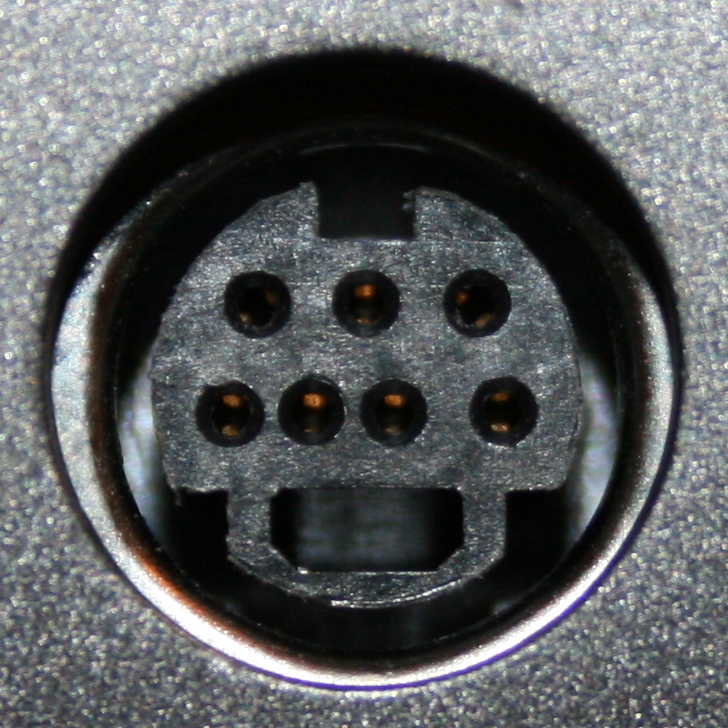
Characteristics and construction
Mini‑DIN plugs have a round metal shell with a keyed plastic insert that positions multiple pins in a defined pattern; mating receptacles contain matching sockets. Connectors are described by the number of signal pins (commonly 3, 4, 5, 6, 7 or 8) and by gender (plug with pins or jack with sockets). The metal shell provides mechanical protection and limited shielding, while the plastic keying prevents misalignment and accidental pin damage.
Common types and configurations
- 3‑pin and 5‑pin: used in some power and control applications.
- 4‑pin: widely known as the S‑video connector and for certain peripheral interfaces.
- 6‑pin: famous as the PS/2 connector for keyboards and mice on older personal computers.
- 7‑ and 8‑pin: used by various audio/video and communications devices where more signals are required.
History and development
Mini‑DIN variants emerged in the late 20th century as electronic equipment became smaller and more portable. They were developed to meet the need for compact, keyed connectors that supported multiple conductors in a single, robust assembly. Their design lineage traces back to the larger DIN connector standard; for historical context see the DIN connector.
Uses, advantages and decline
Mini‑DIN connectors have been common in consumer electronics, computer peripherals, video equipment and instrumentation because they combine compact size with a reliable mechanical mating. Examples include legacy keyboard and mouse ports, S‑video cables and certain AV control links. In recent years many mini‑DIN applications have been supplanted by smaller, higher‑bandwidth or more standardized interfaces such as USB and HDMI, though mini‑DINs remain in use where simple, robust multi‑pin wiring is sufficient.
Notable considerations
Different pin counts are not electrically compatible and plugs must match the jack pattern precisely. Care is needed when mating to avoid bending pins; the keyed plastic insert and shell alignment reduce this risk but do not eliminate it. For repairs and replacements, matching the exact pin configuration and gender is essential.
Related articles
Author
AlegsaOnline.com Mini‑DIN connector Leandro Alegsa
URL: https://en.alegsaonline.com/art/65197