
Dia — open-source diagram editor
Dia is a free, open-source diagramming program for creating flowcharts, network maps, circuit schematics and other technical diagrams with extensible shapes and common export formats.

Dia is a free, open-source application for drawing structured diagrams and simple technical illustrations. It is often used as a low-cost alternative to commercial diagram software and is suitable for producing flowcharts, network layouts, UML sketches, basic circuit diagrams and other schematic visuals. The program aims to be straightforward to use while allowing extensibility through custom shapes and export options.
Image gallery
1 Image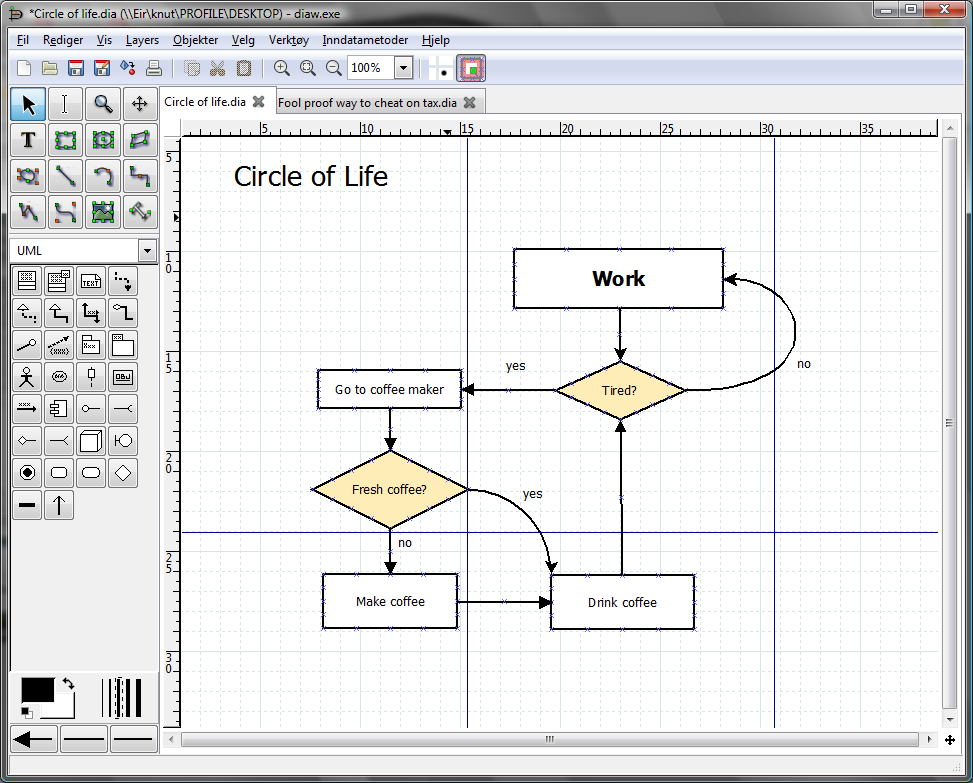
Key characteristics
Dia works with a palette of predefined shape objects and supports user-defined shapes, typically described in a simple XML format. It can save files in its native format and export graphics to common raster and vector formats. Typical capabilities include:
- Prebuilt stencils for flowcharts, UML, networks and electronics.
- Custom shape libraries that can be added or edited.
- Export to formats such as PNG and SVG for use in documents and web pages.
History and development
The Dia project began as an open effort to provide a lightweight diagramming tool that runs on multiple desktop platforms. Over time it attracted contributors who added shape sets, language translations and improvements to file compatibility. Documentation and project resources are available from the project's main site and community pages: project page and download and docs.
Uses and examples
Dia is commonly used in education and by hobbyists and professionals who need clear technical diagrams without a steep learning curve. Typical examples include creating a flow chart to plan a process, drawing a simple circuit diagram for a project, or mapping a small network. It is also useful in fields such as electronics and materials technology (resistant materials). Beginners may follow tutorials or sample diagrams such as a recipe plan represented by a flow chart example to learn basic techniques. Community-written guides and advanced examples can be found at documentation pages and educational resources.
For newcomers, try exploring bundled shape sets and then experiment with custom shapes and export options. Further help, third-party extensions and step-by-step tutorials are listed on community hubs and the project’s resource index: shape libraries and tutorial collection.
Related articles
Author
AlegsaOnline.com Dia — open-source diagram editor Leandro Alegsa
URL: https://en.alegsaonline.com/art/27069