
Text box (text field)
A text box is an interactive control that accepts typed text input on graphical user interfaces and web pages, available as single-line fields or multi-line areas and used in forms, editors, and chat.
Overview
A text box, often called a text field or input area, is a user interface control that lets people enter and edit text in a graphical environment. Users click or tap and then type into the control using a physical keyboard or an on-screen keyboard. Text boxes appear in desktop applications, mobile apps and web pages and are a fundamental way for people to communicate with software on a computer or other device.
Image gallery
1 Image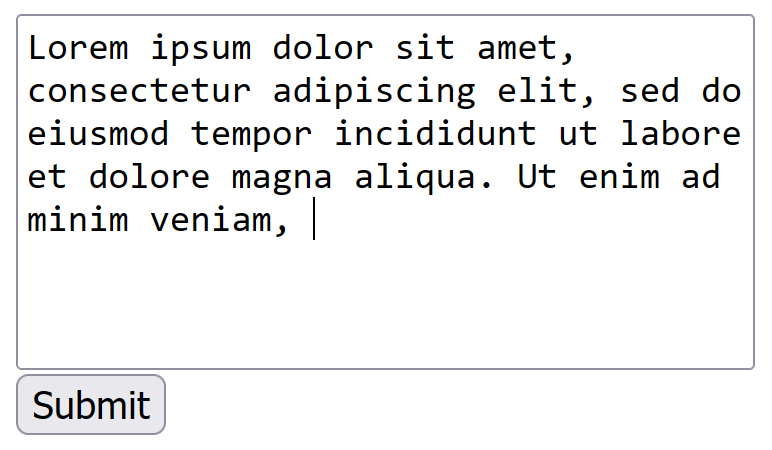
Common characteristics
Text boxes vary by behavior and appearance but share basic features. They can be:
- Single-line fields for short entries such as names or search queries.
- Multi-line areas for longer text like messages, comments or documents.
- Masked or password fields that hide characters for privacy.
Typical attributes and properties include placeholder text, maximum length, default value, autofocus, readonly or disabled states, and validation constraints that limit what the control accepts.
Implementation and uses
On the web, text boxes are commonly implemented with an input element of type text for single-line entry and a textarea for multi-line content. Desktop and mobile application toolkits provide equivalent widgets. Text boxes are used in forms, search boxes, login screens, chat interfaces, comment areas and lightweight editors. More advanced components (rich text editors) add formatting, embedding and other controls while still presenting a text-entry surface.
Accessibility and security
Accessible text boxes include clear labels, ARIA attributes when needed, logical tab order and support for screen readers. Keyboard focus and visible focus indicators are important for usability. From a security perspective, user input must be validated and escaped on the server side to prevent injection attacks; client-side checks improve experience but are not a substitute for backend validation.
Behavior, events and styling
Text boxes emit events such as focus, blur, input and change that applications use to respond to typing, validate input, or update other parts of the interface. Visual styling is applied with CSS or toolkit themes to control borders, backgrounds, and placeholder styling. Responsive and touch-friendly design adapts input targets and on-screen keyboard behavior for smaller devices.
Distinctions and notable facts
Not every editable area is a simple text box: a textarea is a multi-line text box, and contenteditable elements or rich text editors allow formatted text. Designers should choose the simplest control that satisfies the task, provide clear labels and constraints, and protect user data by minimizing unnecessary collection and validating input before processing.
Related articles
Author
AlegsaOnline.com Text box (text field) Leandro Alegsa
URL: https://en.alegsaonline.com/art/97311