
Reconstructor — Ubuntu ISO customization tool
Reconstructor is a utility for customizing Ubuntu (and Debian-based) ISO images, enabling package inclusion, branding, and configuration for creating tailored live CDs or installers.
Reconstructor is a third‑party utility used to create customized installation or live ISO images of Ubuntu and other Debian‑based systems. It provides a way to add or remove packages, alter default settings, apply custom branding (icons, wallpapers, boot splash), and produce a rebuilt ISO that can be written to media or used as a virtual machine image.
Image gallery
1 Image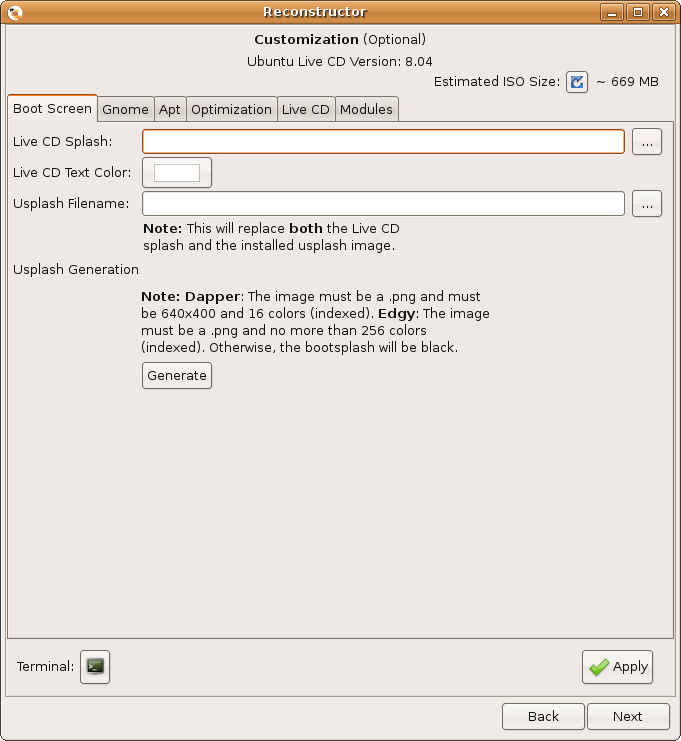
How it works
The tool operates by unpacking an existing ISO into a working environment (often a chroot), applying changes such as package installation, configuration file edits and theme replacements, and then repackaging the filesystem and boot files into a new ISO image. Users typically need some familiarity with Linux package management and system configuration to obtain the desired result.
Typical features
- Add or remove packages from the live system and installer.
- Customize desktop themes, wallpapers, and boot graphics.
- Include preseed or automated installer settings for unattended installs.
- Rebuild the compressed filesystem and generate a bootable ISO.
These capabilities make Reconstructor useful for creating purpose‑built distributions for classrooms, kiosks, demonstrations, or internal corporate images where a consistent set of applications and settings is required.
History and context
Reconstructor emerged among several remastering tools developed after the rise of Ubuntu and live CDs. It is one of a group of projects that sought to make remastering accessible without building a distribution from scratch. Other tools addressing similar needs include Remastersys, Ubuntu Customization Kit (UCK), and later graphical tools such as Cubic. The activity and maintenance level of any specific remastering project can vary over time.
Practical notes: reproducing an ISO faithfully may require attention to legal and support issues — for example, proprietary codecs or third‑party packages may carry licensing restrictions. For downloads and documentation see the project's resources: project page.
Related articles
Author
AlegsaOnline.com Reconstructor — Ubuntu ISO customization tool Leandro Alegsa
URL: https://en.alegsaonline.com/art/81582
Sources
- reconstructor.aperantis.com : reconstructor.aperantis.com/index.php?option=com_content&task=view&id=29&Itemid=39
- reconstructor.aperantis.com : reconstructor.aperantis.com/gallery/