
GParted — GNOME Partition Editor and Disk Partitioning Tool
GParted is a free, open-source graphical utility for creating, resizing, moving, copying and inspecting disk partitions. It helps prepare disks for operating systems and reorganize storage safely.
Overview
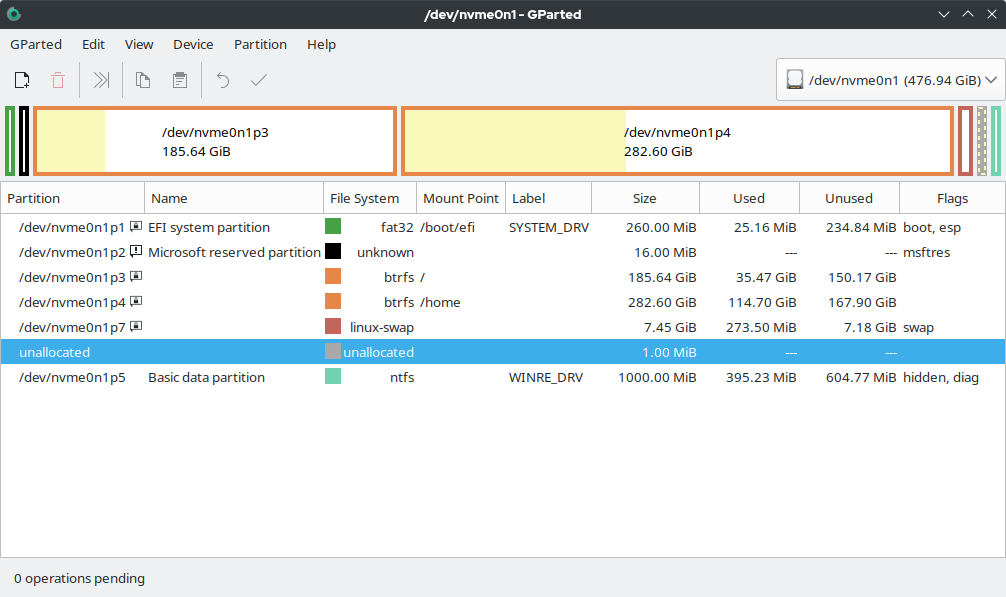
GParted is a graphical partition manager that provides a user-friendly front end to low-level partitioning libraries. Often described as the GNOME Partition Editor, it lets users create, delete, resize, move, copy and check partitions on hard drives and other block devices. The program is distributed under a free software licence and is commonly provided as a standalone live image that boots from USB or CD so operations can be performed without mounting the local operating system. For more information visit the GParted project page.
Image gallery
5 Images



Features and capabilities
GParted offers a range of common partitioning tasks through a graphical interface. Typical operations include:
- Create and delete partitions.
- Resize and move partitions to change layout without reformatting when possible.
- Copy partitions to another disk or space on the same disk.
- Inspect and run filesystem checks, change partition flags and labels, and adjust UUIDs.
Supported filesystems and environment
The tool works with many widely used filesystems such as ext2/3/4, FAT16/32, NTFS (via ntfs-3g), and other common types. Exact support can vary by filesystem features and underlying libraries; some advanced filesystems may have limited or read-only support. GParted typically relies on libraries like GNU Parted to perform the low-level changes and is provided both as an application package for Linux and as a self-contained GParted Live image that runs independently of the installed OS.
Common uses and examples
People use GParted in many scenarios: preparing free space to install another operating system, reorganizing partitions to improve space allocation, cloning or copying partitions for migration, and repairing filesystem structures after errors. It is frequently used when setting up dual-boot systems or when resizing a system partition to make room for a new installation. For tasks focused specifically on full-disk cloning or system imaging, users often combine GParted with dedicated disk imaging tools.
History, development and notable points
GParted developed as a GUI front end to established partitioning libraries, aiming to make complex disk operations accessible to non-expert users while retaining advanced options for power users. It is maintained by a community of contributors and evolves as underlying libraries and filesystems change. A live distribution allows maintenance tasks without booting the host operating system, which reduces the risk of modifying mounted partitions.
Safety and distinctions
Partitioning always carries a risk of data loss. Users are advised to back up important data before making changes and to follow on-screen warnings. While GParted can copy partitions and is useful for basic cloning work, it is not primarily a full-featured imaging suite; for complete system backups and restorations users may prefer specialized imaging utilities. GParted is notable for its combination of a graphical interface, broad filesystem support, and availability as a live tool suitable for maintenance, recovery and disk preparation tasks such as installing a new OS or reorganizing storage for better use (install another operating system).
Related articles
Author
AlegsaOnline.com GParted — GNOME Partition Editor and Disk Partitioning Tool Leandro Alegsa
URL: https://en.alegsaonline.com/art/40032
Sources
- sourceforge.net : sourceforge.net/projects/gparted/files/gparted/gparted-1.0.0/