
Windows Media Player: overview, features, history and uses
Windows Media Player is Microsoft’s built-in media player for Windows, offering audio/video playback, library organization, CD ripping/burning, skins, codec support and basic device syncing.
Windows Media Player is a multimedia player and library application developed by Microsoft for playback and organization of digital audio and video on Windows platforms. Distributed with many editions of the Windows operating system, it provides a graphical interface for playing files, browsing collections and performing basic disc and device operations. An older version for Apple Macintosh systems was offered historically but is no longer a primary focus.
Image gallery
6 Images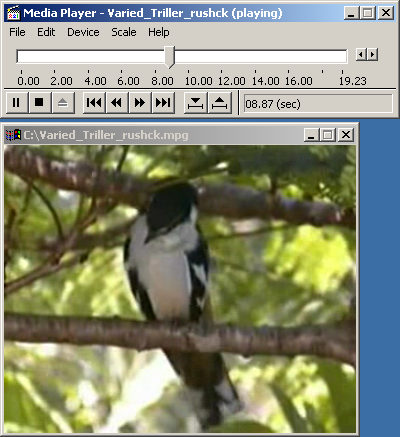


Core features and interface
The program centers on a media library that indexes music, video and recorded data from user folders and removable media. Standard playback controls, playlists, visualizations and a compact skin or mini mode let users tailor the interface. Common tasks include ripping audio from CDs, burning audio discs, creating and editing playlists, and synchronizing tracks to portable devices. Plug-ins and extensions can add visualizations, codec support and other utilities; consult compatibility and extension resources to explore available add-ons.
Formats, codecs and compatibility
Windows Media Player supports a range of common audio and video formats — including Microsoft formats such as WMA and WMV, as well as MP3 and WAV — and can use additional codecs when needed. When a file’s format is not natively supported, users may install codec packs or use third‑party players. For up‑to‑date compatibility lists and technical details see format and codec documentation.
Library management, metadata and devices
The library view organizes items by artist, album, genre and other metadata, allowing manual editing of tags and automatic sorting. Media can be searched, rated and grouped into smart or user playlists. For syncing media to phones or media players, the application supports common protocols and device profiles; guidance for device synchronization is available on device support pages.
History, development and editions
Originating in the 1990s, Windows Media Player evolved through multiple releases to include features such as a robust library, digital rights management (DRM) support, media streaming and integration with the Windows shell. Different Windows editions and releases have shipped with different versions; some modern Windows distributions emphasize newer media apps, but Windows Media Player remains present for legacy playback and specific use cases. For historical release notes and developer information see release documentation and archives.
Uses, limitations and alternatives
Typical uses include everyday audio/video playback, organization of local media collections, audio CD ripping and burning, and straightforward device syncing. Limitations include reliance on installed codecs for certain formats, less emphasis on modern streaming features compared with newer services and variable support for some open formats. Users seeking advanced format support, network streaming, or open‑source alternatives often choose other media players; see community and support resources at third‑party support pages for migration advice.
Practical tips and troubleshooting
- Skins and visualizations change appearance and provide visual feedback during playback without altering media files.
- Keep codecs and plug‑ins updated to improve compatibility; official help and compatibility guides are linked at help and updates.
- When imports or synchronization fail, check file permissions, codec availability and device drivers; step‑by‑step troubleshooting is often available via support pages such as product help.
Windows Media Player remains a common, integrated choice for many Windows users because of its straightforward feature set and tight integration with the operating system. For official downloads, technical help and compatibility lists consult Microsoft’s current support resources and documentation linked above.
Related articles
Author
AlegsaOnline.com Windows Media Player: overview, features, history and uses Leandro Alegsa
URL: https://en.alegsaonline.com/art/108521