
Media player (software) — overview, features, history and uses
A media player is software that decodes and plays audio and video files. This article explains common features, history, typical uses, technical distinctions and examples of popular players.
Overview: A media player is computer software designed to play multiple kinds of multimedia content. In everyday use a media player reproduces audio and video files, manages playlists, and may stream content from the Internet or a local network. Some players focus on simplicity and compatibility, while others add advanced editing, library management, or broadcast features.
Image gallery
2 Images
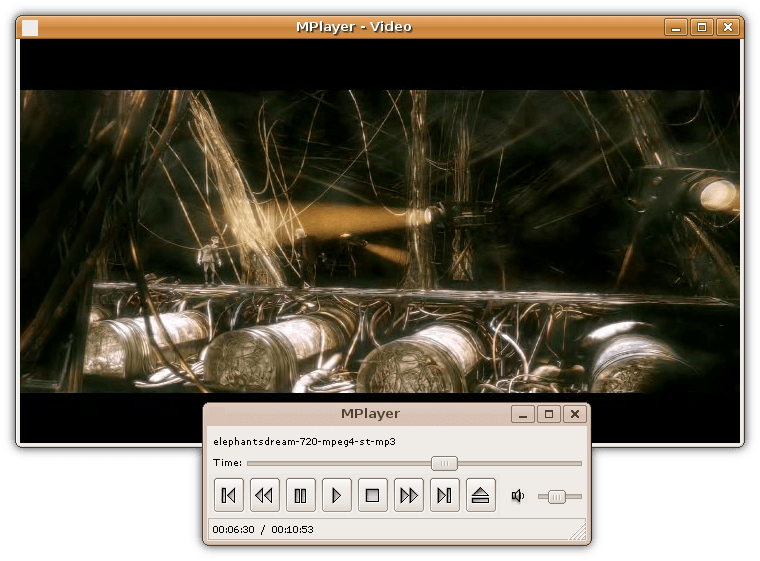
Typical features and components
Most media players combine several capabilities in one program. Common elements include:
- Playback controls (play, pause, seek, volume, speed).
- Codec and container support — the ability to decode different file formats.
- Playlist and library management for organizing files.
- Subtitle rendering and audio track selection.
- Streaming protocols support (HTTP, RTSP, HLS) and network playback.
- User interface options: skins, full-screen views, and keyboard shortcuts.
History and development
Early digital players focused on either audio or video; as personal computers and networks evolved, integrated media players emerged that could handle many formats. Operating systems often include a default player — for example Microsoft Windows ships historically with Windows Media Player. Other notable products and platforms from different eras include iTunes, QuickTime, RealPlayer and Winamp, each influencing expectations for interface, library features, streaming and codec support.
Uses and practical importance
Media players serve many roles: casual listening and movie playback, classroom and presentation tools, archival review, and streaming consumption. Professionals may use specialized players for broadcast monitoring, subtitles verification, or audiovisual synchronization. End users choose players based on codec compatibility, ease of use, performance, and support for streaming or digital rights management.
Technical distinctions and considerations
It helps to distinguish a media player from related components: a codec decodes a specific encoding, a container packages audio/video/subtitle streams, and a media framework provides APIs for developers. Some players include built-in codecs; others depend on external codec packs. Hardware acceleration, subtitle support, and DRM handling vary across players and platforms.
Choosing a player: consider the formats you need, whether you require streaming or library features, and platform integration. Many modern players balance simplicity and advanced controls; trying a few options is the best way to find one that fits personal or professional needs.
Examples and further reading: popular players have different strengths — compatibility, light weight, or rich libraries — and many communities and documentation pages provide configuration tips and plugin lists to extend functionality.
software | multimedia | audio | video | Microsoft Windows | Windows Media Player | iTunes
Questions and answers
Q: What is a media player?
A: A media player is a computer software that can play different types of multimedia such as audio and video files.
Q: What are the common types of multimedia that media players can play?
A: Media players can usually play both audio (sound) and video files.
Q: What is the default media player in Microsoft Windows?
A: The default media player in Microsoft Windows is Windows Media Player.
Q: What are some of the other media players besides Windows Media Player?
A: Some other media players include Quicktime, iTunes, Real Player, and Winamp.
Q: What is the function of media player software?
A: Media player software allows the user to play different types of multimedia on their computer.
Q: Can media players only play media files stored in the computer?
A: No, media players can also play media files from external sources such as CDs or DVDs.
Q: Is media player a hardware or software?
A: Media player is a software that can be installed on a computer to play different types of multimedia.
Related articles
Author
AlegsaOnline.com Media player (software) — overview, features, history and uses Leandro Alegsa
URL: https://en.alegsaonline.com/art/63394