
USB hub: functions, types, power and performance
A USB hub expands USB ports, manages power and data for multiple devices, and mediates speed and compatibility across USB standards and topologies.
Overview
A USB hub is a device that expands a single USB connection into multiple ports, allowing several peripherals to share one host port. Hubs are ubiquitous for desktops, laptops and mobile computers where the number of built‑in USB ports is limited. They exist in simple passive enclosures and in complex docking stations that add video, networking and power features.
Image gallery
8 Images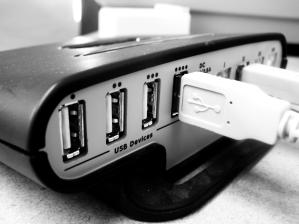



How a hub works
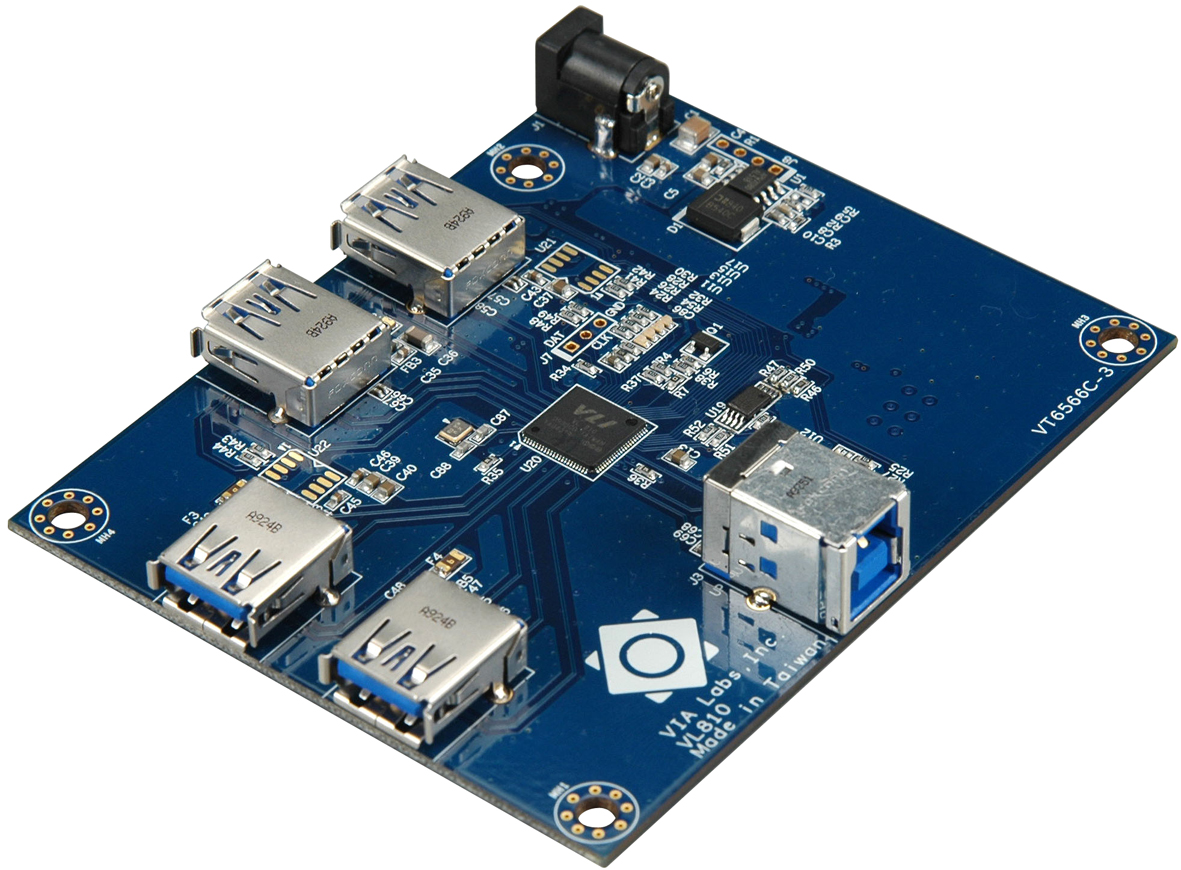
Functionally, a hub is itself a USB device with one upstream port that connects to the host and multiple downstream ports for attached devices. The hub repeats signaling and implements protocol features such as port status, power switching and speed negotiation. When several devices communicate at once, available bandwidth on the host connection is shared among them rather than being dedicated to each port.
Power: bus‑powered vs self‑powered
Hubs fall into two main power categories. A bus‑powered (or passive) hub draws all its electricity from the host port, which keeps the setup simple but limits the current available to attached devices. A self‑powered (or active) hub has its own external power supply and can provide full rated current to multiple ports simultaneously. Some hubs also offer dedicated charging ports that supply higher current for charging phones and tablets.
Speed, compatibility and internal features
The USB standard has evolved through several speed tiers. For example, USB 2.0 (Hi‑Speed) supports up to 480 Mbps, while USB 3.x (SuperSpeed) families provide multiple gigabits per second depending on the revision. Hubs are built for particular generations; a USB 3.x hub contains circuitry for SuperSpeed lanes and usually maintains separate handling for lower‑speed devices. Backward compatibility means older devices will work through a modern hub but at their native, lower speeds. Hubs may include transaction translators (TTs) that help full‑ and low‑speed devices coexist on a high‑speed bus; some designs use a single TT for all ports while others provide per‑port (multi‑TT) translation for better performance.
Topology limits and practical effects
The USB architecture imposes a tiered‑star topology: hubs form branches from the host. The specification limits how many hub tiers can separate a device from the host, so chaining many hubs together can cause devices to fail to enumerate. Because downstream ports share the host link, connecting high‑bandwidth devices (external drives, capture adapters) through the same hub can reduce throughput compared with direct host connections.
Types, uses and notable distinctions
- Simple desktop hubs — add a few extra ports for keyboards, mice and flash drives.
- Powered hubs — include an AC adapter to support multiple bus‑powered devices and charging.
- USB‑C hubs and docking stations — often combine USB data, power delivery (PD), video (DisplayPort/HDMI via alternate mode) and Ethernet in one device.
- Embedded/root hubs — built into host controllers on motherboards and laptops; they are the first hub in the topology.
For more background on the USB specification and typical peripheral devices, see the USB standard documentation and peripheral overviews: USB standard, peripherals and common host implementations computers.
Related articles
Author
AlegsaOnline.com USB hub: functions, types, power and performance Leandro Alegsa
URL: https://en.alegsaonline.com/art/103660