
Peripheral equipment: input, output and the devices that extend a computer
Peripheral equipment (I/O devices) are hardware units that connect to a computer to provide input, output, or both. This article explains types, connections, controllers, history, and practical distinctions.
Peripheral equipment—often called input/output (I/O) devices—are hardware components that expand a computer's ability to communicate with people, other machines and the physical world. By definition these devices sit outside the central processing unit and primary memory: they supply data to the processor (input), present results to users (output), or perform both roles. Many peripheral devices require a dedicated device controller to translate signals between the peripheral and the computer's electronics (system circuitry) and to present a standard interface to software.
Image gallery
3 Images
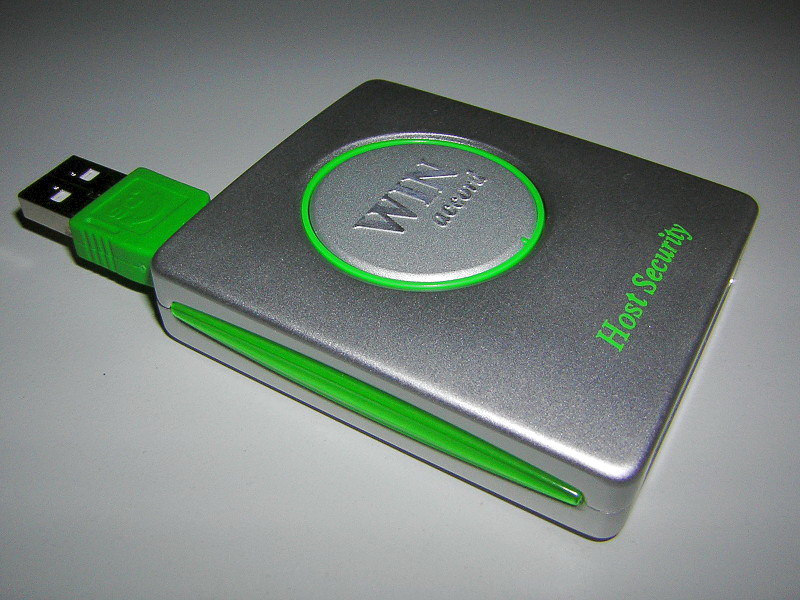

Characteristics and common types
Peripherals are commonly grouped by their function:
- Input devices capture data from the user or environment. Typical examples include keyboards, scanners, microphones and pointing devices such as the computer mouse and other input devices.
- Output devices present processed information: displays, printers and speakers are familiar examples; a set of computer speakers driven by an audio device illustrate this class.
- Combined (I/O) devices can both accept input and show output. Touchscreens, many mobile displays and network interfaces fall into this category: the touchscreen itself is a simple example of a device that is both an input and output device.
Connections, controllers and software
Peripherals connect to a host system through physical or wireless links. Traditional wired links include USB and various cable types (cable connections), while Bluetooth and other radios provide wireless links (Bluetooth). Regardless of the transport, a hardware controller mediates data flow and an operating system component known as a driver manages the device from the software side. The same peripheral may be shared among multiple systems or hot-plugged without restarting when supported by hardware and the OS.
Examples, storage and internal boundaries
Some devices blur the line between internal components and peripherals. External hard drives are clearly peripheral storage, but expansion devices such as a second hard disk or removable memory may be referred to as peripheral memory. In some engineering contexts anything outside the CPU is treated as an I/O device: to a processor designer, everything except the core processing elements is often considered peripheral or I/O (design perspective).
History and development
From the earliest punched-card readers and line printers to modern high-resolution displays and multi-function touch panels, peripheral technology has evolved in step with computer architectures. Improvements in bus designs, standard interfaces and plug-and-play protocols since the late 20th century have made connecting and managing peripherals far easier for end users and systems designers. Peripherals have also followed trends in miniaturization, wireless networking and power efficiency.
Uses, importance and notable distinctions
Peripherals determine much of a computer's practical capability: they affect how users interact with software, how systems capture real-world signals, and how data is archived or shared. Understanding the distinction between internal components (CPU and main memory) and peripheral equipment helps clarify system design, troubleshooting and performance considerations. For many applications the right selection of I/O devices is as important as processor speed or memory capacity to achieve the intended results within a complete computer system.
For further technical details consult resources on device controllers (controller), system architecture, and peripheral standards such as those referenced for cables and radios (wired, wireless). Additional reading about output and input categories can be found in materials focused on display technology and human–computer interaction (interaction).
Note: terminology varies by discipline and context. In everyday computing the term peripheral usually denotes externally attached devices such as monitors, keyboards and external storage; in more specialized or historical discussions the list of devices regarded as peripheral equipment can expand to include many types of expansion hardware such as additional hard disks.
Questions and answers
Q: What is peripheral equipment?
A: Peripheral equipment is any device for a computer that the computer can work without. It connects a computer to other things and gives it more features, such as input and output devices.
Q: How does peripheral equipment connect to the central processing unit (CPU)?
A: Peripheral equipment is always separated from the CPU by a device controller. The device controller is connected to the electronics in the computer system.
Q: What are some examples of output devices?
A: Examples of output devices include computer monitors and speakers, which are plugged into an audio device that is connected to the rest of the system inside.
Q: What are some examples of input devices?
A: Examples of input devices include keyboards, mice, touchscreens, and other peripherals that connect by cable or Bluetooth radio.
Q: Can one peripheral device be connected to many systems?
A: Yes, one peripheral device can be connected to many systems.
Q: Is extra memory considered peripheral equipment? A: Sometimes extra memory such as a second hard disk can be called peripheral equipment.
Related articles
Author
AlegsaOnline.com Peripheral equipment: input, output and the devices that extend a computer Leandro Alegsa
URL: https://en.alegsaonline.com/art/75836