
Scratch (visual programming language for learners)
Scratch is a block-based visual programming environment developed at MIT that enables learners to create interactive stories, games and animations and to learn computational thinking.
Scratch is a visual, block-based programming environment designed to make coding accessible to beginners, especially children and young learners. Users assemble colored code blocks to control characters, called sprites, on a stage to create animations, games, stories and simulations. Because the language removes the need to type syntax, learners can focus on concepts such as sequencing, loops, events and conditionals while producing immediate, visual results.
Image gallery
8 Images


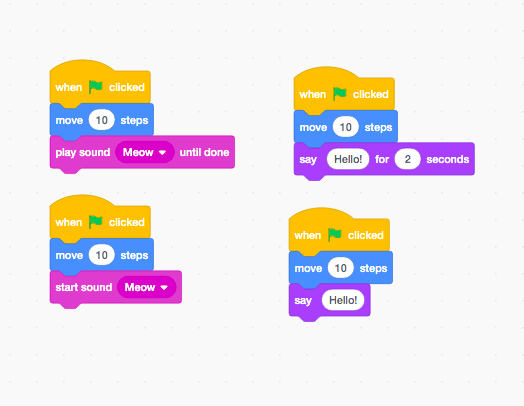

Core elements and interface
The Scratch editor organizes programming around a few straightforward elements. The stage is the area where projects run and display backdrops. Sprites are the characters or objects that can be given scripts and multiple costumes for animation. The editor supplies a palette of draggable blocks grouped by function—motion, looks, sound, control, sensing and operators—that snap together like puzzle pieces. Projects can include sounds, text, and images, and scripts run in response to events such as clicks, key presses or messages broadcast between sprites.
History and development
Scratch was developed at the Lifelong Kindergarten group of the MIT Media Lab with the goal of giving young people a creative, playful environment for learning computational ideas. Beginning as a research project in the early 2000s, the platform reached broad public use in the late 2000s and has evolved through several major releases. Over time the project shifted from desktop tools to a web-based community site and modern browser editors that use current web technologies. The Scratch Team at MIT continues to maintain the website, develop educational materials and publish updates.
Educational uses and examples
Scratch is widely used in classrooms, after-school programs and home learning because it supports differentiated instruction and project-based activities. Teachers use it to introduce computer science fundamentals and to reinforce ideas in other subjects: students may build interactive stories in language arts, model scientific systems, visualize mathematical concepts, or explore historical timelines. Common student projects include simple arcade-style games, animated narratives, quizzes, science simulations and interactive art pieces. The Scratch online community also encourages sharing and remixing: users can publish projects, view others' work, and learn by examining or adapting existing code.
Distinctive features and practical considerations
- Block-based, visual programming lowers the barrier to entry and reduces syntax errors that frustrate beginners.
- Event-driven model allows many scripts to run concurrently, which is useful for animations and games.
- Localized into dozens of languages and available free of charge, making it broadly accessible.
- Not intended as a replacement for text-based languages but as an approachable introduction; many learners move from Scratch to languages such as Python or JavaScript for more advanced projects.
For additional resources, tutorials and the community project gallery, see the Scratch website, which hosts learning guides, starter projects and moderated forums where students and educators exchange ideas.
Because it emphasizes creativity, collaboration and iterative design, Scratch is often recommended as a first programming environment for young learners. Its visual model, community features and extensive educational materials make it a practical tool for introducing computational thinking while supporting cross-curricular learning.
Related articles
Author
AlegsaOnline.com Scratch (visual programming language for learners) Leandro Alegsa
URL: https://en.alegsaonline.com/art/88185
Sources
- scratch.mit.edu : "Scratch Project Editor - Imagine, Program, Share"
- news.bbc.co.uk : Free tool offers 'easy' coding
- scratch.mit.edu : "Scratch - About"
- scratch.mit.edu : "Scratch - Imagine, Program, Share"