
Microsoft Publisher
Microsoft Publisher is a Windows desktop-publishing application focused on page layout and design for small businesses, home users, and non‑designers; it complements Word and other Office apps.
Overview
Microsoft Publisher is a desktop layout and design program distributed by Microsoft. Unlike word processors that concentrate on long-form text editing, Publisher emphasizes visual composition, letting users assemble multi‑page documents with control over placement, typographic styling, and graphical elements. It is commonly bundled as part of Microsoft Office offerings for Windows and is aimed at small businesses, clubs, and home users who need polished printed or digital publications.
Image gallery
1 Image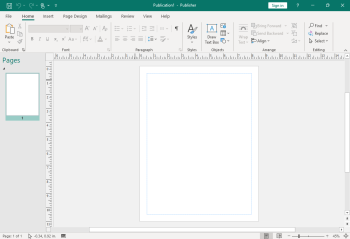
Key characteristics
Publisher provides a WYSIWYG environment with template-driven workflows, drag‑and‑drop image handling, and tools for arranging frames of text and graphics. Files are typically saved in the native .pub format, but modern versions can export to common formats for sharing and printing.
- Layout tools: text boxes, linked frames, guides and snapping for precise placement.
- Templates and themes: predesigned brochures, newsletters, postcards and greeting cards.
- Image and object handling: simple cropping, rotation, layering and alignment controls.
- Integration: works with other Office components for mail merge and asset reuse.
For a quick introduction to the category, see generic desktop publishing materials and the product application overview.
History and development
First introduced in the early 1990s, Publisher evolved as Microsoft’s entry-level publishing tool to provide a simpler alternative to professional design packages. Over successive releases it added more templates, improved graphics rendering, support for export to print‑ready formats, and deeper Office integration. Publisher has remained a Windows‑only program, positioned for users who need good-looking results with less training than professional tools require.
Typical uses and examples
Publisher is commonly used to produce printed and digital items such as small run brochures, event programs, newsletters, posters, flyers, postcards and business cards. It is also used for internal communications material where layout matters but a full graphic studio workflow is unnecessary. Users often combine Publisher documents with data from spreadsheets for labels or personalized mailings.
Comparisons and notable facts
Publisher differs from Word in that Word is optimized for text composition and document flow, while Publisher focuses on page composition and visual control. It is not intended to replace professional desktop‑publishing software used in commercial print houses, although it can produce suitable output for many small‑scale print jobs. Publisher can handle standard document types and simple conversions, similar to other document workflows within Office.
Because of its template library and approachable toolset, Publisher remains a practical choice for non‑designers who need rapid layout capabilities without steep learning curves. For more technical publishing needs, designers typically turn to specialized layout programs, but Publisher continues to serve a broad audience that values speed and familiarity with the Office ecosystem.
Related articles
Author
AlegsaOnline.com Microsoft Publisher Leandro Alegsa
URL: https://en.alegsaonline.com/art/64629
Sources
- office.microsoft.com : "Publisher 2010 features and benefits"