
iWork — Apple's productivity suite: Pages, Keynote, and Numbers
iWork is Apple’s suite of productivity apps — Pages, Keynote and Numbers — for macOS, iOS and iCloud. It emphasizes design, simplicity and cloud collaboration, with native file formats and export options.
iWork is a collection of productivity applications developed by Apple Inc. for macOS, iPadOS and iCloud. Designed to be intuitive and visually focused, the suite centers on three core programs: Pages (word processing and page layout), Keynote (presentations) and Numbers (spreadsheets). Together they provide tools aimed at everyday users, students and professionals who prioritize design, templates and ease of use over heavy analytical features.
Image gallery
5 Images


Core apps and file formats
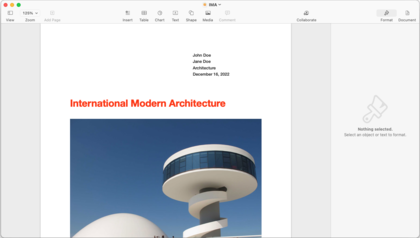
- Pages — a word processor that also supports desktop-publishing tasks through templates, layout tools and export to PDF and Microsoft Word formats.
- Keynote — a presentation program known for cinematic transitions, slide themes and multimedia support; exports to PowerPoint and PDF.
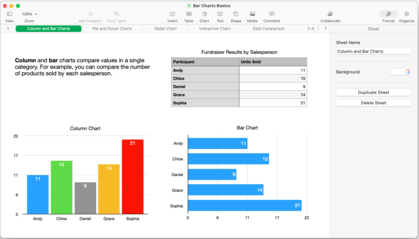
- Numbers — a spreadsheet application that emphasizes visual presentation, using flexible tables, charts and interactive templates; exports to Excel-compatible formats.
Each app uses its own native format (.pages, .key, .numbers) and offers a range of export and import options that make documents compatible with common office file types. iWork also provides a library of themes, templates, fonts and media placeholders to speed content creation and produce polished output.
History and development
Apple first introduced iWork in the mid-2000s as a modern alternative to earlier bundled software. Although Apple sometimes described iWork as a successor to AppleWorks, the two suites differed: iWork does not include AppleWorks’s database or dedicated drawing applications, features that some users relied on (database, drawing). Over successive releases Apple refined the apps’ interfaces, added compatibility and emphasized integration with other Apple services.
In the 2010s Apple adjusted distribution and pricing policies: iWork applications were offered for purchase on macOS and iOS, later made available free to customers who bought eligible devices, and eventually became free for all users. The company also expanded cloud capabilities with iWork for iCloud, enabling browser-based editing and file hosting, and introduced real-time collaboration so multiple users can edit the same document simultaneously.
Features, integration and common uses
- iCloud sync and browser access let users start a document on a Mac and continue on an iPad or through a web browser.
- Real-time collaboration allows co-editing across devices and platforms when documents are stored in iCloud.
- Templates, elegant typography and multimedia support make iWork popular for school projects, small-business presentations and visually driven reports.
- Export/import functionality supports interoperability with Microsoft Office and other common formats, easing exchange with people who use different productivity suites.
Distinguishing characteristics and notable facts
iWork is known for its emphasis on visual design and user-friendly workflows rather than exhaustive analytical features; for example, Numbers organizes data visually rather than mimicking full-featured spreadsheet calculations found in some competitors. Apple has continually focused iWork on tight integration with its ecosystem — including continuity features, gesture support on iPad and streamlined templates — so users who work primarily within Apple’s environment often find a smooth experience.
While not positioned as a one-to-one replacement for every feature of large office suites, iWork remains a widely used, accessible option for creating documents, slideshows and spreadsheets with a strong design orientation. For more information, see the vendor pages and cloud tools provided by Apple and related documentation (Apple, Pages, Keynote, Numbers, database, drawing, Microsoft Office, Mac).
Related articles
Author
AlegsaOnline.com iWork — Apple's productivity suite: Pages, Keynote, and Numbers Leandro Alegsa
URL: https://en.alegsaonline.com/art/48744
Sources
- apple.com : Apple Introduces iWork ’08
- apple.com : Apple Unveils iWork '05
- apple.com : Apple Announces iWork '06
- macworld.co.uk : "Apple cans AppleWorks"