
File Transfer Protocol (FTP) — overview, operation, security, and uses
FTP (File Transfer Protocol) is a standard network protocol for transferring files between systems. This article explains how FTP works, its variants, security considerations, history, and common uses.
Overview
File Transfer Protocol (FTP) is a long-established protocol used to move files between computers on a TCP/IP network. It implements a client–server model: a server publishes files and responds to requests, and a client connects to that server to list, retrieve, upload, or manage files. FTP is often used for website publishing, sharing large datasets, and simple backup or synchronisation tasks. For technical specification and standards information, see the protocol documentation: FTP specification.
Image gallery
4 Images

How FTP works
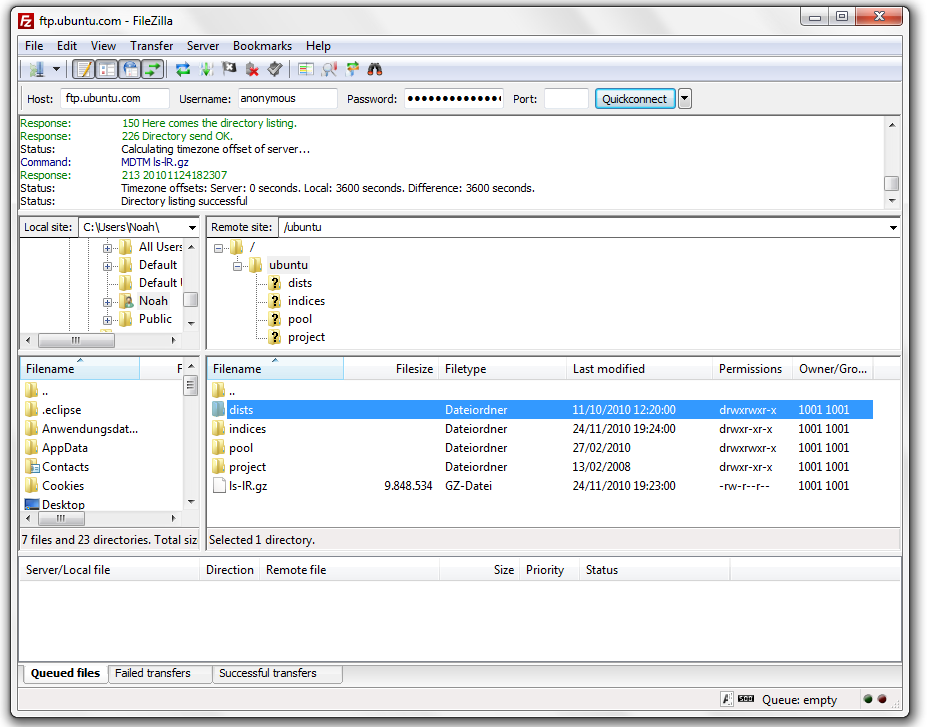
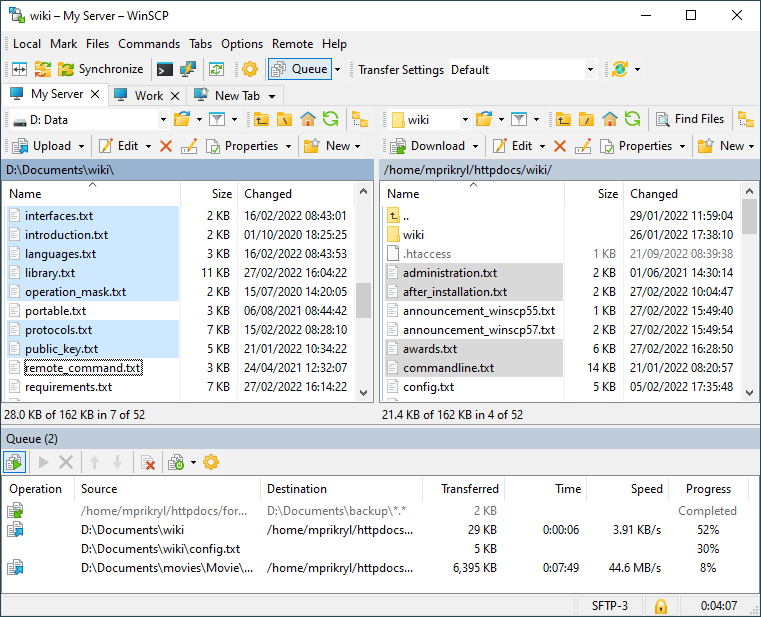
FTP normally uses two TCP connections: a control connection for commands and responses, and a separate data connection for the file transfer itself. Traditional FTP uses well-known ports (control on port 21, data on port 20 in active mode) and supports two primary connection styles: active and passive, which differ in which side opens the data connection. To interact with an FTP server a user typically runs an FTP client program or uses integrated OS features; a list of client and server tools can be found at FTP software resources. The concept of the underlying network environment is central to FTP's design: it operates over general IP networks, including private local area networks and the public Internet (network fundamentals, the Internet).
Common operations and capabilities
- Directory listing and navigation (ls, dir commands)
- Downloading and uploading files (get, put)
- Renaming, deleting, and changing file permissions on the remote host
- Anonymous access for public file distribution, or authenticated access for private files
Clients authenticate to servers using username and password; servers typically enforce access control and may run authentication modules or integrate with system accounts. See general authentication concepts: remote access and authentication methods.
Variants and security considerations
Standard FTP transmits credentials and data in plain text, which makes it unsuitable for sensitive transfers over untrusted networks. Two widely used secure alternatives or extensions are FTPS (FTP over TLS) and SFTP (SSH File Transfer Protocol). FTPS adds Transport Layer Security to traditional FTP, while SFTP is a distinct protocol built on SSH. Administrators may also restrict FTP with firewalls and use passive mode to accommodate NAT. For notes on how servers accept connections, see server connection handling.
History and development
FTP is one of the oldest application protocols on packet networks and evolved alongside the early ARPANET and Internet. Its design reflects constraints and practices from that era—simple command/response control, separate data channels, and minimal built-in encryption. Over time, the community added secure extensions and produced numerous client and server implementations, both commercial and open source. For discussions of FTP's evolution and compatibility issues, consult historical and technical resources: mobile and legacy usage notes.
Uses, examples, and notable facts
FTP remains in use for tasks where simplicity, scriptability, or legacy compatibility matter. Typical examples include uploading website files to a web host, distributing large scientific datasets from an institution's server, or transferring images and logs between systems. Many modern alternatives (HTTP-based APIs, cloud storage services, and managed file-transfer solutions) have replaced FTP for new projects because they offer better security and easier firewall traversal. Nevertheless, FTP's widespread support across operating systems and its large ecosystem of tools ensure it continues to appear in networks and documentation.
Distinctions: FTP, FTPS, and SFTP are often confused but are different protocols; administrators should choose based on security requirements, client support, and network constraints. For practical how-to guides, software lists, and interoperability tips, refer to community-maintained resources and vendor documentation via the links above.
Related articles
Author
AlegsaOnline.com File Transfer Protocol (FTP) — overview, operation, security, and uses Leandro Alegsa
URL: https://en.alegsaonline.com/art/36881