
Computer speakers
Devices that reproduce audio from a computer; types, components, connectivity, history, uses, and how they differ from other speaker systems.
Overview
Computer speakers are audio transducers intended to reproduce sound from a computer or similar device. They convert electrical signals into audible vibrations using drivers and enclosures. Speakers that sit outside a computer chassis are commonly called external speakers, while many laptops and all-in-one PCs include small built-in units. The sound chain for modern systems often includes a digital-to-analog converter (DAC) and an amplifier before the drivers produce sound.
Image gallery
2 Images
Design and main components
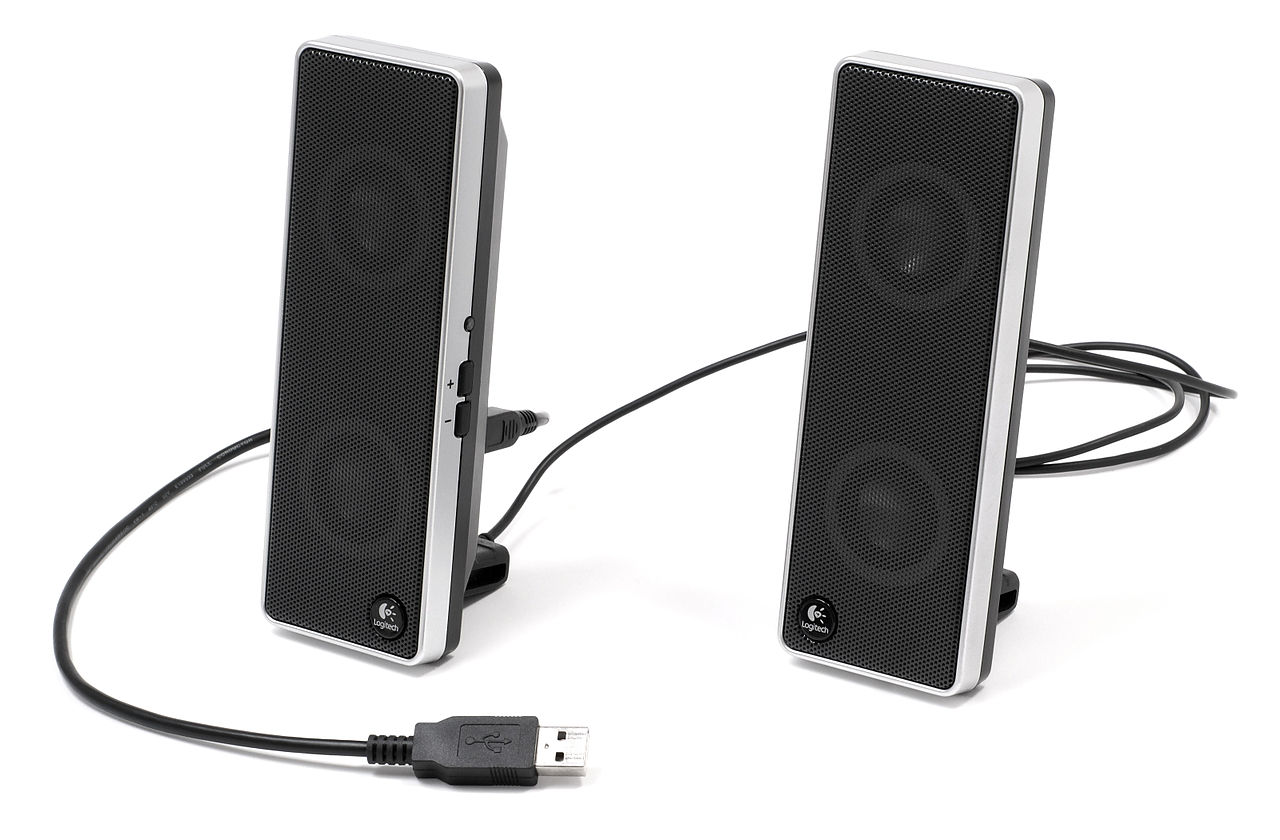
Typical computer speaker systems combine several basic parts: one or more drivers (woofers for low frequencies, tweeters for high frequencies, and sometimes midrange units), an enclosure to control resonance, a crossover to split frequencies, an amplifier to power active speakers, and electronic inputs or radio receivers for wireless models. Active (powered) speakers contain amplifiers and usually a DAC; passive speakers require an external amplifier or receiver.
Common types and connectivity
- Channel configurations: simple stereo (2.0), stereo with subwoofer (2.1), and multichannel sets such as 5.1 or 7.1 for surround sound.
- Wired connections: analog 3.5 mm jacks, RCA connectors, USB audio devices, and digital optical (S/PDIF).
- Wireless options: Bluetooth and networked Wi‑Fi speakers that receive audio without a direct cable.
Wired links remain popular for low latency and fidelity; many users also choose wireless speakers for convenience and portability. Some systems use USB or internal sound cards; others rely on a computer's analog output.
History and development
Early personal computers produced simple beeps from miniature internal speakers. As multimedia and digital audio became widespread, manufacturers developed dedicated external speakers to improve listening quality. Stereo desktop speakers and subwoofer-equipped sets became common with the rise of multimedia PCs, while the introduction of USB audio interfaces and short-range standards such as Bluetooth enabled compact, powered, and wireless models. Surround sound deployments followed the growth of home theater and gaming.
Uses and examples of importance
Computer speakers support many everyday activities: listening to music, watching videos, gaming, and participating in teleconferences. Specialized monitors exist for audio production, where neutrality and flat frequency response are valued. Portable powered speakers and speakerbars designed for monitors or laptops offer a balance of footprint, power, and sound quality for typical desktop setups.
Distinctions and notable facts
- Speakers designed for computers prioritize space, convenience, and clear midrange for voices; hi‑fi speakers may prioritize wider frequency range and imaging.
- Active computer speakers contain built-in amplifiers, whereas passive sets need a separate amplifier or receiver.
- Wireless connectivity often uses the same codecs and profiles across devices, but users should consider latency and compression when choosing between wired and computer-connected options.
Choosing a computer speaker set depends on intended use, desk space, budget, and whether portability or absolute fidelity is the priority. For many users, an affordable powered stereo pair or a compact 2.1 system delivers a large improvement over built-in laptop speakers while remaining convenient for daily computer use.
Related articles
Author
AlegsaOnline.com Computer speakers Leandro Alegsa
URL: https://en.alegsaonline.com/art/22334