
Secure Shell (SSH): secure remote login and data-transfer protocol
Secure Shell (SSH) is a cryptographic network protocol for secure remote login, command execution and file transfer between computers over an unsecured network.
Overview
Secure Shell, commonly abbreviated SSH, is a standards-based network protocol that provides a protected channel for communication between two networked devices. It is primarily used to log into remote machines, execute commands, and move files while keeping credentials and data private. SSH replaced older, unencrypted remote‑access methods such as Telnet and rlogin, and runs on many platforms including Linux and macOS, as well as other Unix-like systems and Windows through client implementations.
Image gallery
2 Images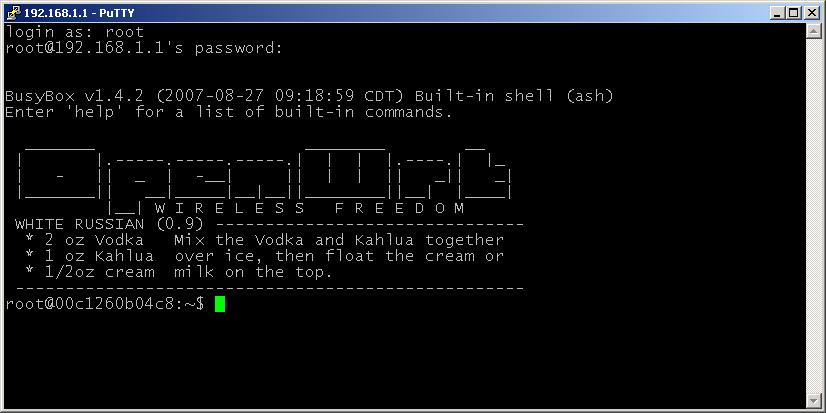
How SSH works
SSH depends on a combination of cryptographic techniques to establish a secure session between two computers. Public-key (asymmetric) cryptography is used for initial authentication and key exchange. After a secure key exchange, a symmetric cipher encrypts the bulk of the session traffic for efficiency. Digital signatures or host keys help clients verify the identity of servers, and optional user key pairs can replace passwords for stronger authentication. SSH relies on well-known principles of cryptography to provide confidentiality, integrity, and often forward secrecy.
Key components and features
- Authentication: password-based, public-key, and multi-factor methods are supported.
- Encryption and integrity: negotiated ciphers and message authentication codes protect data.
- Port forwarding: secure tunneling of other protocols through an encrypted channel.
- File transfer subsystems: SFTP and SCP are commonly used over SSH for secure file copy and management.
- Client and server software: popular implementations include OpenSSH and third-party clients for various platforms.
History and development
SSH was first developed in 1995 to address the security weaknesses of older remote-access tools. Over time it has evolved through multiple versions and extensions to support improved algorithms, more flexible authentication options, and additional services like secure file transfer. The protocol is documented in a series of technical standards and is widely implemented in open-source and commercial products. For further technical references and specifications see the protocol and implementation documentation available from formal sources and project sites (protocol documentation).
Common uses and examples
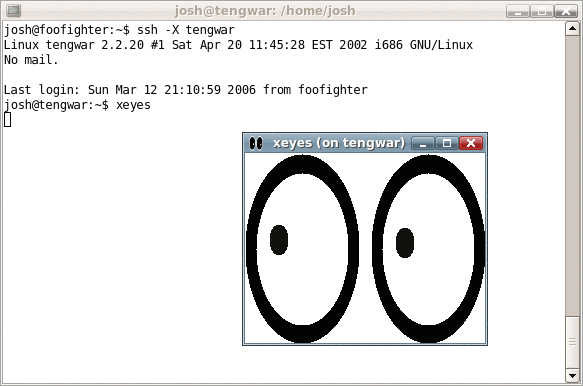
Administrators and developers rely on SSH for everyday tasks: remotely managing servers, running maintenance scripts, securely copying files with SFTP or SCP, and tunneling X11 or web traffic for secure access. Automated systems often use SSH keys for noninteractive logins in deployment workflows and configuration management tools. Many GUI and command-line clients make SSH accessible to both casual and advanced users.
Security considerations and distinctions
Compared with unencrypted options, SSH significantly reduces the risk of eavesdropping and credential theft. However, secure operation depends on proper key management, up-to-date software, and careful configuration. Known-good practices include disabling legacy protocol versions, using strong key pairs, and verifying host keys on first connection. SSH's design separates the secure channel from the services that run within it, allowing it to be used as a general-purpose encrypted transport for other protocols (secure channel) and tools. For more context about migration from older, insecure remote access methods see resources about historic protocols and upgrades (rlogin, Telnet).
Implementations and client programs vary: some integrate graphical file transfer or proxying features, others emphasize small footprint and scriptability. For practical guides, implementations, and downloads consult official project pages and widely used documentation hubs (implementation details, platform guides, crypto references, protocol overviews, system-specific notes, technical specs, security advice, comparisons, migration histories).
Related articles
Author
AlegsaOnline.com Secure Shell (SSH): secure remote login and data-transfer protocol Leandro Alegsa
URL: https://en.alegsaonline.com/art/88496