
Package management system
A package management system automates installing, upgrading, configuring and removing software packages, tracking files, resolving dependencies and managing repositories for reliable software distribution.
A package management system is software that automates the distribution and maintenance of applications and libraries on an operating system. It keeps a record of which files belong to each package, where files are installed, and related metadata such as version numbers, dependencies and configuration actions. In everyday terms a package manager acts like a directory and an installer combined: it knows what is installed and can add, remove or update packages in a consistent way.
Image gallery
2 Images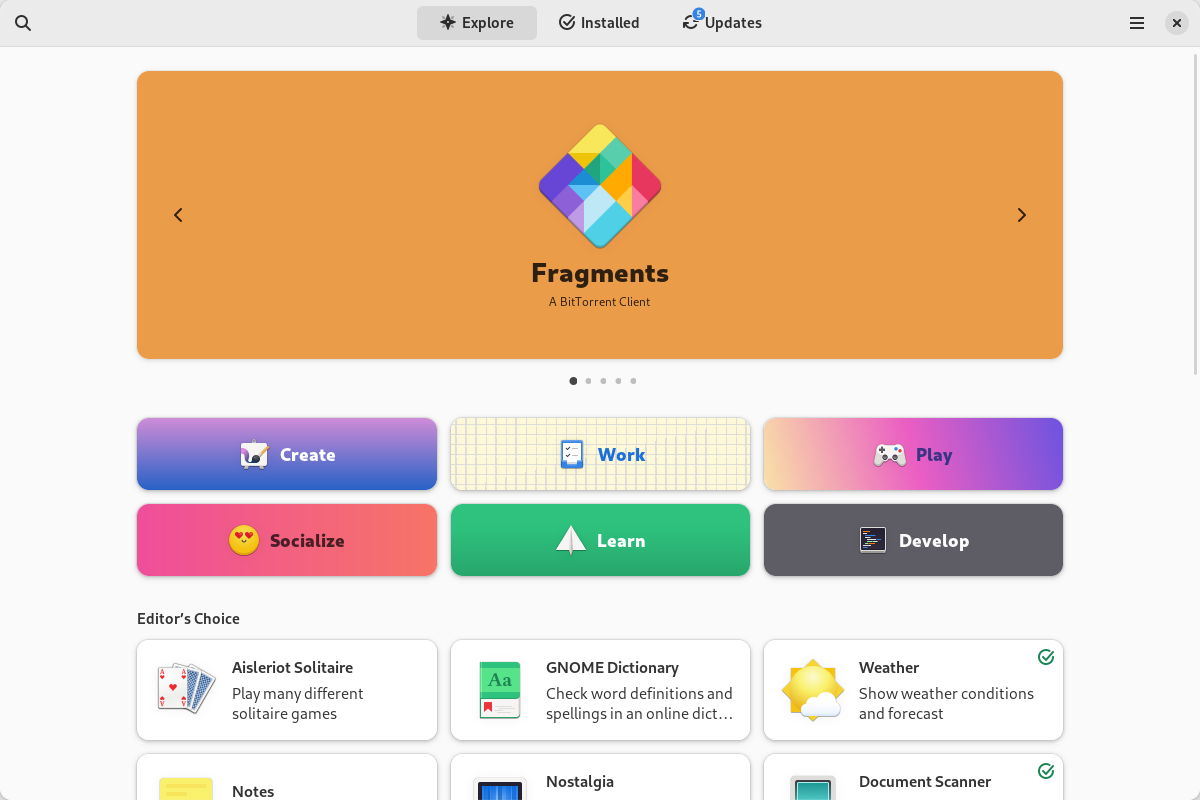

Core components and common actions
Most package management systems share a set of basic components and behaviors. These include a package format, a local package database, a resolver for dependencies and a repository or collection of packages from which software is fetched. Common actions provided by package managers are:
- Install — fetch and place files in appropriate locations, run install scripts when needed.
- Remove — uninstall files and optionally purge configuration data.
- Upgrade — update packages to newer versions while handling dependency changes.
- Query — list installed packages and owned files, check versions.
- Verify — validate package integrity and signatures for security.
Formats and examples
Package formats and workflows vary by platform. On many Linux distributions, binary package formats such as .deb and .rpm are common and are managed by tools that coordinate repositories and dependency solving. Classic low-level tools include dpkg for Debian-based systems, while higher-level front‑ends build on them to provide repository management and automatic resolution. Other Linux approaches include source-based managers such as Gentoo's emerge and simpler archive-based installers. There are also platform-specific patterns: some Unix-like systems use single-file packages or ports collections, macOS has several third-party managers, and on Microsoft Windows the system utility Programs and Features provides an installer registry-like view but does not define a single universal package format. For a panorama of Linux choices see Linux package managers.
History and development
Package management evolved from ad hoc installers and manual file copying into integrated systems as software distributions grew. Early Unix distributions introduced basic package catalogs; later innovations added remote repositories, dependency resolution, signed packages for security, and transactional updates that could roll back partially completed operations. Over time package managers became central to operating system maintenance and security patching.
Uses, benefits and notable distinctions
Package managers simplify system administration by automating repetitive tasks: installing complex software stacks, applying security updates across many systems, and ensuring that required libraries are present. They differ from language-level or ecosystem-specific managers (for example, those used for Python or JavaScript) in scope: system package managers handle system-wide installation and native libraries, while language managers typically work in user or project environments. Containers and image-building tools often rely on package managers inside images to assemble environments reproducibly.
Best practices include using trusted repositories, preferring signed packages, avoiding mixing incompatible package sources without care, and understanding whether a tool manages only metadata or actually executes configuration scripts. Well-designed package management is a cornerstone of maintainable, secure, and reproducible software systems.
Related articles
Author
AlegsaOnline.com Package management system Leandro Alegsa
URL: https://en.alegsaonline.com/art/73940