
Eye of GNOME (eog) — GNOME's default image viewer
Eye of GNOME (eog) is GNOME's lightweight image viewer for quick display of common image formats. It emphasizes simplicity, offering zoom, rotation, slideshow, transparency handling, and file-manager integration.
Overview
Eye of GNOME, commonly invoked as eog, is the standard image viewer included with the GNOME desktop environment. It is designed primarily for viewing rather than editing: the application opens common raster image files quickly and presents a concise set of controls so users can inspect pictures without launching a full-featured editor.
Image gallery
2 Images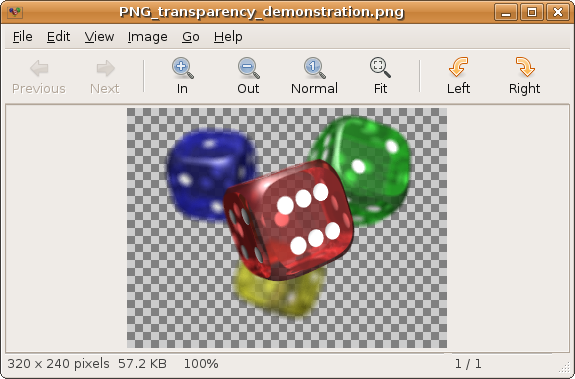

Features
The program focuses on essentials that improve image viewing and presentation. Typical capabilities include zooming and panning, full-screen display, basic rotation, slideshow mode for sequential viewing of files in a folder, and configurable handling of transparent image regions. It displays animated images such as animated GIFs and relies on the desktop platform's image-loading libraries to support various file types.
Supported formats and back ends
Rather than implementing its own decoders, Eye of GNOME uses GNOME platform libraries to read image data. This allows it to support widely used formats such as JPEG, PNG and GIF and other types available through the underlying image back ends. Support for additional formats depends on the libraries installed on the system.
User interface and usage
Eye of GNOME presents a simple, uncluttered interface that integrates with GNOME conventions. Controls are geared toward fast navigation: keyboard shortcuts for zoom and rotation, a toolbar for common actions, and a thumbnail or filename list to move between images in the same directory. It is commonly launched by double-clicking an image in the GNOME file manager or by invoking eog from a terminal with a filename or directory argument.
Integration, accessibility and distribution
As a core GNOME application, eog follows GNOME's guidelines for integration, accessibility and internationalization. It is distributed as free software alongside the GNOME platform and receives updates as part of the GNOME release and maintenance process. Packaging and availability vary by Linux distribution, where it is often the default image viewer for GNOME sessions.
How it compares to other tools
Eye of GNOME deliberately omits advanced editing, cataloguing and pixel-level manipulation found in image editors and photo managers. For tasks such as metadata editing, batch processing or detailed retouching, dedicated applications are more suitable. For quick previews, presentations or casual browsing within the GNOME desktop, eog provides a lightweight and integrated solution.
Practical tips
- Use fullscreen and slideshow modes for simple presentations without extra software.
- Rotate and zoom with keyboard shortcuts to inspect details quickly.
- If a particular file type is not supported, installing additional image loader libraries for the system can add support without changing the viewer.
Related articles
Author
AlegsaOnline.com Eye of GNOME (eog) — GNOME's default image viewer Leandro Alegsa
URL: https://en.alegsaonline.com/art/33068