
Wireless router
Device that connects local devices to a network and Internet using Wi‑Fi and wired ports; combines routing, switching, radio transceiver and security functions for homes and small networks.
A wireless router is a networking device that forwards data between local devices and wider networks while providing wireless access. In typical home or small‑office setups it bridges a broadband connection and devices such as laptops, phones, smart TVs and IoT gadgets. The radio portion implements wireless connectivity commonly referred to as Wi‑Fi and the routing functions manage traffic to and from the internet or other subnets.
Image gallery
5 Images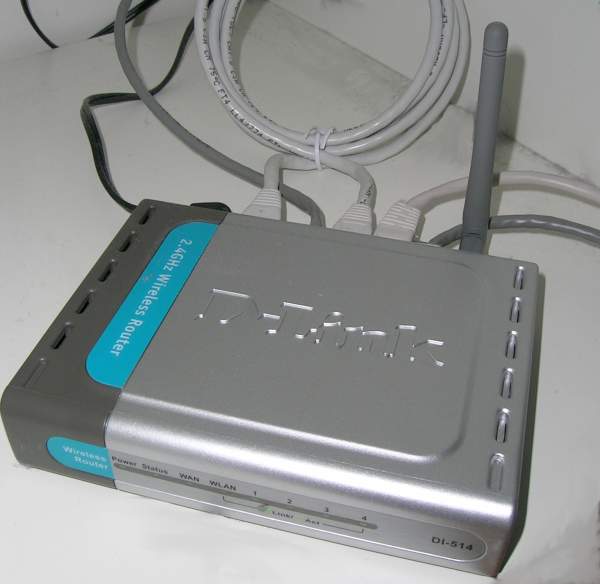


Core components and functions
Most wireless routers combine several roles in one enclosure: an IP router, a network switch with multiple Ethernet ports, a wireless access point (radio and antennas), and often a modem interface or USB port. Key software features include DHCP for address assignment, NAT to share a single public IP, firewall rules, and firmware that controls settings and security. Physical elements such as external antennas, LED indicators and reset buttons are common.
Standards and development
Wireless routers support successive Wi‑Fi standards (commonly known by names like 802.11b/g/n/ac/ax) and operate on different frequency bands (2.4 GHz and 5 GHz, and increasingly 6 GHz). Over time devices evolved from separate modem and router boxes into integrated gateways, and more recently into mesh systems that use multiple nodes to extend coverage seamlessly.
Uses and importance
They provide local connectivity for internet access, file sharing, streaming media, and device control. Features such as guest networks, parental controls, quality‑of‑service (QoS) settings and VPN support make routers central to network performance, privacy and management in homes and small businesses. Placement and antenna orientation affect wireless range and reliability.
Security and management
Securing a wireless router typically involves enabling modern encryption (WPA2 or WPA3 where available), changing default passwords, keeping firmware updated, and isolating untrusted devices on guest networks. Many routers provide web or app interfaces for configuration and tools for monitoring connected devices and bandwidth use.
Distinctions and buying considerations
- Router vs access point vs modem: a router directs traffic; an access point provides Wi‑Fi only; a modem translates between your provider and your local network.
- Dual‑band and tri‑band models split traffic across frequencies; mesh systems improve coverage for larger homes.
- When researching, consult technical specifications, supported standards, port counts and security features, and review manufacturer firmware update practices.
For basic background on network concepts see computer network resources and for wireless technology details consult materials on Wi‑Fi.
Related articles
Author
AlegsaOnline.com Wireless router Leandro Alegsa
URL: https://en.alegsaonline.com/art/108671