
ChatZilla — Mozilla-based IRC client
ChatZilla is a free, extensible IRC client for Mozilla platforms. Written in JavaScript and XUL, it supports standard IRC functions and is distributed under a tri-license (MPL/GPL/LGPL).
Overview
ChatZilla is an Internet Relay Chat (IRC) client originally developed for the Mozilla family of applications. Implemented primarily in JavaScript and XUL, it was designed to run as a browser extension or as a XULRunner/SeaMonkey component, offering a lightweight, scriptable interface tightly integrated with Mozilla runtimes.
Image gallery
1 Image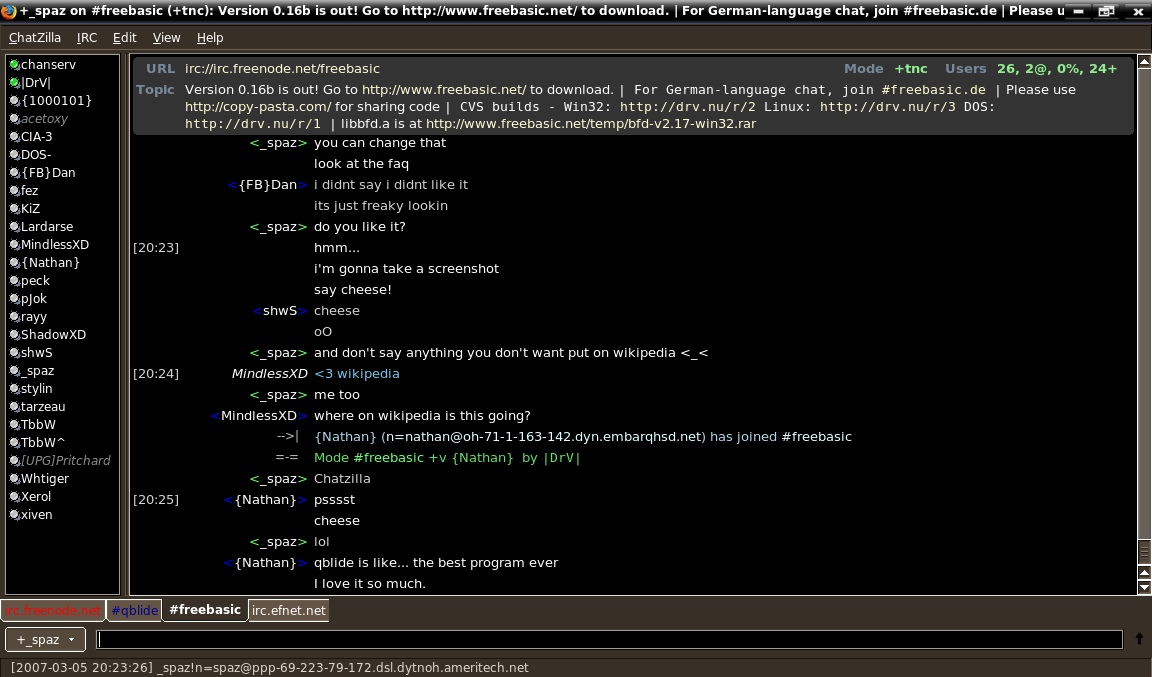
Features
ChatZilla implements the common features expected of an IRC client: connecting to multiple servers and channels, nickname completion, channel and private message logging, configurable themes and color schemes, customizable keyboard shortcuts, message highlighting and a server/channel list. It is user-scriptable through JavaScript, allowing users to add commands, UI tweaks and automation.
Platforms and integration
Historically ChatZilla was packaged as an add-on for Firefox and as part of the SeaMonkey internet suite, and it could be run as a standalone application with XULRunner. Because it uses XUL for its interface, it integrates well with Mozilla-based applications but requires compatibility layers or legacy extension support to run inside modern browsers.
History and development
The project dates to the early 2000s, with first public releases around 2001. Development continued through the 2000s; the last widely distributed stable release is version 0.9.86 from 2009. Activity and availability have varied as Firefox and other browsers moved away from XUL-based extension frameworks, but the codebase remains available for those who wish to inspect, run or adapt it in compatible environments.
Licensing
ChatZilla is distributed under a tri-license that includes the Mozilla Public License (MPL), the GNU General Public License (GPL) and the GNU Lesser General Public License (LGPL). This licensing approach gives developers and distributors flexibility in how they reuse or combine the code in other projects.
Compatibility and modern usage
Because mainstream browsers removed or restricted support for XUL and legacy extension APIs, installing ChatZilla in current Firefox releases is not straightforward. Users interested in running ChatZilla should consult SeaMonkey builds, legacy Firefox forks that support XUL extensions, or try standalone XULRunner-based setups. Developers often extract the JavaScript components for study or reuse in other projects.
Further reading and resources
- Project home at Mozilla
- Notes on the JavaScript implementation
- Information on early releases (circa 2001)
- Details about the latest stable release
- Mozilla Public License (MPL)
- GNU General Public License (GPL)
- GNU Lesser General Public License (LGPL)
For anyone considering use or development, consult project pages and community-maintained documentation before attempting installation in modern browser environments. Historical releases and source archives remain useful for research, learning about XUL-era extension design, and for embedding ChatZilla components in compatible applications.
Related articles
Author
AlegsaOnline.com ChatZilla — Mozilla-based IRC client Leandro Alegsa
URL: https://en.alegsaonline.com/art/19022
Sources
- addons.mozilla.org : Chatzilla License