
Stop error screen (Blue Screen of Death and equivalents)
A stop error screen is an operating-system or firmware message shown when a device encounters a fatal error it cannot recover from; it displays diagnostic details and often forces a restart.
A stop error screen appears when an operating system or device firmware encounters a condition it cannot safely continue from. Commonly called the "Blue Screen of Death" (BSOD) in popular usage, the term covers a range of unrecoverable faults that force the system to halt, display diagnostic information, and usually require user intervention or an automatic restart. The term is applied across platforms; see a general reference here.
Image gallery
10 Images


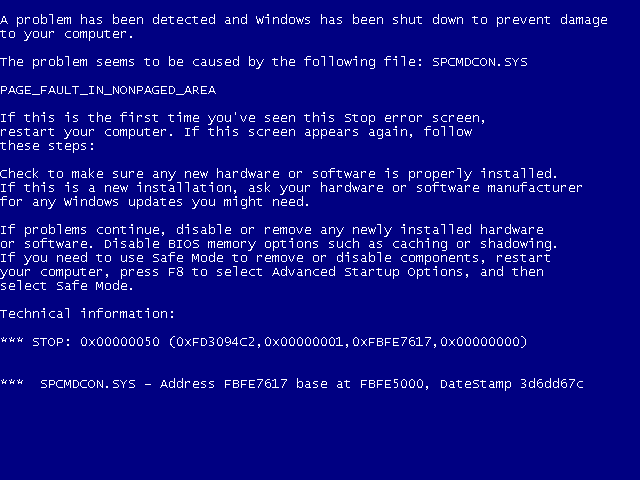
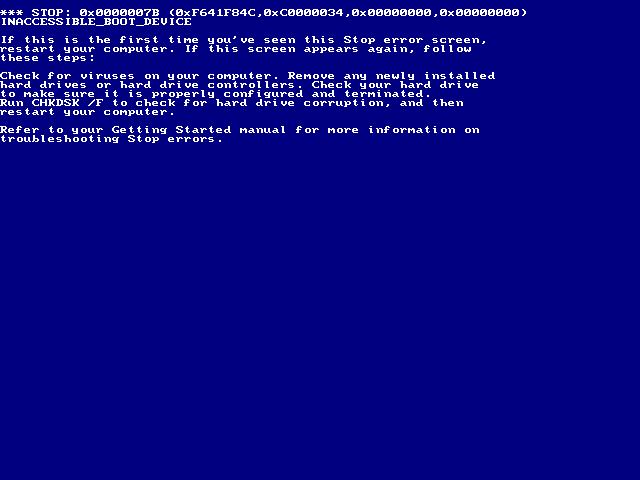
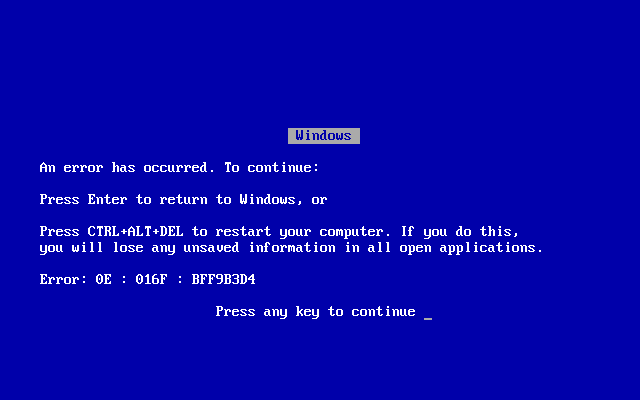


Typical appearance and information
Stop error screens vary by system and vendor but generally include explicit codes and brief descriptions intended for technicians and diagnostic tools. A typical screen may show:
- a short text message or stop code identifying the error
- technical details such as memory addresses, register values or a call stack
- advice about collecting a memory dump, rebooting, or contacting support
- sometimes a QR code or simplified message for consumer devices
History and platform examples
Early operating systems and kernels have long used fatal-error screens—Unix-like systems call them kernel panics, while personal computers became widely associated with the Blue Screen of Death on Windows. Game consoles and embedded platforms also show fatal screens; for example, some console errors have become known by their screen colors such as the green screen seen on certain Xbox models.
Causes
Common causes of stop errors include hardware faults (bad memory, failing disks), device driver bugs, incompatible or corrupted firmware, overheating, sudden power loss, and serious software bugs that corrupt kernel memory. Because the kernel operates with high privileges, errors there often force an immediate halt to avoid data corruption.
Troubleshooting and response
- Record any stop code or message shown; this helps identify the fault.
- Allow the system to produce a memory or crash dump if available for later analysis.
- Restart into safe or recovery modes; update or roll back drivers and firmware.
- Run hardware diagnostics: memory tests, disk checks, and temperature monitoring.
- Restore from backups or reinstall the operating system if corruption persists.
Notable distinctions
Although popularly termed a "screen of death," many modern systems can recover automatically or provide clearer, user-friendly guidance. The underlying technical distinction remains: a kernel-level or firmware fault that cannot be handled at runtime without risking further damage. Understanding the displayed codes and preserving logs or dumps is key for repair and prevention.
Questions and answers
Q: What is a Stop error screen?
A: A Stop error screen is a screen that a device shows when it has an error it cannot fix and has to stop.
Q: What is another name for a Stop error screen?
A: Another name for a Stop error screen is a Blue screen of death.
Q: Why are Stop error screens usually called screens of death?
A: Stop error screens are usually called screens of death because the device cannot recover from the error and the operating system or firmware has to close.
Q: Are Stop error screens specific to Microsoft Windows computers only?
A: No, Stop error screens are not specific to Microsoft Windows computers only, but the screens are usually color-coded such as a Microsoft Windows computer showing a Black Screen of Death (BSoD) or an Xbox showing a green screen of death when they have errors.
Q: What happens to the device when it encounters a Stop error screen?
A: When a device encounters a Stop error screen, it cannot recover from the error and the operating system or firmware has to close.
Q: Can devices recover from Stop error screens?
A: No, devices cannot recover from Stop error screens.
Q: How are Stop error screens usually color-coded?
A: Stop error screens are usually color-coded, such as a Microsoft Windows computer showing a Black Screen of Death (BSoD) or an Xbox showing a green screen of death when they have errors.
Related articles
Author
AlegsaOnline.com Stop error screen (Blue Screen of Death and equivalents) Leandro Alegsa
URL: https://en.alegsaonline.com/art/94075
Sources
- answers.com : Answers.com: BSOD
- techrepublic.com : "Video: Bill Gates, meet the Blue Screen of Death"