
Address bus (computer architecture)
An address bus carries memory addresses between a processor and other components, defining how much memory a system can reach and how devices are selected and mapped.
An address bus is the set of electrical conductors used to convey address information from a processor (or other bus master) to memory and peripheral devices. Unlike the data bus, which carries actual data values, the address bus carries binary numbers that identify the location in physical memory or the target device for the next read or write. The address bus is a core element of the system bus architecture, and it works together with the data bus and control bus to perform memory and I/O operations.
Image gallery
1 Image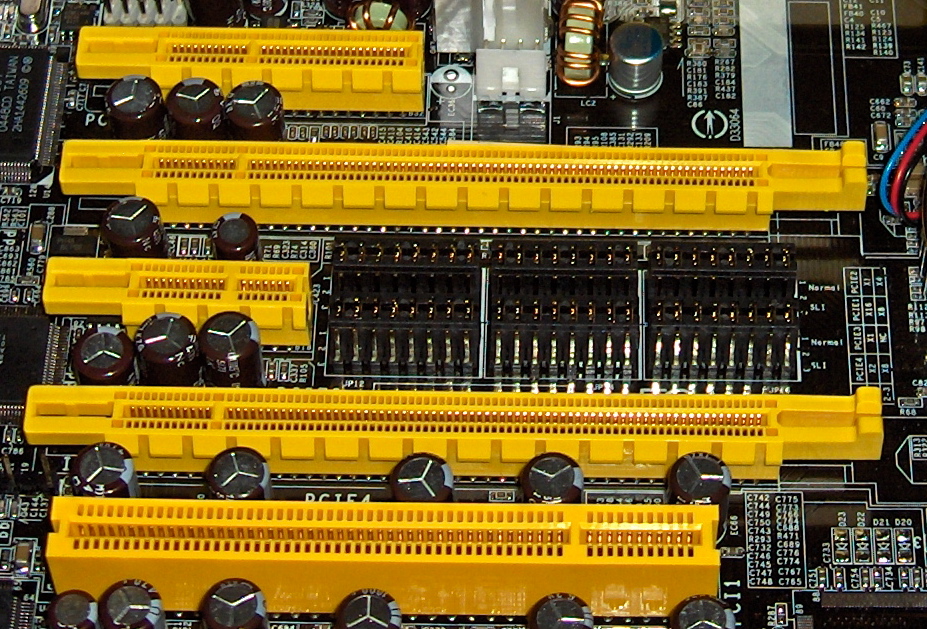
Basic characteristics
The most important physical attribute of an address bus is its width: the number of separate lines (wires) used to transmit individual address bits. A bus with n lines can form 2^n distinct addresses. Thus, a 16-bit address bus can select 65,536 locations, a 32-bit bus can address 4 gigabytes, and a 64-bit bus provides an address space of 2^64 locations. Practical limits in operating systems, chipsets and motherboards normally reduce the usable portion of that theoretical space.
How address buses are used
Address lines are driven by the CPU (or DMA controller) when initiating memory accesses. Memory and I/O devices decode the address to determine whether they are being targeted; this process is called address decoding and makes it possible to implement memory-mapped I/O. On many systems the address bus is unidirectional (from master to slaves) and may be shared by multiple devices using tri-state drivers and arbitration logic.
History and evolution
Early microprocessors had relatively narrow address buses: for example, Intel's 8086 family used a 20-bit physical address bus (1 megabyte of addressable memory) and later processors expanded that width to support larger memories. System designers moved from single shared buses toward multiple dedicated buses and switched fabrics to improve bandwidth and modularity. Modern personal computers and servers often use separate buses and interconnects rather than one wide, general-purpose system bus; examples and platform differences can be found in vendor documentation for many modern personal computers and Macintosh platforms.
Addressing details and limitations
There are several distinctions that are important when talking about addressing: the address bus width determines the number of addressable units, but the size of those units (bytes, words) determines the address granularity. Systems may present a virtual address space to software that differs from the physical addresses actually driven on the address bus; a memory management unit (MMU) performs translation and enforces protection. Also, some architectures multiplex address and data lines to save pins (for example, early x86 designs used AD lines that carried addresses and later data), which affects timing and bus control.
Examples and notable facts
- Common historical widths: 8-bit (256 addresses), 16-bit (65,536), 20-bit (1 MB), 24-bit (16 MB), 32-bit (4 GB).
- Wider buses such as 36-bit can address 64 gigabytes in theory; practical limits may be lower due to chipset and motherboard restrictions and reserved regions.
- 64-bit address buses offer an address space of 2^64 locations (often quoted as approximately 16 exabytes); operating system and platform choices typically restrict usable RAM to a smaller subset.
- Memory-mapped I/O uses portions of the address space for device registers, so not all addresses correspond to RAM; see discussion of main memory and I/O mapping for details.
Other practical matters include bus arbitration when multiple masters exist, timing and setup requirements for signals, and the use of address lines in I/O buses and peripheral interconnects. For more technical background and standards, refer to architecture manuals and hardware references, including resources that discuss theoretical capacities such as 64 gigabyte ranges and large-address designs, and documents that describe very large address spaces like 64-bit addressing. Additional platform-specific developer guides provide implementation details and constraints for particular systems and chipsets; some vendors publish whitepapers and technical notes at links like system bus and memory references.
Understanding the address bus is fundamental to grasping how a processor locates data and communicates with memory and peripherals. While the theoretical address space is simply 2^n where n is the number of address lines, the usable memory and device range is shaped by hardware design, firmware, and operating system policies.
Questions and answers
Q: What is an address bus?
A: An address bus is a computer bus architecture used to transfer data between devices. It connects the CPU with main memory and stores the hardware address of physical memory in binary numbers, allowing the data bus to access memory storage.
Q: How many wires does an address bus have?
A: The number of wires in an address bus determines how many unique memory locations can be addressed. Modern personal computers and Macintoshes typically have up to 36 address lines.
Q: What other elements are part of the system bus architecture?
A: Along with the address bus, the system bus architecture also includes a data bus and control bus.
Q: How much memory can a 32-bit address bus access?
A: A system with a 32-bit address can access 4 gigabytes of memory space.
Q: How much memory can a 64-bit address access?
A: A system with a 64-bit address can access 16 exbibytes of virtually unlimited memory locations when used with a supporting operating system.
Q: What is the purpose of an individual computer's system buses?
A: The purpose of an individual computer's system buses is to connect major components within the computer and decrease costs while enhancing modular integration.
Related articles
Author
AlegsaOnline.com Address bus (computer architecture) Leandro Alegsa
URL: https://en.alegsaonline.com/art/937