
Solid-state drive (SSD): technology, uses, and comparisons
An overview of solid-state drives: how they work, key components, performance and use cases, common limitations, variants such as NVMe and hybrid drives, and how they compare with hard disk drives.
Overview
A solid-state drive (SSD) is a non-volatile data storage device used in computers and other electronic systems. Unlike traditional hard disk drives (HDDs), SSDs store information using semiconductor memory rather than spinning magnetic platters. They present the same block-level interface to an operating system and can often replace HDDs directly in most systems. For a general introduction see Solid-state drive overview and for basic concepts of data storage technologies consult specialized resources.
Image gallery
10 Images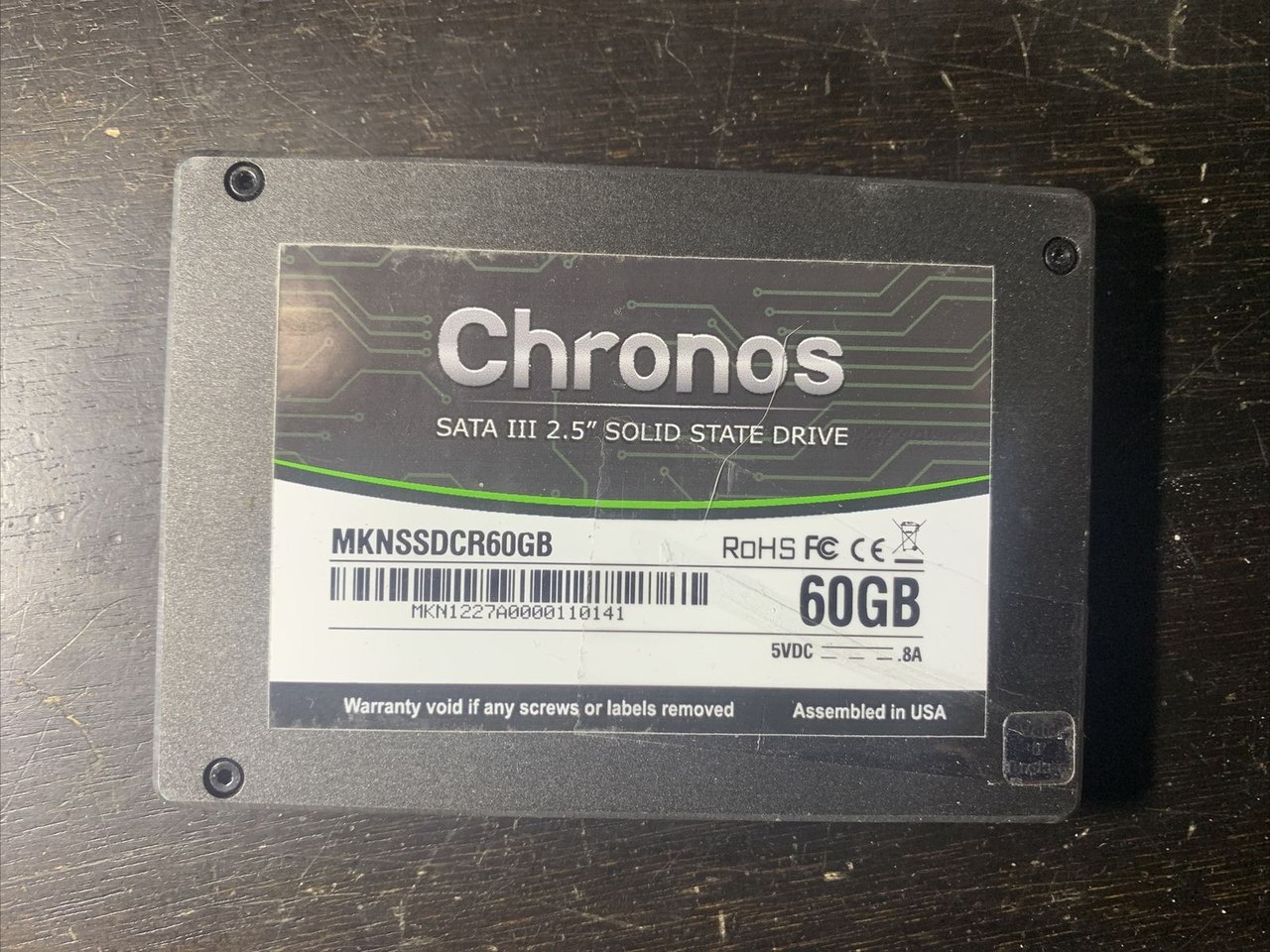


Design and components
At the core of virtually all consumer SSDs is NAND flash memory, a type of flash memory that retains data without power. A typical SSD includes several key parts: a controller (a small processor that manages reads, writes and error correction), NAND flash chips arranged in packages, and firmware that implements functions like wear leveling and garbage collection. SSDs are available in multiple form factors and interfaces, including 2.5" SATA drives, M.2 modules, and U.2 connectors on enterprise systems.
- Controller: orchestrates data transfers, error correction, and endurance management.
- NAND types: manufacturers use varieties such as SLC, MLC, TLC and QLC to trade off cost, capacity and endurance.
- Firmware features: TRIM support, over-provisioning and wear-leveling extend usable life and performance.
History and development
Solid-state storage is rooted in semiconductor memory research from the late 20th century. Flash memory and early SSD products gradually improved in density, reliability and cost. Throughout the 2000s and 2010s, NAND scaling, faster controllers and new interfaces (notably NVMe over PCI Express) greatly increased performance and lowered cost per gigabyte, enabling widespread adoption in laptops, desktops and servers.
Performance and common uses
SSDs typically provide much faster random-access times and higher sustained read/write throughput than HDDs, which results in quicker system boot, faster application load times and improved responsiveness for file operations and databases. These performance characteristics make SSDs the preferred choice for operating system drives, gaming systems, professional content creation, and latency-sensitive server workloads. High-end SSDs using the NVMe protocol deliver substantially higher I/O operations per second compared with SATA SSDs.
Limitations, lifespan and maintenance
One intrinsic limitation of current flash-based SSDs is that each memory cell endures a finite number of program/erase cycles before it becomes unreliable. Modern controllers and firmware mitigate this through wear-leveling, error correction and spare capacity, but the finite endurance is a design consideration when selecting a drive for write-heavy applications. Routine maintenance tasks for SSDs differ from HDDs; for example, enabling TRIM and keeping firmware updated helps maintain performance and longevity.
Variants and market distinctions
Beyond pure NAND SSDs there are hybrid drives (SSHDs) that combine a conventional HDD with a smaller flash cache to accelerate frequently accessed data; manufacturers and users may choose these as a cost-capacity compromise — see a note on hybrid designs here. Enterprise SSDs are optimized for endurance and predictable latency, while consumer models emphasize cost and capacity. For further technical or product-level details, consult vendor documentation and technical overviews recommended resources or introductory materials on data storage and flash memory.
Term
In electronics, the English term "solid state" means that semiconductor components are used. This distinguishes them from other storage technologies such as core memories, punched cards or memories with moving mechanical parts such as rotating magnetic disks. In analogy to drive technologies such as HDDs, FDDs and ODDs, the medium is referred to as a "drive".
Development and history
Early SSDs
Solid-state drives originated in the 1950s with two similar technologies, magnetic core memory and Charged Capacitor Read-Only Storage (CCROS), an early form of read-only memory. These supporting forms of storage appeared in the era of electron tube computers, but were then abandoned by the advent of less expensive drum storage.
In the 1970s and 1980s, SSDs were implemented in semiconductor memories of the early supercomputers from IBM, Amdahl and Cray, but were rarely used due to their very high price. In the late 1970s, General Instruments introduced Electrically Alterable ROM (EAROM, another form of read-only memory), which had close similarities to later NAND flash technology. However, since the lifespan of this memory was less than ten years, the technology was abandoned by many companies. In 1976, Dataram started selling a product called Bulk Core, which delivered up to 2 MB of solid-state memory compatible with Digital Equipment Corporation (DEC) and Data-General (DG) computers. In 1978, Texas Memory Systems introduced a 16-kilobyte RAM solid-state drive to be used by oil production companies to record seismic data. The following year (1979), StorageTek developed the first RAM solid-state drive.
The Sharp PC-5000, introduced in 1983, used 128-kilobyte solid-state cartridges that used magnetic bubble memory. In 1984, Tallgrass Technologies Corporation introduced a 40-MB backup unit with an integrated 20-MB SSD that could alternatively be used as a disk drive. In September 1986, Santa Clara Systems announced the BatRam: a 4 MB mass storage system that could be expanded up to 20 MB. The system included rechargeable batteries to provide power to the chip when the power supply was interrupted. In 1987, EMC Corporation installed SSDs in mini-computers for the first time, but discontinued this development in 1993.
flash-based SSDs
In 1983, the Psion MC 400 Mobile Computer shipped with four slots for removable memory in the form of flash-based solid-state disks. These slots were of the same type used on the Psion Series 3 for flash memory cards. These modules had the major disadvantage that they had to be formatted each time in order to free memory from deleted or modified files. Old versions of files that were deleted or edited continued to take up memory until the module was formatted.
In 1991, SanDisk introduced a 20MB solid-state drive that sold for $1000. In 1995, M-Systems introduced for the first time a flash-based solid-state drive that did not require batteries to retain data. However, it was not as fast as DRAM-based solutions. From that point on, SSDs were successfully used as HDD replacements by military and aerospace organizations.
In 1999, BiTMICRO introduced several products in the field of flash-based SSDs, including an 18 GB 3.5-inch SSD. In 2007, Fusion-io introduced a PCIe-based SSD with a performance of 100,000 IOPS in a single card with a capacity of up to 320 GB. In 2009, OCZ Technology unveiled a flash SSD at Cebit that had a maximum write speed of 654 MB/s and a maximum read speed of 712 MB/s with a capacity of one terabyte (using a PCIe-x8 interface). In December of the same year, Micron Technology announced an SSD that would use a 6 Gigabit SATA interface.
enterprise flash memory
Enterprise flash drives (EFDs) are designed for applications that require high IOPS performance, reliability and efficiency. In most cases, an EFD is an SSD with a richer set of specifications compared to a standard SSD. The term was first used by EMC in January 2008 to identify SSD vendors that provided products with these higher standards. However, there are no standards or rules that distinguish EFDs from SSDs, which is why in principle any manufacturer can state that they produce EFDs.
In 2012, Intel introduced the SSD DC S3700 - an EFD designed to deliver consistent performance. This field had previously received little attention.
Related articles
Author
AlegsaOnline.com Solid-state drive (SSD): technology, uses, and comparisons Leandro Alegsa
URL: https://en.alegsaonline.com/art/91673
Sources
- storagereview.com : "SSD vs HDD"
- lifewire.com : "Getting the Performance of an SSD with the Capacity of a Hard Drive"
- statista.com : "HDDs and SSDs: global shipments 2015-2021"
- searchstorage.techtarget.com : "Four common SSD form factors and where they work best"
- atpinc.com : "SSD Form Factors, NAND Flash Technologies and Interfaces"