
Passbook (Apple mobile application)
Passbook is Apple’s iOS app for storing digital passes—boarding passes, tickets, coupons and cards—introduced in 2012 and later evolved into Apple Wallet; it supports location/time notifications and live updates.
Passbook is a mobile application introduced by Apple to store and present digital passes such as boarding passes, event tickets, coupons, loyalty cards and other electronic credentials. First shipped as part of the iOS platform, the app provided a unified place on iPhones and iPod Touch devices to carry time- or location-sensitive passes and to receive updates about them.
Image gallery
3 Images

Key characteristics
Passbook organized passes as visually rich, scannable cards. Each pass could include text, barcodes, logos and color accents. Important behaviors included:
- Automatic appearing on the lock screen when a pass became relevant (for example, near an airport or when an event started).
- Background updates pushed to the device so a pass could change status (gate changes, updated balances, new offers).
- Integration with Apple’s notification and location services so developers could make passes context-aware.
History and development
Apple announced Passbook at its Worldwide Developers Conference on June 11, 2012, and released it with iOS 6 later that year. The app was intended to reduce the need for paper tickets and physical cards by enabling merchants, airlines and event organizers to distribute digital passes. In subsequent iOS releases Apple expanded developer support and in 2015 the app’s concept was incorporated and renamed as part of Apple’s broader Wallet initiative, which added payment functionality alongside stored passes.
Technical details
Developers create passes using a packaged file format (commonly with a .pkpass extension) and the PassKit framework. Pass files are signed and can contain structured metadata, images and a machine-readable barcode. Devices receive updates through a push mechanism tied to the pass, allowing information such as seat assignments, boarding gates or coupon balances to be refreshed without user action. Pass relevance may be triggered by GPS region events, Bluetooth beacons, or scheduled times.
Uses and examples
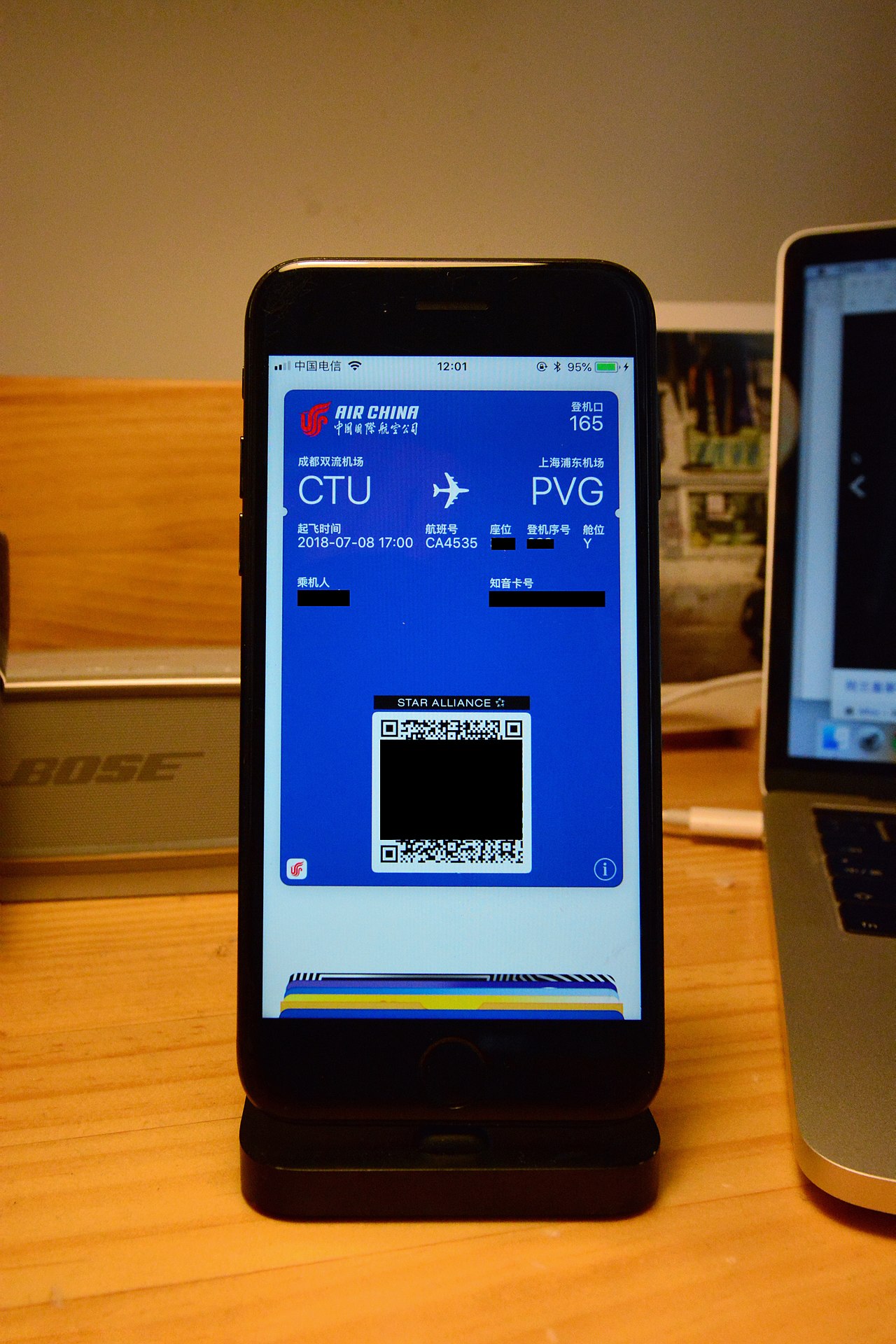
Common uses for Passbook passes included airline boarding passes, mobile tickets for concerts and sporting events, store loyalty cards and digital coupons. Pass distribution is typically handled via email, apps or websites; tapping a pass adds it to the user’s collection where it can be presented at checkpoints, scanned at point-of-sale, or shown to staff. Retailers and transit agencies used the system to streamline check-in and reduce paper handling.
Distinctions and legacy
Passbook differed from full mobile wallet solutions by focusing on non-payment passes rather than payment cards, although later Wallet combined both functions. The pass format and PassKit remain a common integration method for businesses that need to send dynamic, context-aware credentials to Apple devices. For background on the app’s unveiling, see Apple’s original announcement at the WWDC event: WWDC 2012 keynote. For developer resources and platform specifics consult Apple’s PassKit documentation and iOS developer materials: pass and ticket examples and Apple developer site.
Questions and answers
Q: What is Passbook?
A: Passbook is an application in iOS that allows users to store coupons, boarding passes, event tickets, store cards, generic cards, and other forms of mobile payment.
Q: Who created Passbook?
A: Passbook was created by Apple.
Q: When was Passbook first announced?
A: Passbook was first announced at the 2012 Apple Worldwide Developers Conference on June 11, 2012.
Q: When was Passbook released?
A: Passbook was released with iOS 6 on September 19, 2012.
Q: What kind of cards and payments can be stored in Passbook?
A: Passbook can store various forms of mobile payment, including coupons, boarding passes, event tickets, store cards, and generic cards.
Q: Is Passbook available only for iOS users?
A: Yes, Passbook is an application exclusively available for iOS users.
Q: Can Passbook be used offline?
A: Yes, Passbook can be used offline once the content is downloaded and stored in the device.
Related articles
Author
AlegsaOnline.com Passbook (Apple mobile application) Leandro Alegsa
URL: https://en.alegsaonline.com/art/74929
Sources
- passbookinfo.com : "What is Apple Passbook"
- engadget.com : "Apple unveils iOS 6 at WWDC, launch apps with Siri, Facebook integration, Maps"
- tnooz.com : "Apple Passbook and its potential impact on the travel industry"
- apple.com : "iOS What's New: Passbook"
- code.google.com : "Designing your Pass so it is appropriate for other languages"