
MATE (desktop environment)
MATE is a continuation of GNOME 2: a lightweight, traditional desktop environment for Linux and other Unix-like systems, favored for familiarity, low resource use, and modular components.
Overview
MATE is a classical-style desktop environment developed for Linux and other Unix-like operating systems. It revives and preserves the workflow and user interface conventions of GNOME 2, offering a taskbar, system tray, menu-driven application launcher, and window-based program management familiar to long-time desktop users. The project emphasizes stability, configurability, and modest hardware requirements.
Image gallery
6 Images



History and origins
MATE began in 2011 as a community response to GNOME's shift from GNOME 2 to GNOME 3 and the new GNOME Shell paradigm, which many in the Linux community found unsuitable for traditional desktop workflows. Developers created a fork that continued the GNOME 2 design and code base, rebranding components to avoid conflicts with the upstream GNOME project. The initial work was started by an Arch Linux user and quickly attracted contributions from multiple distributions and volunteers. The project's name comes from the South American plant yerba mate and the tea called mate.
Core components
MATE is a collection of coordinated applications and libraries rather than a single program. Core parts include:
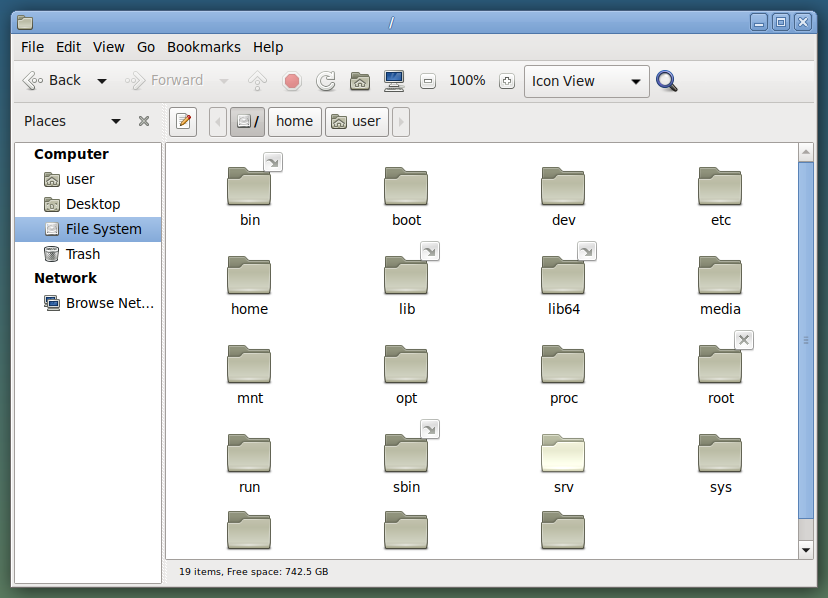
- Caja — file manager (fork of Nautilus)
- Marco — window manager (fork of Metacity)
- Pluma — text editor (fork of gedit)
- Atril — document viewer (fork of Evince)
- Engrampa — archive manager (fork of File Roller)
- MATE Panel, MATE Control Center, and MATE Terminal — desktop shell, settings, and terminal emulator
Development and technical notes
Originally built on GTK+ 2, MATE has been progressively ported to newer toolkits to remain maintainable and secure. The project is released under free software licenses (primarily the GPL) and is developed by an open community of contributors and maintainers. MATE is available in many distributions and spins — for example it can be chosen as the default in several popular releases and is provided as an option by major distributions including an Arch Linux community package and various official flavors.
Uses and audience
MATE appeals to users who prefer a conventional desktop layout, administrators who need a stable and predictable environment, and installations on older or resource-limited hardware. It is also favored in educational and enterprise settings where simplicity, configurability, and long-term maintenance matter. Because its design is modular, distributions can replace or extend individual components without changing the overall user experience.
Distinctive points
MATE's main distinction is continuity: it preserves the GNOME 2 interaction model while accepting incremental modernization. Compared with GNOME 3 and other contemporary desktops, MATE aims for low friction in migration and for a conservative evolution path driven by user needs rather than radical interface change. The project remains community-driven and pragmatic, balancing compatibility with active development and security updates.
Learn more about desktop environments · Linux platforms · community projects · software forks · GNOME legacy · Arch Linux packages
Questions and answers
Q: What is MATE?
A: MATE is a desktop environment for Linux.
Q: What is MATE based on?
A: MATE is based on an older version of the desktop environment GNOME, called GNOME 2.
Q: Why was MATE created?
A: MATE was created because many people in the Linux community did not like the way GNOME 3 (or GNOME Shell) looked, and wanted GNOME 2.
Q: Who created MATE?
A: An Arch Linux user created MATE.
Q: What does the name MATE refer to?
A: The name MATE refers to a South American plant called Yerba Mate and the tea made from the plant.
Q: What is a desktop environment?
A: A desktop environment is a graphical user interface that provides the necessary tools for users to interact with a computer's operating system.
Q: What does forking mean in the context of MATE?
A: Forking means to create a new program from part of an existing program. In the context of MATE, it means creating a new desktop environment based on GNOME 2.
Related articles
Author
AlegsaOnline.com MATE (desktop environment) Leandro Alegsa
URL: https://en.alegsaonline.com/art/62784
Sources
- phoronix.com : "GNOME2-Forked MATE Desktop Is Being Ported To Wayland"
- mate-desktop.org : "MATE Desktop Environment"