
Computer keyboard: design, history, functions and variations
Comprehensive overview of the computer keyboard: how it works, key layouts and switches, connectivity, history, common uses, accessibility features and notable variations.
A computer keyboard is a primary human-to-machine input device used to enter letters, numbers and other symbols—collectively called characters—into a computer. Typing is the routine action of pressing keys to produce text or issue commands. Keyboards remain one of the most widely used interfaces for text entry and many control tasks, from simple data entry to complex software shortcuts and programming.
Image gallery
10 Images
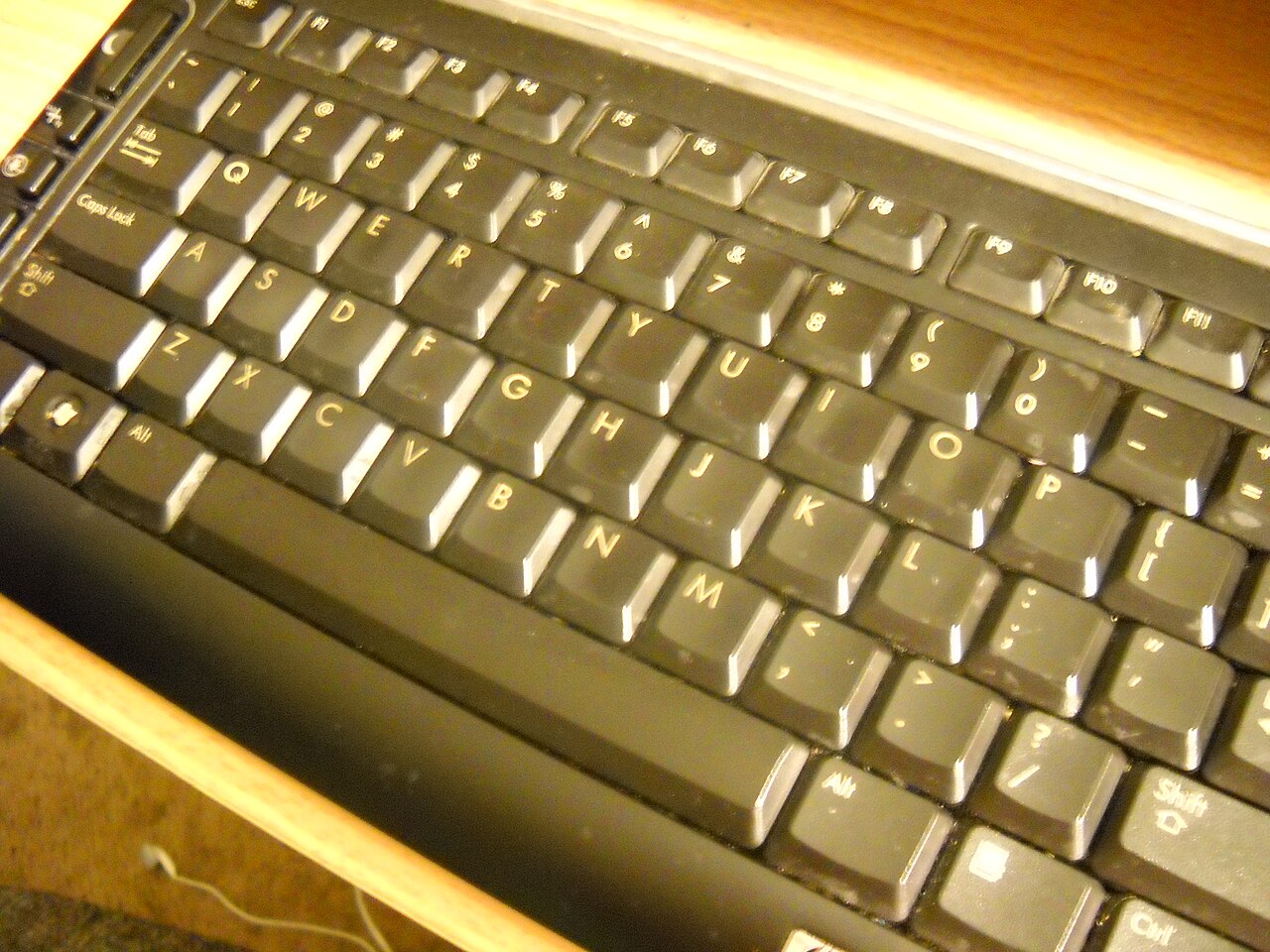


Structure and components
Most keyboards are composed of a set of labelled keys mounted over individual mechanical or electronic switches and push-buttons. Pressing a key closes or changes an electrical circuit so the device sends a coded signal to the host, which the operating system translates into a character on the screen near the blinking text cursor. Keyboards typically include:
- Alphanumeric section: letters, digits and basic punctuation.
- Modifier keys: Shift, Caps Lock, Ctrl, Alt and others that change behavior.
- Navigation and editing keys: arrow keys, Home, End, Page Up/Down and Delete.
- Function row and special-purpose keys used by specific programs or systems.
Connectivity and electronics
Keyboards may connect to computers by wired or wired means or by wireless technologies such as Bluetooth. Modern desktop keyboards most often use USB, while older models used a round DIN connector. Internally, many keyboards contain microcontrollers, debounce logic and character mapping tables so the raw key actions convert into standardized scancodes the host recognizes. Variations in keyboard behavior and available keys are often dictated by the target operating systems, drivers and regional layouts.
History and development
Keyboards evolved from mechanical typewriter layouts standardized in the 19th century. Early electric typewriters and teletype machines introduced electromechanical switching that influenced early computer terminal designs. Over time, compact electronic circuitry replaced bulky mechanical linkages, and manufacturers diversified form factors: full-size, tenkeyless, ergonomic, laptop-integrated and mobile virtual keyboards. The move from legacy connectors to USB and from wired to wireless parallels broader trends in personal computing and communications.
Uses, shortcuts and accessibility
Beyond plain text entry, keyboards serve as control surfaces. Users rely on combinations of modifier keys and other keys to execute shortcuts that improve efficiency—copy, paste and search commands, for example. Keyboards are also central to accessibility: sticky keys, on-screen keyboards and programmable macro keys help people with limited mobility. Specialized layouts and software remapping allow alternative input patterns for different languages, professions and disabilities.
Variations and notable facts
Keyboards differ in switch types (mechanical, membrane, scissor-switch), tactile feel, actuation force and travel distance, which affect typing comfort and speed. Gaming keyboards often include anti-ghosting and n-key rollover to register many simultaneous key presses reliably. Mobile devices and many tablets replace physical keys with virtual touch keyboards, while some modern designs combine touch-sensitive surfaces with traditional keys. Keyboards remain a focus of ergonomic research and customization because small differences in layout or force can affect long-term comfort and productivity.
For more detailed technical or historical information, consult resources on hardware design and input standards via these references: input device, letters, numbers, symbols, characters, computer, mechanical, switches, push-buttons, circuit, signal, screen, text cursor, Shift, Caps Lock, operating systems, wired, wireless, Bluetooth, DIN connector.
Note: Keyboard designs and standards continue to evolve; choices of layout, connection and switch type influence usability, compatibility and comfort for different users and tasks.
Questions and answers
Q: What is a computer keyboard?
A: A computer keyboard is an input device that allows a person to enter letters, numbers, and other symbols into a computer. It is one of the most used input devices for computers.
Q: How does a keyboard work?
A: When one of the keys on the keyboard are pushed, it closes an electrical circuit which sends a signal to the computer telling it what letter, number or symbol should be displayed on the screen.
Q: What are some special keys found on keyboards?
A: Special keys found on keyboards include those that change the symbol (such as shift or caps lock) or give special commands (such as arrow keys, CTRL and ALT). Different operating systems may use these differently.
Q: What are some common shortcuts used with Windows programs?
A: Common shortcuts used with Windows programs include Ctrl + C to copy text or pictures; Ctrl + V to paste what was copied; and Ctrl + F to find certain words in documents or web pages.
Q: How can keyboards be connected to computers?
A: Keyboards can be connected to computers using wires or wirelessly through Bluetooth connections. Most wired 21st century keyboards connect via USB sockets while older ones use round purple DIN connectors.
Q: What is typing?
A: Typing refers to entering characters into a computer using a keyboard.
Related articles
Author
AlegsaOnline.com Computer keyboard: design, history, functions and variations Leandro Alegsa
URL: https://en.alegsaonline.com/art/53126
Sources
- lasecwww.epfl.ch : "Compromising Electromagnetic Emanations of Wired and Wireless Keyboards - Martin Vuagnoux and Sylvain Pasini"
- newscientist.com : "Newscientist.com"
- abcnews.go.com : abcnews.go.com/Health/Germs/story?id=4774746&page=1