
Google Translate — overview, features, history and uses
A concise encyclopedia entry on Google Translate: its purpose, capabilities, development, typical uses, limitations, community features and how it compares to other translation tools.
Overview
Google Translate is a widely used online Google service that converts text from one language into another. Launched in 2006, it provides instant translations for short phrases, longer passages and whole web pages. Over time the service has expanded to support well over a hundred languages and is available through web browsers, mobile apps and application programming interfaces.
Image gallery
4 Images


Key features
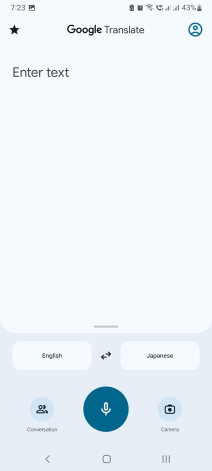
The tool offers several practical features beyond a literal translation. Users can enter individual words, full sentences or upload documents for processing. It also includes pronunciation aids — a text-to-speech function that helps learners pronounce terms — and short lexical notes that define entries much like a compact dictionary.
How it developed and how it works
Early versions relied on statistical methods, comparing large bilingual text corpora. In the mid-2010s the service shifted toward neural network models, which generally produce more fluent and natural-sounding output by learning patterns from vast multilingual data. The exact inner workings combine machine learning techniques, language modeling, and continuous updates; the platform has evolved as research in computational linguistics advances and as more training material becomes available.
Uses and examples
Everyday uses include reading foreign-language web pages, composing messages, aiding language study, and translating menus or signs while traveling. Organizations and developers use translation APIs to localize apps and content. Some features are tailored to assistive tasks: camera translation for live text recognition, conversation mode for back-and-forth speech, and offline language packs for mobile use.
Community, corrections and notable points
Google Translate integrates community-driven elements that allow users to propose corrections and offer alternative renderings; these community contributions and suggestions can improve quality over time. The underlying algorithm still makes mistakes, especially with idioms, rare languages or highly technical subjects. Users should treat machine output as a helpful draft rather than a definitive or legally binding translation.
Limitations, privacy and alternatives
Automated translation can misinterpret context, cultural nuance and specialized terminology. Privacy considerations arise because text sent to cloud services may be processed and stored; people and organizations with sensitive material should consult service terms. For collaborative verification or encyclopedic content, other crowd-sourced platforms such as Google Maps or Wikipedia illustrate how human review and local knowledge complement automated tools.
- Strengths: speed, accessibility, multi-platform availability.
- Weaknesses: occasional inaccuracy, reduced performance on low-resource languages or complex text.
As machine translation technology continues to improve, Google Translate remains a prominent example of applied natural language processing, balancing automated convenience with the persistent need for human judgment in sensitive or nuanced translations.
Questions and answers
Q: What is Google Translate?
A: Google Translate is a machine translation website from Google that can translate text between different languages.
Q: How many languages does it support?
A: As of 11th May, 2022, it supports 133 languages.
Q: When was it launched?
A: It was launched on April 28, 2006.
Q: Is it free to use?
A: Yes, Google Translate has always been free to use.
Q: What other features does it have besides translating words and sentences?
A: It can also show how to pronounce (say) the word using text-to-speech, and show the definition (meaning) like a dictionary.
Q: Does the community have any input in translations?
A: Yes, more recently Google Translate lets the community make changes or suggestions if the computer made a wrong translation. This is very much like how one can contribute to websites like Google Maps and Wikipedia.
Q: Are there any similarities between contributing to Google Translate and other websites such as Wikipedia or Google Maps?
A: Yes, contributing to Google Translate is similar to contributing to websites such as Wikipedia or Google Maps in that users are able to make changes or suggestions if they believe the computer has made an incorrect translation.
Related articles
Author
AlegsaOnline.com Google Translate — overview, features, history and uses Leandro Alegsa
URL: https://en.alegsaonline.com/art/39695
Sources
- research.googleblog.com : "Statistical machine translation live"
- blog.google : "Found in translation: More accurate, fluent sentences in Google Translate"
- support.google.com : "Download & use Google Translate - Computer"
- translate.google.com : About Google Translate
- translate.google.com : "See which features work with each language"