
Computer graphics: concepts, history, and practical applications
An accessible overview of computer graphics: core concepts, production pipeline, history, common uses, and distinctions between major approaches, with links for further reading.
Overview
Computer graphics is the discipline that creates, manipulates and displays visual content using computers. It covers both single static images and sequences of images such as animations and video. At its core, computer graphics transforms abstract data and mathematical models into pictures that communicate information, simulate scenes or provide interactive experiences.
Image gallery
9 Images






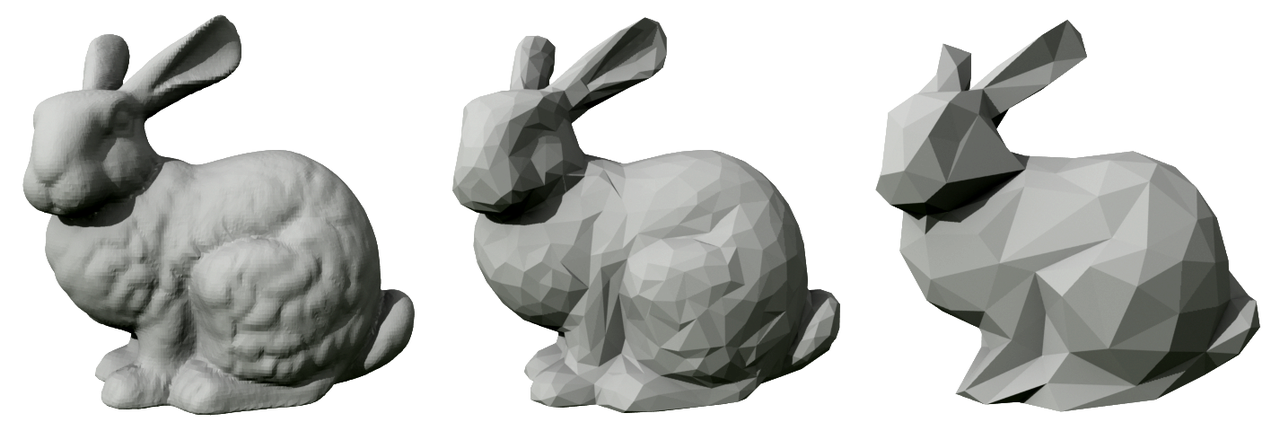
Core concepts and components
Several interlocking ideas form the foundation of modern computer graphics. Raster graphics represent images as grids of pixels, while vector graphics use geometric primitives such as points, lines and curves. Modeling defines the shape and structure of objects; texturing and materials give surfaces color and appearance; lighting and shading determine how surfaces react to light; and rendering is the process that produces the final image from these elements. Real-time graphics emphasize speed (common in games and user interfaces), while offline rendering favors quality (common in film visual effects).
History and development
The field evolved from early experiments in plotting and display hardware to sophisticated software pipelines and specialized processors. Advances in algorithms, increased computing power and the emergence of programmable graphics hardware (GPUs) transformed what is possible. Parallel improvements in software tools, standard APIs and modeling packages expanded access for artists, designers and scientists.
Uses and examples
- Entertainment: computer-generated imagery (CGI) and visual effects for film and television.
- Video games and interactive experiences, where real-time rendering is critical.
- Design and digital content creation: illustration, photo editing, and advertising visuals.
- Engineering and architecture: CAD and simulation visualizations.
- Scientific visualization: rendering data to reveal patterns and support analysis.
- Emerging fields: augmented and virtual reality, procedural generation, and machine-learning-driven image synthesis.
Distinctions and notable facts
Computer graphics blends technical and creative practices. Key distinctions include 2D versus 3D, raster versus vector, and photorealistic versus stylized rendering. The same techniques power high-end film effects and everyday user interfaces, and the field continues to borrow ideas from optics, perception, mathematics and art.
Further reading and resources
Introductory material, standards and tools are widely available; the following links lead to representative resources and documentation:
- Standards and specifications overview
- Graphics hardware and architecture
- Animation techniques and workflows
- Rendering and shading approaches
- Computer-generated imagery (CGI) resources
- Film visual effects case studies
- Video game graphics and design
- Software development for graphics
- Photo editing and image processing
- Design and advertising applications
- Artistic practices related to computer graphics
Questions and answers
Q: What are computer graphics?
A: Computer graphics are visual representations of data, made with the help of a computer.
Q: How can computer graphics be used?
A: Computer graphics can be used for movie making, video games, computer program development, photo editing, scientific modeling, design for advertising and more.
Q: What forms do computer graphics take?
A: Computer graphics can take the form of a series of images (video or animation) or a single image.
Q: How is computer-generated imagery created?
A: Computer-generated imagery is created with the help of a computer.
Q: Are there any other uses for computer graphics besides art?
A: Yes, in addition to being seen as art by some people, computer graphics have many practical applications such as movie making, video games, computer program development, photo editing and more.
Q: Is it possible to create 3D images using computers?
A: Yes, it is possible to create 3D images using computers.
Q: Can computers generate realistic images?
A: Yes, computers can generate very realistic images depending on the software and hardware used.
Related articles
Author
AlegsaOnline.com Computer graphics: concepts, history, and practical applications Leandro Alegsa
URL: https://en.alegsaonline.com/art/22314