
Boot device: how a computer loads its operating system
A boot device is the hardware or mechanism a computer uses to load its operating system into memory at startup. Covers types, process stages, history, examples and common distinctions.
Overview
A boot device is any storage medium or mechanism that a machine uses to start up and load an operating system into memory so the system can run. In everyday usage the term refers to the physical medium that contains the initial program code executed at power-up. The concept connects to older metaphors of fastening and self-starting: the word "boot" and the related term "bootstrap" evoke pulling a system into operation from a small, simpler routine.
Image gallery
10 Images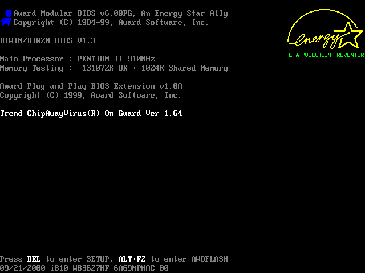





Common types of boot devices
Many kinds of media can act as a boot device. Typical examples include internal hard drives and solid-state drives, removable optical discs, USB flash drives and older removable media. Specialized hardware or network facilities can also provide boot images to machines that lack a local boot disk.
- Solid state drives (SSD) and hard disk drives are the most common persistent boot sources for general-purpose computers.
- Floppy disks and USB flash drives are traditional removable boot media used for installation and recovery.
- Optical discs such as CDs or DVDs are often used for installation or live systems; these are read-only but can contain complete bootable environments.
- Networked machines may use network booting, receiving an operating system image over a network link.
- Embedded boot chips and specialized boot cards provide firmware-level startup for dedicated devices and some mobile systems or kiosks.
Typical boot sequence
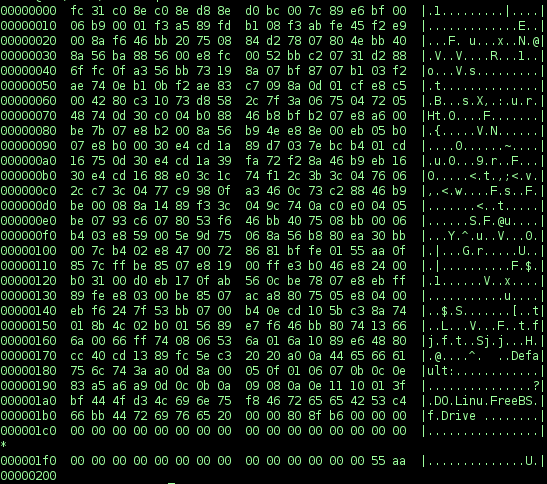
A simplified startup sequence begins when firmware performs hardware initialization and a basic power-on self-test. The firmware locates a configured boot device, reads a small bootstrap loader from that device, and transfers control to it. That loader typically loads a larger bootloader or directly begins loading the operating system kernel into memory and then starts higher-level services. The firmware and loader steps together are often summarized under the term bootstrap.
History and etymology
The term "boot" in this context is a shortening of "bootstrap" and alludes to a self-starting sequence: using a small program to pull a more complex system into operation. Early personal computers used simple bootstrap programs stored on ROM or on removable media. Over time, boot mechanisms grew more flexible, adding features like configurable boot order, secure boot verification and network-based provisioning.
Network, embedded and kiosk scenarios
Not all systems rely on local disks. Diskless workstations, some thin clients and servers in managed data centers often obtain their operating environment from network boot services. Embedded devices and certain mobile or telephony equipment use small boot chips or firmware routines that identify hardware or users and hand off control to downloaded software. Systems designed for public use may accept a removable boot card to give a user a private session on a kiosk while keeping the host machine unchanged; see kiosk boot cards.
Practical distinctions and troubleshooting
In practice people sometimes call the primary startup medium the "boot disk" or simply the "boot" while referring to other storage as "data" drives. Technically the distinction matters only to the firmware and the operating system configuration. Common issues include incorrect boot order, corrupted bootloaders, missing boot files, or secure-boot policy blocks. Repair approaches range from selecting the correct device in firmware settings to using recovery media or performing a network reinstall.
For related technical reference and further reading, consult firmware documentation and operating-system installation guides. A basic understanding of boot devices helps with installation, disaster recovery, and system provisioning in both consumer and enterprise contexts. Additional background on physical components and secure boot features can be found in manufacturer materials and standards overviews.
Origin of the boot metaphor • Operating system • Computer • Portable USB • Mobile networks
Questions and answers
Q: What is a boot device?
A: A boot device is used to start a computer. It loads the operating system into the memory of the computer and can be a floppy disk, flash drive, CD, hard drive or Solid State Drive.
Q: Where does the term "bootstrap" come from?
A: The term "bootstrap" comes from the English phrase "pull yourself up by your own bootstraps." It means to use something simpler to get something more complex to make itself work better.
Q: What are some examples of boot devices?
A: Examples of boot devices include floppy disks, flash drives, CDs, hard drives and Solid State Drives. Some network computers also use boot chips that get the operating system over a network. Web phones also use such chips to identify the user to the mobile phone network.
Q: How do boot cards work?
A: Boot card standards may let many users boot kiosk computers with full privacy and access to all application software they own. There are also permanent versions called boot boards or add-in cards that are more permanent than regular boot cards.
Q: What is the difference between a 'boot' device and other data devices?
A: It is not actually the computer but rather the operating system that cares about differentiating between 'boot' devices and other data devices - not necessarily just in terms of their function but also in terms of their importance when it comes to starting up a computer properly.
Q: Why do we need an operating system before using a computer?
A: Before a computer can operate normally, it must have instructions from an operating system which tell it how to perform basic functions such as loading applications or programs onto its memory so they can be accessed by users later on.
Q: How do web phones use chips for identification purposes?
A: Web phones use chips for identification purposes by connecting them with mobile phone networks so they can be identified by those networks when being used online or making calls etcetera.
Related articles
Author
AlegsaOnline.com Boot device: how a computer loads its operating system Leandro Alegsa
URL: https://en.alegsaonline.com/art/13049