
Xfce — lightweight desktop environment for Unix-like systems
Xfce is a free, open-source desktop environment for Unix-like systems that emphasizes speed, low resource use, modularity and ease of use. Often used on older hardware and lightweight distributions.
Xfce is a free and open-source desktop environment designed for Unix and Unix-like operating systems. Its primary goals are to be fast and consume minimal system resources while remaining visually coherent and easy to use. Xfce provides a traditional desktop metaphor with a panel, desktop icons and a window manager, and is popular on installations that require a responsive interface on modest hardware.
Image gallery
10 Images


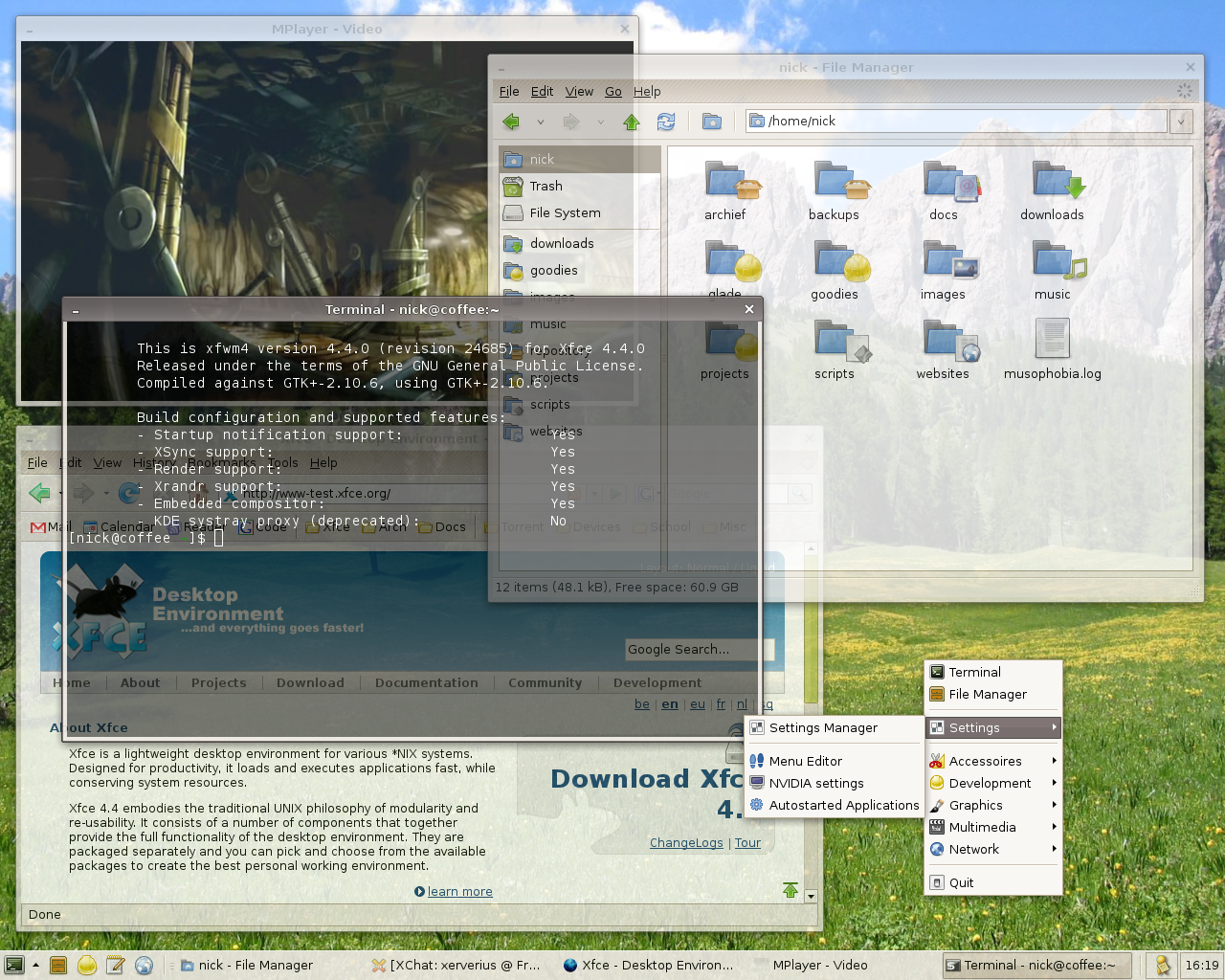


Characteristics and components
The Xfce desktop is built from a collection of modular components that can be used together or independently. Typical elements include:
- Window manager: Xfwm (often xfwm4), which handles window placement, focus and optional compositing for shadows and translucency.
- File manager: Thunar, a lightweight manager focused on speed and simple file operations.
- Panel and launcher: xfce4-panel, providing application launchers, task lists and system trays.
- Settings and session tools: utilities for configuring appearance, keyboard shortcuts, power management and startup sessions.
- Terminal and utilities: a terminal emulator, simple text editors and various small utilities that integrate with the desktop.
These components are configured mainly through graphical tools, but configuration files remain available for advanced users. The desktop supports theming, multi-monitor setups and a plugin system for extending the panel.
History and development
Xfce began in the mid-1990s as a lightweight alternative to larger desktop environments. Its name originally referenced an older toolkit but over time the project moved to the GTK toolkit used by many Linux desktop projects. Development is community-driven and emphasizes stability and incremental improvement rather than rapid, disruptive changes. Releases often balance new features with continued support for older machines.
Uses and practical advantages
Because of its modest resource requirements, Xfce is widely used on laptops, older desktop computers and in virtual machines where minimizing memory and CPU load is helpful. Several Linux distributions offer Xfce as an official or community flavor; it is a common choice for users who want a familiar desktop layout without the overhead of heavier environments. System administrators and users who prefer customization and predictability appreciate its straightforward settings and modularity.
Distinctions and notable facts
Xfce is notable for its pragmatic approach: it aims to be light but not minimal to the point of removing conveniences. It includes a compositing window manager for modern visual effects while keeping defaults conservative. The project documentation and community resources provide guides for customizing and extending the desktop; see the official project and community documentation for setup tips. Many distributions present an Xfce edition; check distribution-specific pages at distribution resources when choosing images or packages.
Overall, Xfce remains a practical choice for users who want a stable, efficient and configurable desktop experience without sacrificing everyday functionality.
Questions and answers
Q: What is Xfce?
A: Xfce is a free software desktop environment for Unix and other Unix-like platforms, such as Linux, Solaris, and BSD.
Q: What are the main features of Xfce?
A: Xfce is designed to be fast and lightweight, while still looking nice and being easy to use. Its current modular and reusable version is 4.12. It is based on the GTK+ 2 toolkit and uses the Xfwm window manager.
Q: What is the Xfwm window manager?
A: The Xfwm window manager is a component of Xfce that manages the positioning and appearance of windows on the screen.
Q: What is the configuration of Xfce like?
A: The configuration of Xfce is entirely mouse-driven, and the configuration files are hidden from the casual user.
Q: What platforms is Xfce compatible with?
A: Xfce is compatible with Unix and other Unix-like platforms, such as Linux, Solaris, and BSD.
Q: What is the latest version of Xfce?
A: The latest version of Xfce is 4.12.
Q: What toolkit is Xfce based on?
A: Xfce is based on the GTK+ 2 toolkit, which was formerly used in GNOME.
Related articles
Author
AlegsaOnline.com Xfce — lightweight desktop environment for Unix-like systems Leandro Alegsa
URL: https://en.alegsaonline.com/art/109471
Sources
- wiki.xfce.org : "Xfce FAQ"
- xfce.org : xfce.org/download